Wake up.
Stay up.
The alarm that won't stop until you've moved — then locks the apps that pull you back to bed.





An alarm with a job to do.
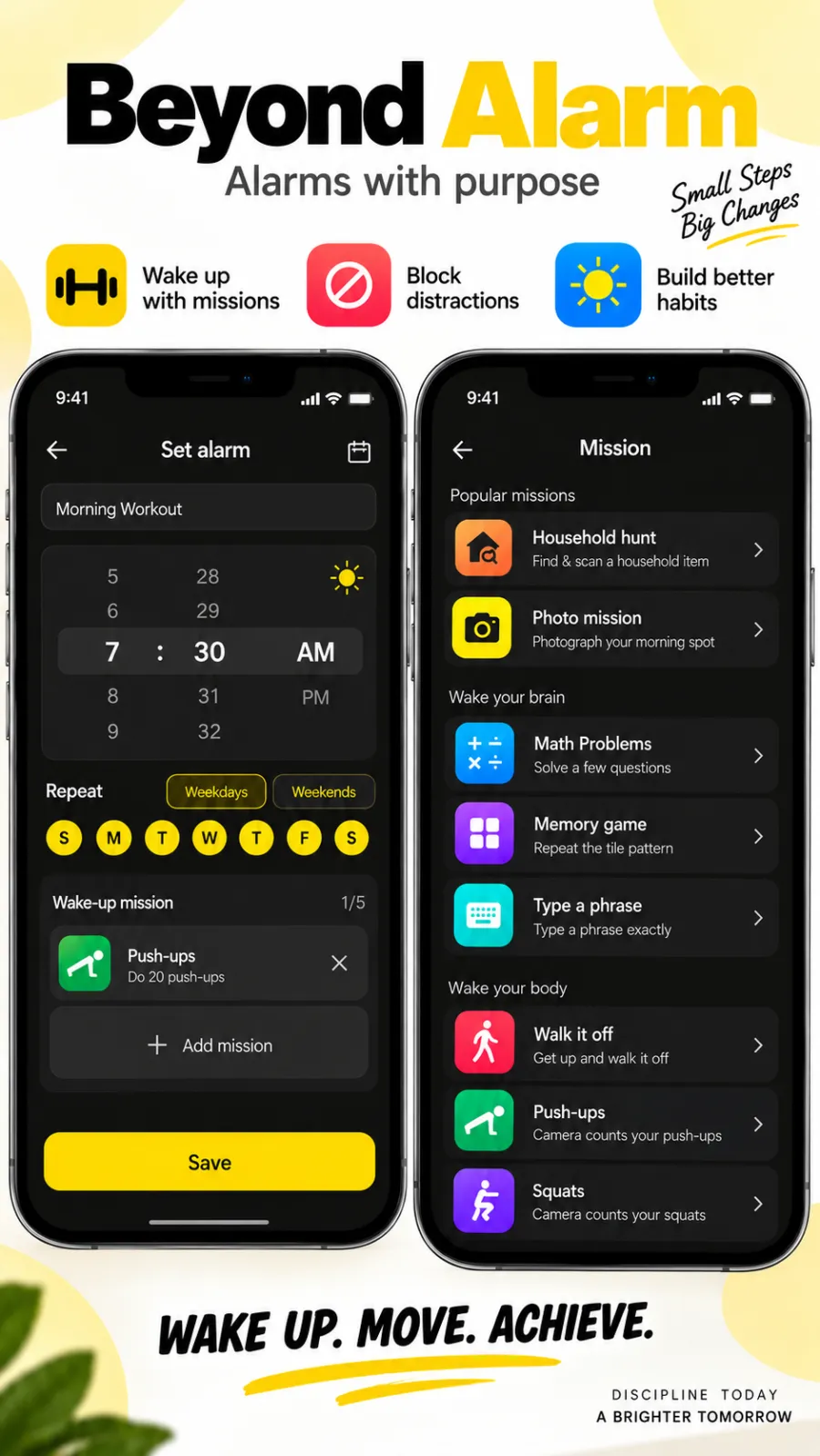
Set the time, pick the days, then give it a mission — the thing that has to be done before it goes quiet. Set it up once and it is waiting for you every morning.
- Weekdays, weekends, or any days you choose
- Stack up to five missions on one alarm, in the order you pick
- Mix brain and body — a few sums, then twenty push-ups
Solve it to stop it.
There is no off button — only a task. Eleven missions in all, and every one of them is included in the current free offering. Ads support the app; an optional purchase removes them.
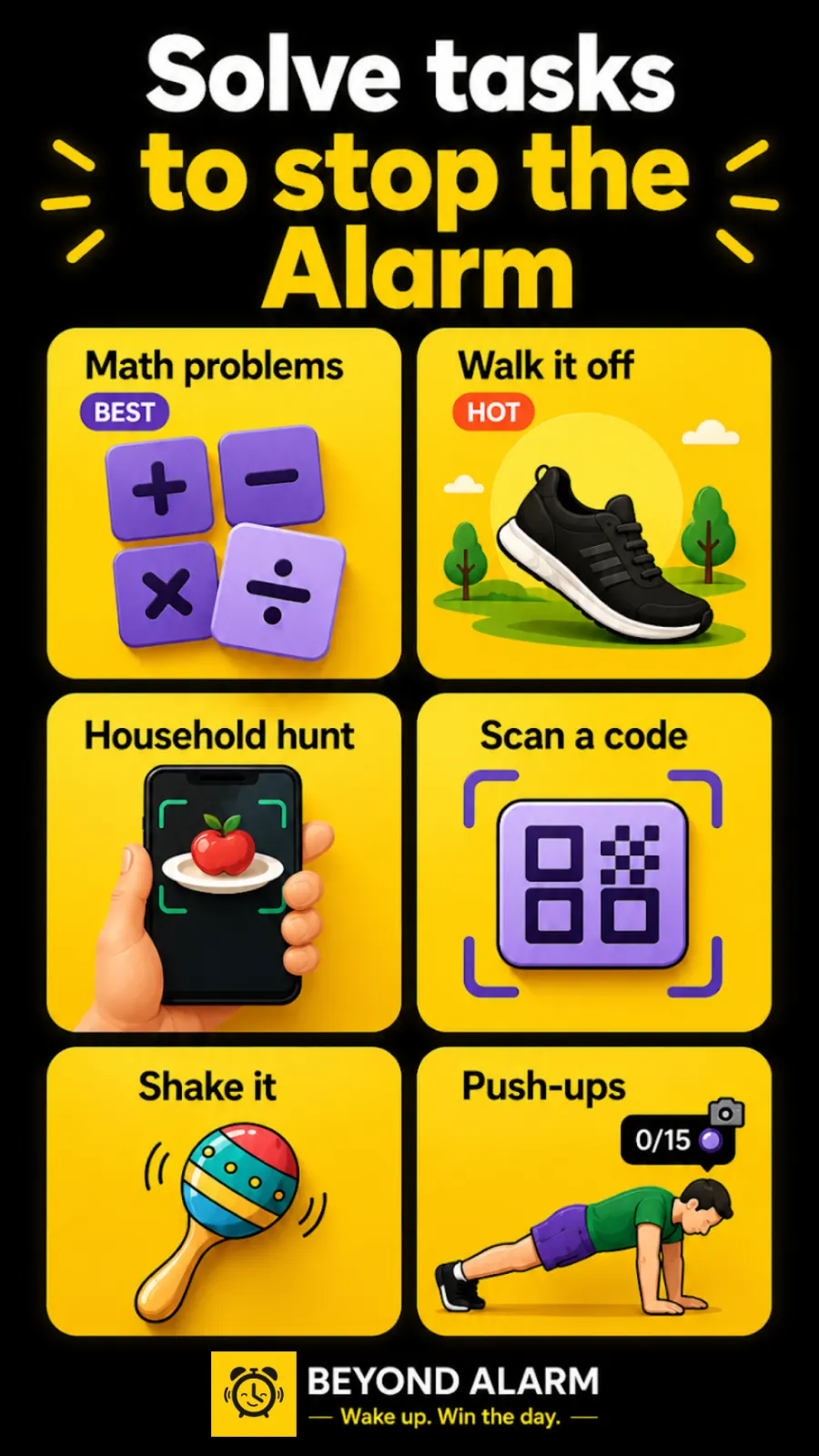
- Wake your brain: maths problems, a memory game, typing a phrase
- Wake your body: walk it off, shake it awake, push-ups, squats, jumping jacks
- Get out of bed: a household hunt, scanning a code, a photo of your morning spot
Do real reps to switch it off.
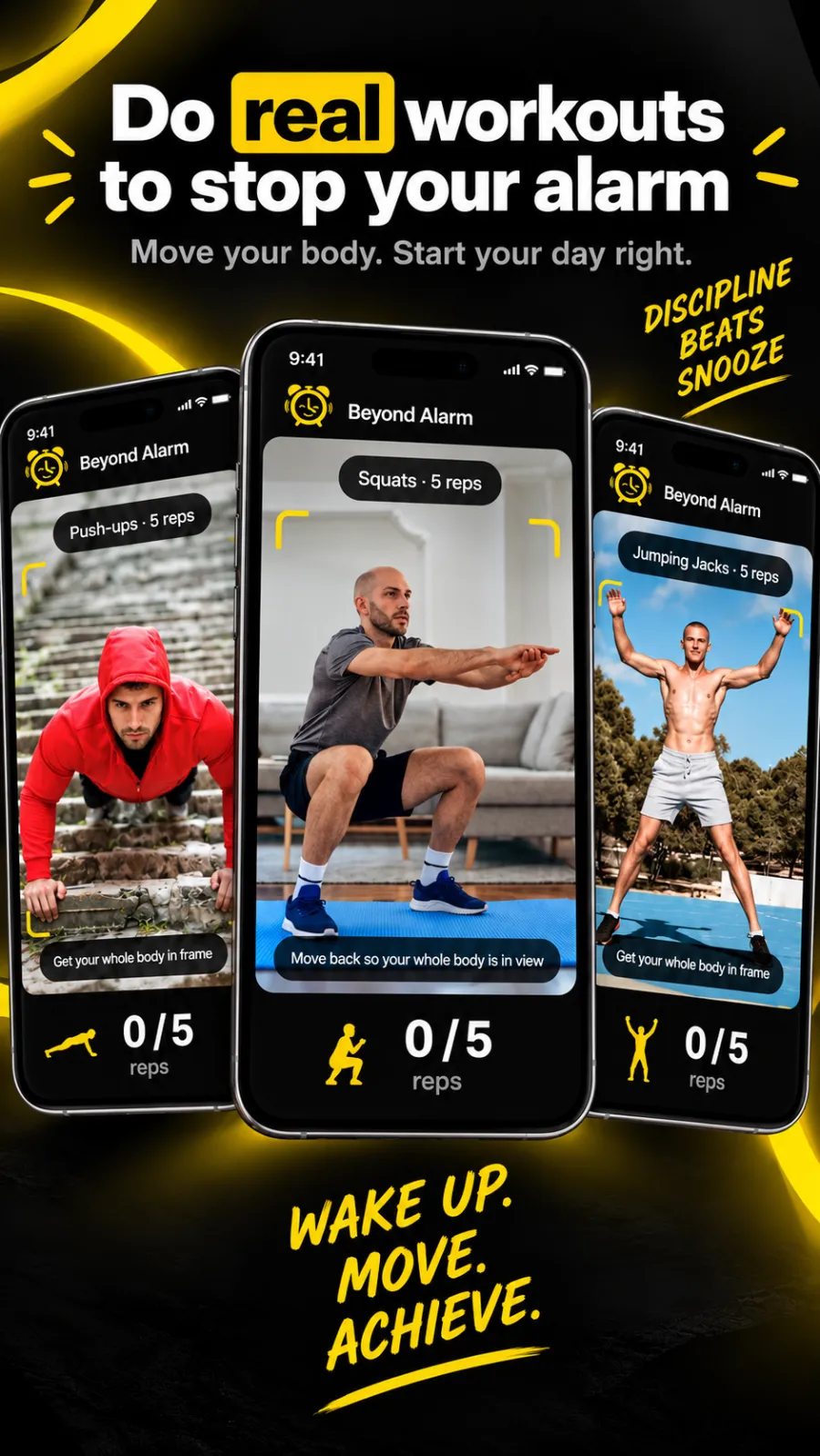
Push-ups, squats or jumping jacks, counted live by the front camera. Step back until your whole body is in frame and it counts every rep up to your target. You can’t fake it from under the duvet.
- Pose detection runs entirely on your phone
- Set your own rep target
- Bad light? It steps down to another mission
Kill the morning scroll.
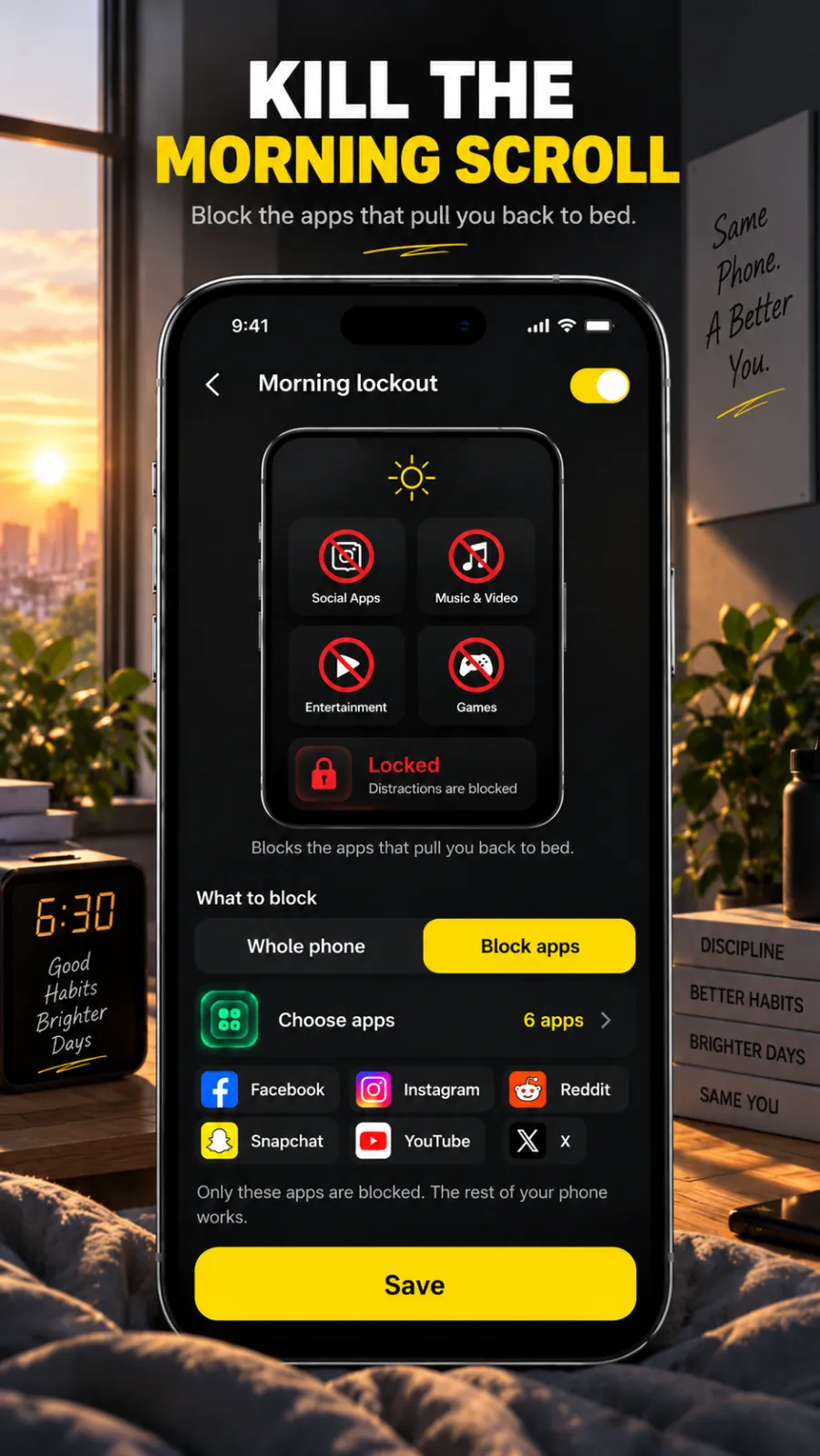
The alarm is off — and the apps that pull you back to bed stay shut. Choose them once, and every morning they are locked for as long as you set, starting the moment the alarm is done.
- Only the apps you pick — the rest of your phone works
- 15, 30, 45 or 60 minutes, or a length of your own
- Or lock the whole phone until you’re properly up
Take back your time.
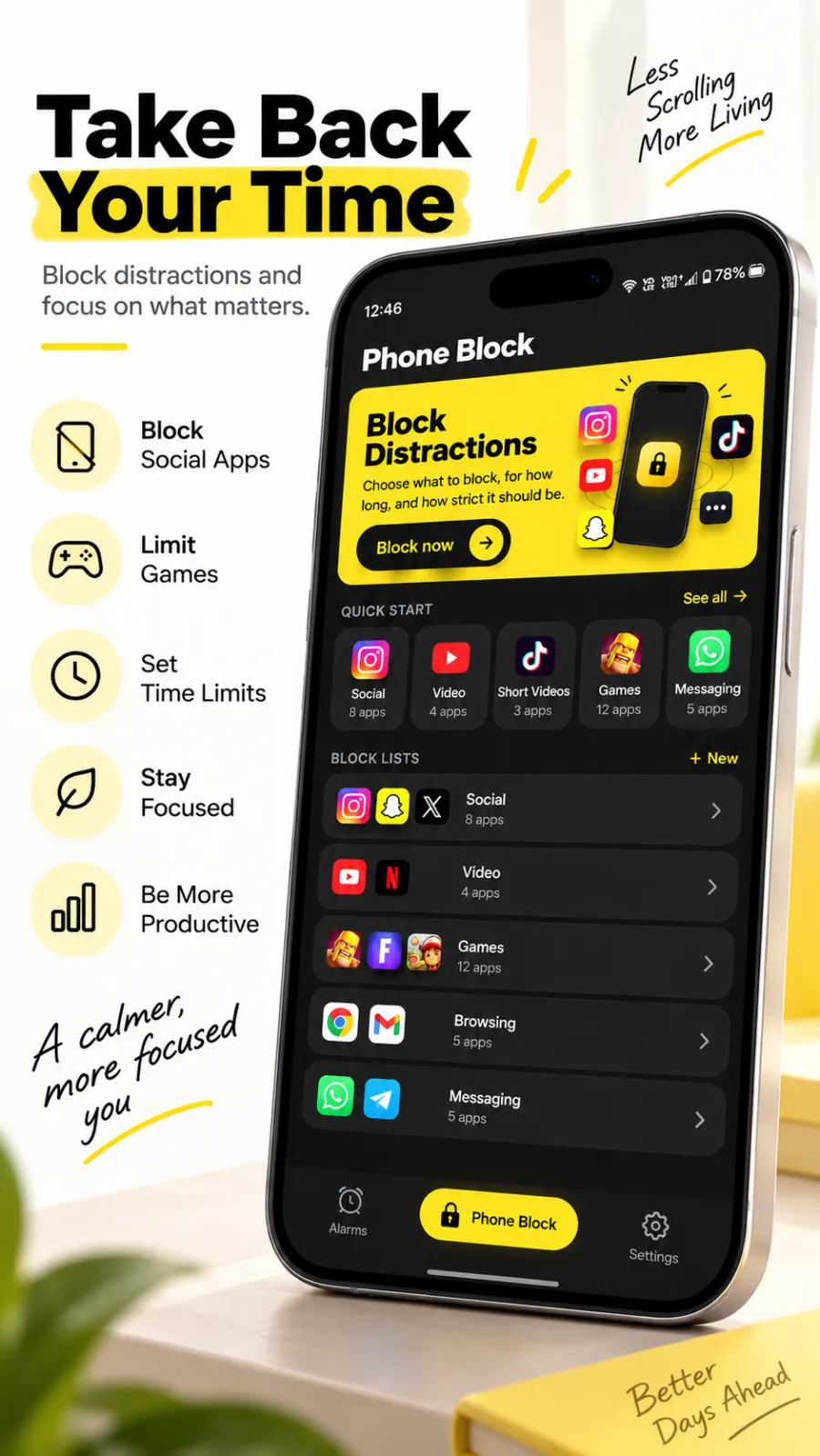
A block doesn’t need an alarm. Tap Block now, choose what goes away and for how long, and it goes away — for the next thirty minutes, or until you have finished the thing you sat down to do.
- Ready-made lists for social, video, games and shopping
- Save your own lists and start any of them in two taps
- Strict: stopping early means holding a button to prove you mean it
- Hard mode: no stop button at all until the time runs out
Once it starts, it holds.
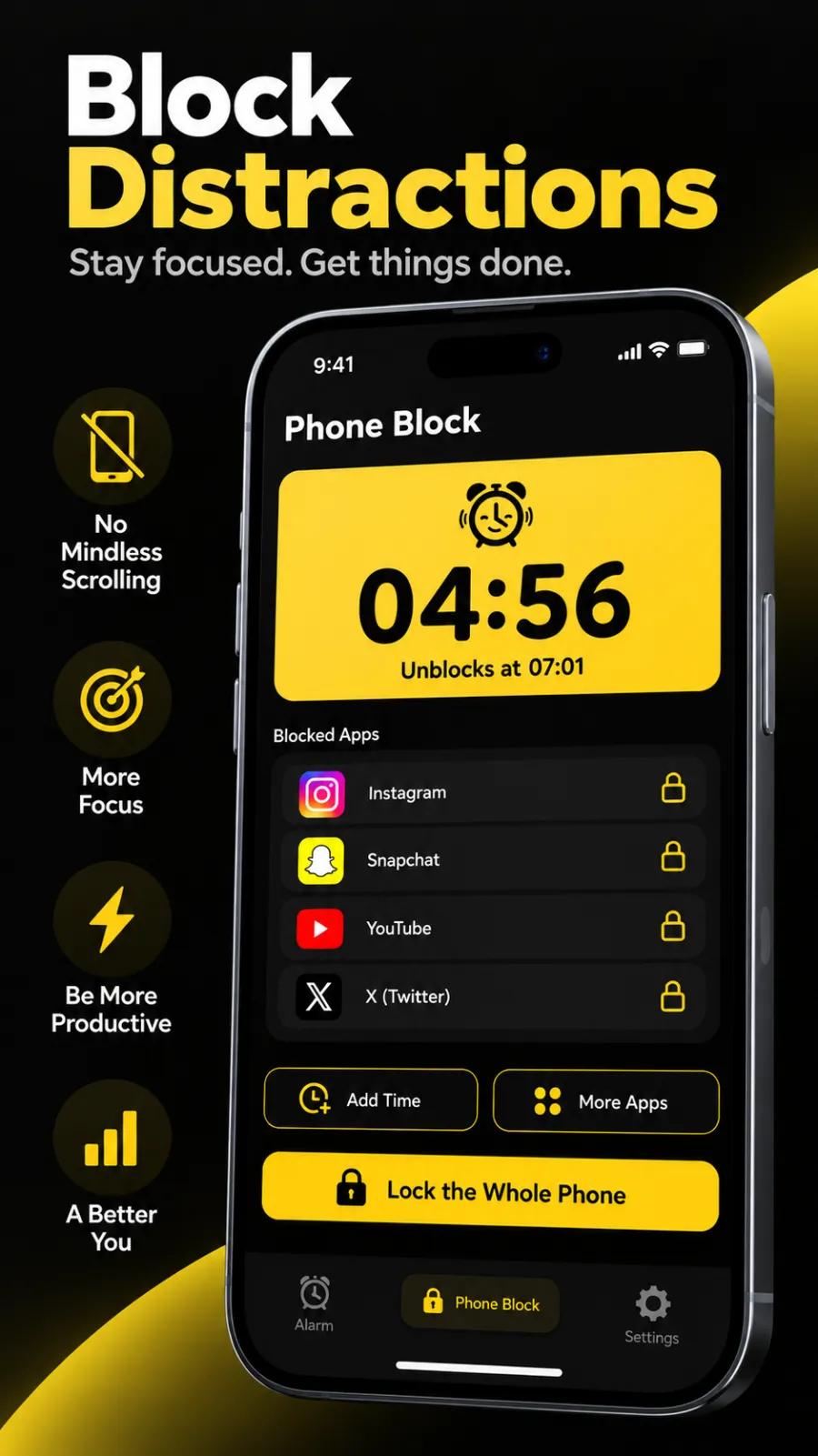
A running block shows exactly what is locked and when it lets go. Feeling the pull anyway? Make it stronger instead — add time, add apps, or lock the whole phone.
- A live countdown, and the time it unblocks
- Add more time or more apps without starting over
- One tap turns it into a whole-phone lock
Hear it from our users
“Very good app. The alarm works even if you restarted your phone and didn’t unlock it, its sound is good, you can hear it from the other side of the house if you put it to max level, a lot of features are completely free, and only phone lock is premium. Love this app!”
 David Cernea20 Aug 2026
“I’ve been using the app block session during my study time and it’s totally a game changer because it has the hard lock for free , which is a premium features in many other apps . Under hard lock I can never break the block or to like go and use the app. So I totally love it !”
 Risikesh Somnath.T16 Sep 2026
“Really useful app! If you’re someone who hits snooze the second the alarm rings, this app makes you complete a task before the alarm stops, so you actually have to get up. I also love the app blocker. You can block apps that make you doomscroll and set how long you want them blocked. Simple and genuinely helpful!”
 Rachagolla Rahul11 Sep 2026
“Very good app, personally loved itband compared to other apps and this app is totally free and has all pro missions like pushups, squats and etc. Also the morning lockout helped me a lot kudos to the dev who made it free!”
 T RAJESH (CHINNU)11 Sep 2026
“very good experience with the app, I really need this kind of app now😭. This is really helping me a lot not to doomscroll in mrng itself and waking me up correctly at crt time(restricting me not to hit the regular snooze button of alarm).”
 Kabilesh C12 Sep 2026
“amazing UI, a cool way to start the morning by different ways such as solving a math puzzle or repeating a phrase and many more.... I would definitely recommend this app to many people. In one way I found this as a digital detox for the morning”
 Saajan Varghese14 Sep 2026
“This app is honestly like really good they give all the premium features for totally free and also it’s working well. I am using the focused timer during my study sessions (that helps me a lot to stay focused and my apps are blocked) and also the alarms I use the pushups mission, it’s good.”
 Singapore S.Murugan14 Sep 2026
“Been using it for a week and honestly love the phone block feature and also it’s totally for free ,also the alarms with physical mission helps me to wake up every day.”
 UMESH KUMAAR14 Sep 2026
Frequently asked
All eleven missions and blocking features are included in the current free offering, supported by ads. Optional purchases remove ads. Camera processing stays on-device and works fully offline; see our privacy policy for advertising, analytics and permissions.
Can I just uninstall it when it's ringing?
Optional administrator access adds a deactivation step before uninstalling. It does not give the app permission to wipe your device or reset your password. Android remains in control, so uninstall and power-off prevention are not absolute guarantees.
What if the camera can't see me properly?
Every camera mission has a way out that isn't giving up. If the light is bad or there's nowhere to stand, the alarm steps down to a maths or memory mission instead of trapping you. The goal is to get you up, not to win an argument.
Does it work without internet?
Completely. Alarms are scheduled by Android itself and rep counting runs on the device. Flight mode, no signal, no wifi — it rings and it counts.
Will it survive a restart?
Yes. Alarms re-arm themselves after a reboot and after an app update. The reliability dashboard also flags the one thing no app can check on its own — OEM auto-start permission — and shows you where to switch it on for your phone.
Is there really no account?
None. There's no sign-up screen because there's nothing to sign up to, and no password to lose. Your subscription is tied to your Google Play account, so it follows you to a new phone on its own.
Is there an iPhone version?
An iPhone version is in development. Google Play is the currently linked public download; we will add an App Store link when an iPhone release is available.

Tomorrow
morning,
get up.
Free to start. About a minute to set your first alarm.