
Beyond Alarm features are free with ads: what is included
 Beyond Alarm5 September 2026 · Updated 1 October 2026 · 4 min read

Photo by Arina Krasnikova on Pexels
Every part of Beyond Alarm that used to require paying for Pro is free now. Morning Lockout, Wake-up Check, blocks on a schedule, every exercise mission, up to five missions stacked on one alarm — all of it, on install, with nothing to start and nothing to cancel.
Get it on Google Play — free, no account, works offline.
What used to be behind Pro
Before today, the split looked like this:
| Used to be | Now | |
|---|---|---|
| The alarm and one mission | Free | Free |
| Phone Block, on demand | Free | Free |
| Morning Lockout | Pro | Free |
| Wake-up Check | Pro | Free |
| Blocks on a schedule | Pro | Free |
| Push-ups, squats, jumping jacks | Pro | Free |
| Up to five missions per alarm | Pro | Free |
If you tried Beyond Alarm before and stopped at the free tier because the part you actually wanted — usually Morning Lockout, once people hear what it does — was behind a paywall, that is gone. Install it again and it is already there.
The two windows, now both free
The reason most people install Beyond Alarm in the first place is the pair that used to cost money: the phone stays shut at night, and it stays shut again right after the alarm.
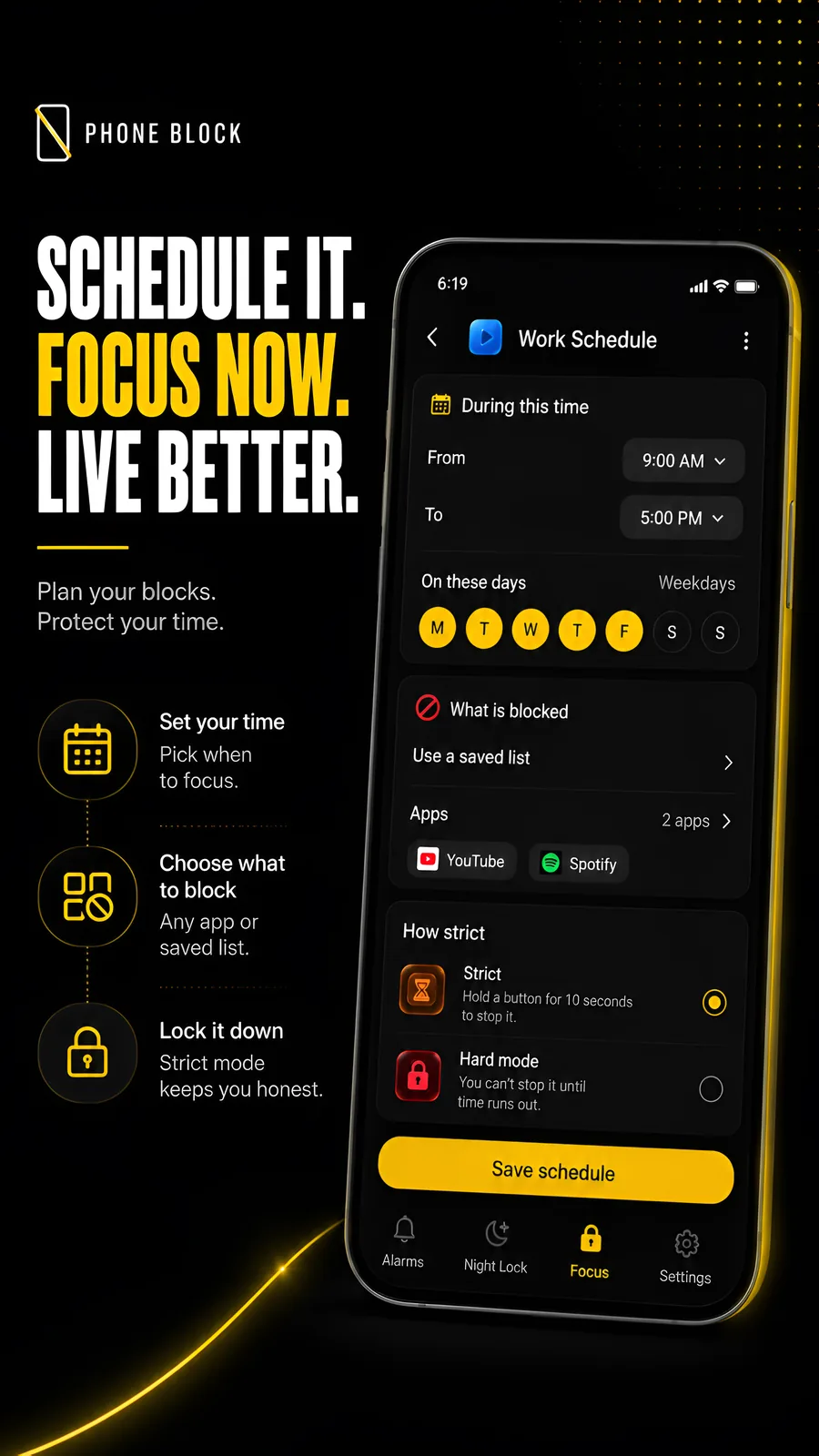
The night is now covered by a Schedule. When this post was published that job had its own feature, Night Lockout, which has since been retired. Pick the hours, the days and the apps — or the whole phone — and during that window they do not open, running with the app closed, surviving a reboot. An end time earlier than the start crosses midnight, so 11pm to 7am works. Setting one up for the night is covered here.
Morning Lockout does the other end: the apps you picked stay shut starting the moment you actually beat the alarm's mission, not a clock time you guessed the night before. Strict mode, the default, is free at any length; Hard mode on Morning Lockout is part of Pro. The full case for why that timing matters is here — short version, a scheduled blocker guards a sleeping person and runs out before the window that mattered.
Scheduling, and the rest of the missions
Blocks on a schedule used to be Pro because setting one up once and having it repeat every week without you touching the app again was the whole convenience being sold. Now the convenience is free.
Wake-up Check — the follow-up ping a few minutes after the alarm, in case you went straight back to bed — is free too. So are push-ups, squats and jumping jacks, counted on the device by the camera, and stacking up to five missions on one alarm instead of one.
Beyond Alarm
Beyond Alarm does this part for you: the alarm will not switch off until you have actually moved, and the apps you pick stay locked afterwards.





If you were comparing apps
This matters most if you were mid-decision. The comparison posts on this blog were written honestly, which meant saying plainly that Beyond Alarm's two lockouts sat behind a paywall while an app like Alarm Clock Xtreme's mission set was free from the start. That was a real trade-off worth weighing, and it is gone now — there is no longer a version of "try the free tier, decide later whether the lockouts are worth paying for." They are just there.
It also changes the app-blocker comparison: running Beyond Alarm alongside a separate blocker like AppBlock or Stay Focused for the Pro features it did not have used to be a reasonable stack. Now that reason for the second app is gone specifically for the two windows this app covers — an alarm mission is still not what a general-purpose blocker does, so the comparison still holds for anything outside those two windows.
What did not change
Still no account. There has never been a sign-up screen, and there still is not one — free or otherwise.
Still a small ad on a few screens. The ring screen, a mission, a lockout timer. That is unrelated to this change and has not moved.
The public download linked here is Android. There is no sleep tracking; website blocking depends on supported browsers exposing their address bar. What the app deliberately does not do has not changed either — if those are what you need, Sleep as Android and a dedicated website blocker are still the right tools, not this one.
If you have not tried it yet
Every part of the app, in one page is the place to start if you want to see what you are actually installing before you do. If you already know you want an alarm that will not stop until you have moved, and a morning that does not immediately disappear into your phone afterwards, the short version is: install it, pick a mission you cannot finish lying down, and turn Morning Lockout on. That is the whole product, and none of it costs anything now.
Get Beyond Alarm free on Google Play.
About the current offer
Features are free with advertising in the current offering, not a promise of permanent pricing. Pro remains available as an optional purchase to remove ads and add Hard mode to Morning Lockout. Full-screen and rewarded placements can appear as well as native ads; the current flow explains actions that involve a rewarded ad. See the privacy policy for advertising and analytics details.
Common questions
Is Beyond Alarm completely free now?
Yes, apart from one option. Every feature that used to sit behind Pro — Morning Lockout, Wake-up Check, blocks on a schedule, every exercise mission and up to five missions on one alarm — works on install, for free. Morning Lockout in Strict mode is free at any length; Hard mode on Morning Lockout is part of Pro, which also removes ads.
What used to be behind the Pro tier?
Morning Lockout, Wake-up Check, scheduled blocks, the push-up/squat/jumping-jack missions, and stacking more than one mission on an alarm. The alarm itself, one mission per alarm and Phone Block on demand were always free; the rest is free now too.
Do I have to start a trial or add a card to unlock everything?
No. There is nothing to start and nothing to cancel. Install it and every feature is already there.
Does the free version still show ads?
Yes. Supported placements include native, interstitial and rewarded ads across alarm, mission and blocking flows. Pro removes ads.
Do I need an account to use it?
No. There has never been a sign-up. Alarms, missions and blocking all run on the device, with or without a Pro tier.
We build Beyond Alarm, an Android alarm app that will not switch off until you have actually moved. Most of what we write here comes out of problems we hit building it.
Beyond Alarm
An alarm that keeps ringing until you’ve actually moved — then blocks the apps that pull you back to bed. Free to start, no account.
Keep reading
What Beyond Alarm actually does
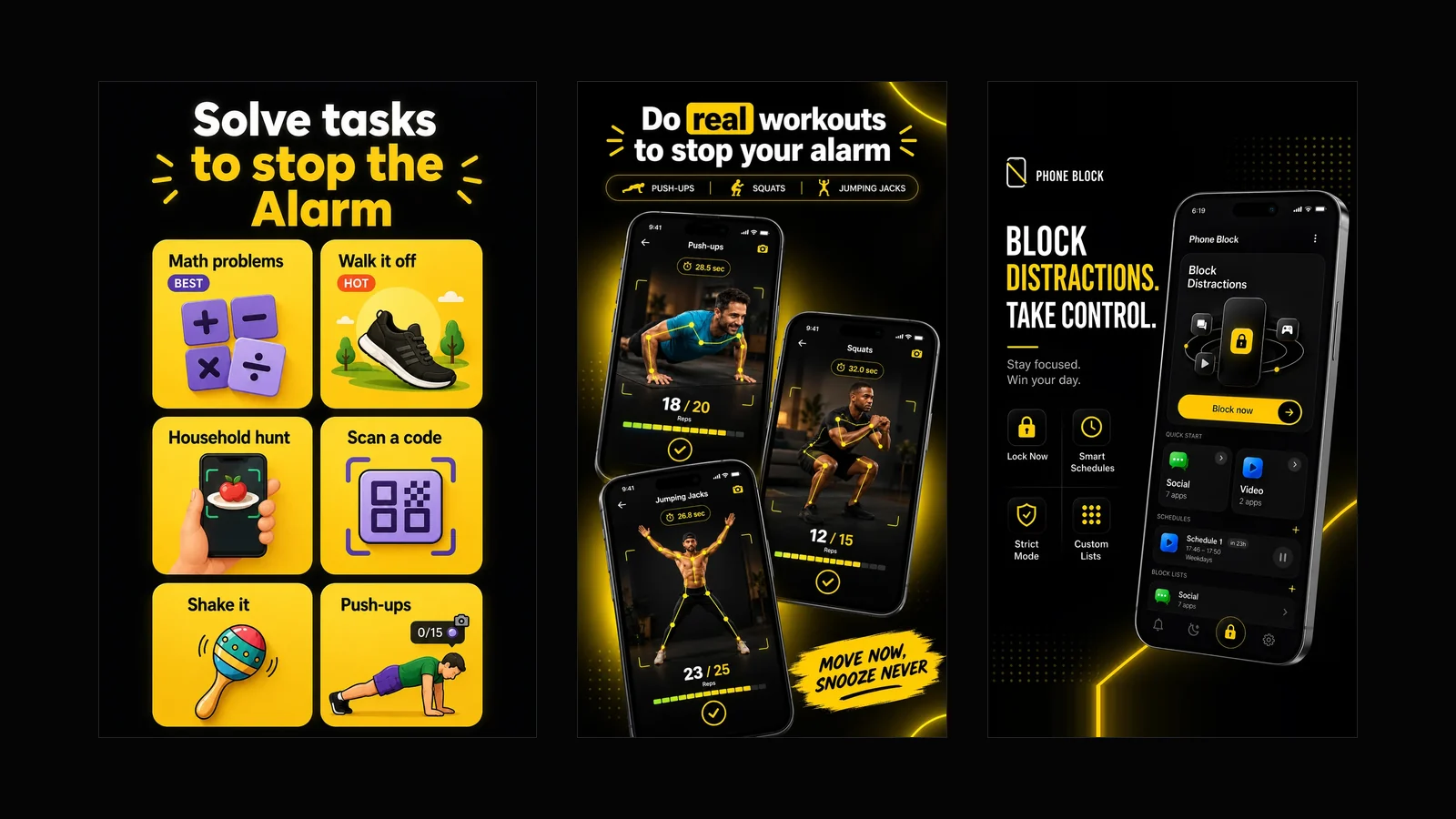
Every part of the app in one page — solve tasks to stop the alarm, kill the morning and night doomscroll, schedule your blocks, lock the phone on a timer. Free with ads, and what it deliberately does not do.

Alarmy vs Beyond Alarm — a straight, feature-by-feature comparison
Missions, pricing, platform support, app blocking, sleep tracking — compared directly, with the numbers dated and sourced rather than asserted.