
What Beyond Alarm actually does
 Beyond Alarm1 September 2026 · Updated 1 October 2026 · 8 min read
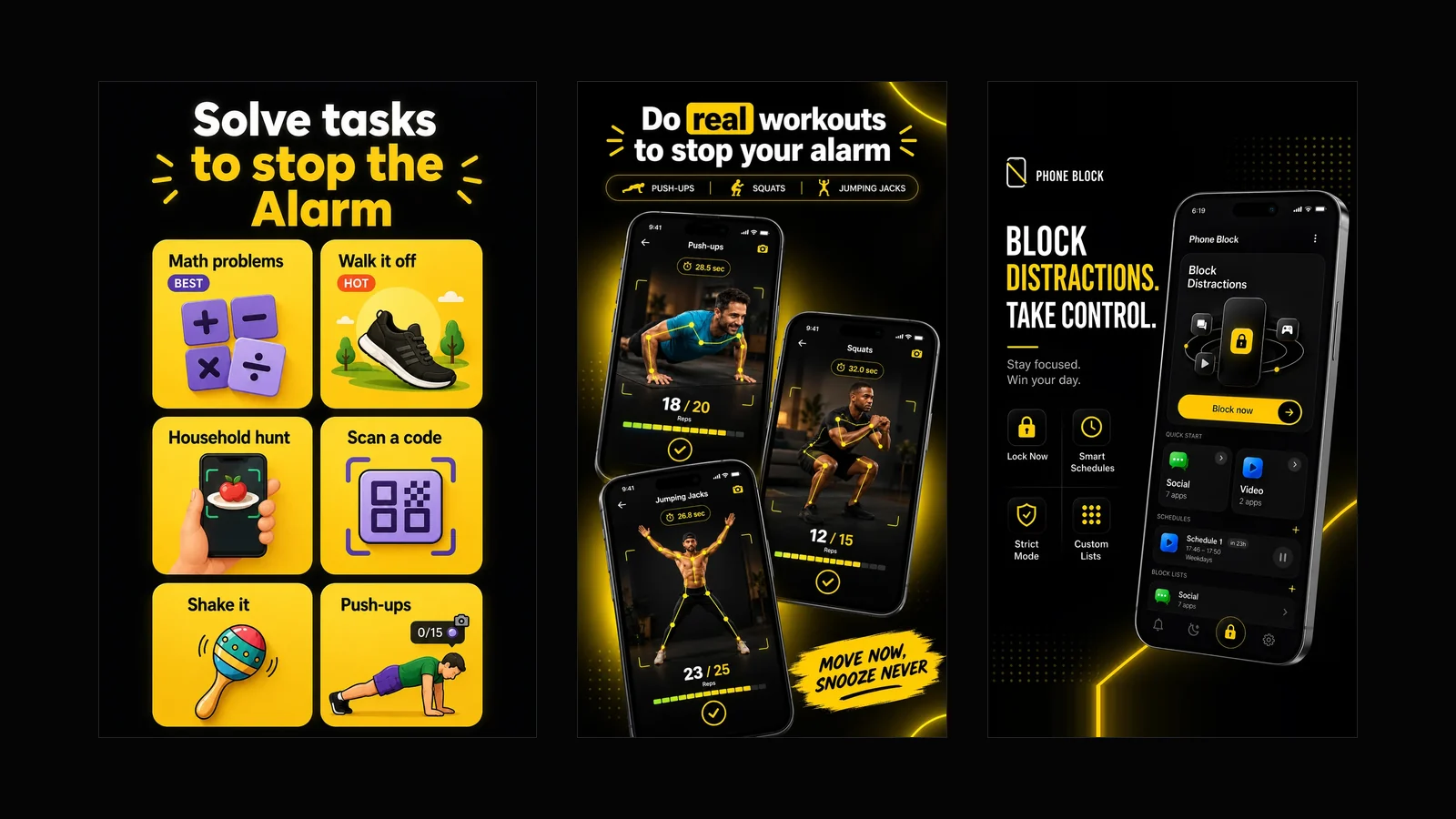
Most of this blog is about the problem. This one is about the app, in one page, so there is somewhere to point when someone asks what it is.
Beyond Alarm is an alarm that will not stop until you have actually done something, and then blocks the apps that would have eaten the morning anyway. That second half is the unusual part, and it is the reason the app exists.
Free on Google Play — no account; alarms and missions work offline. Ads and analytics use network services.
Everything it does
Every part of the app. Tap any of them to jump straight to it.
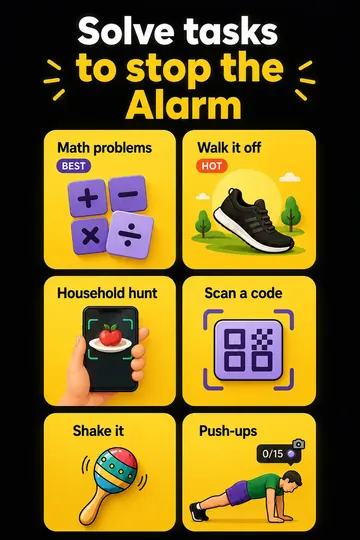 Solve tasks to stop the alarmEleven missions. The good ones cannot be done in bed.
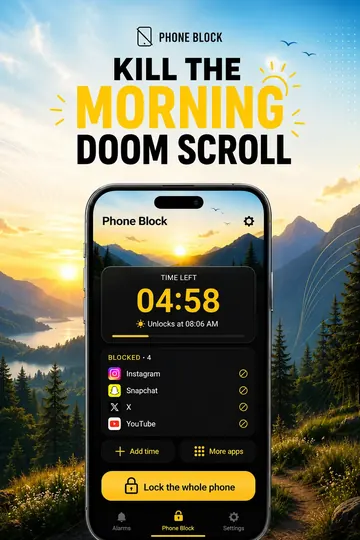 Kill the morning doomscrollA timer on the apps that eat the hour after you get up.
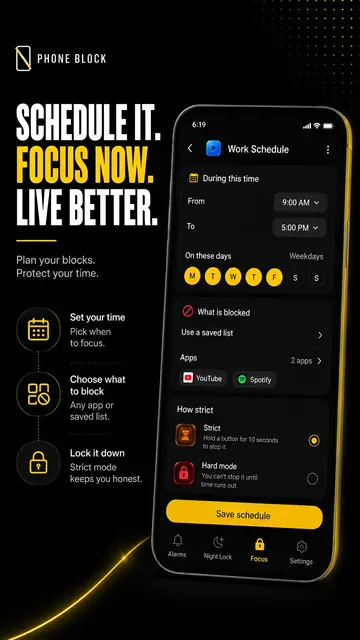 Schedule itSet the hours once; they run themselves every week.
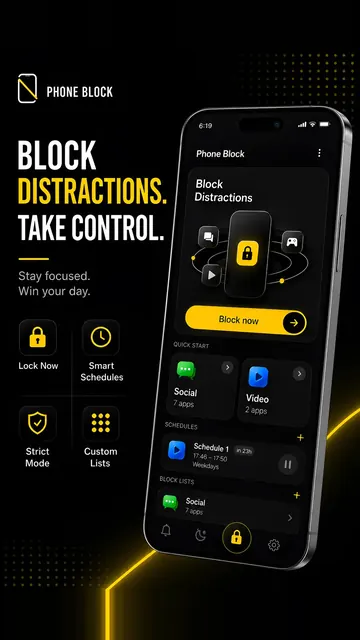 Phone BlockBlock distractions right now, for as long as you set.
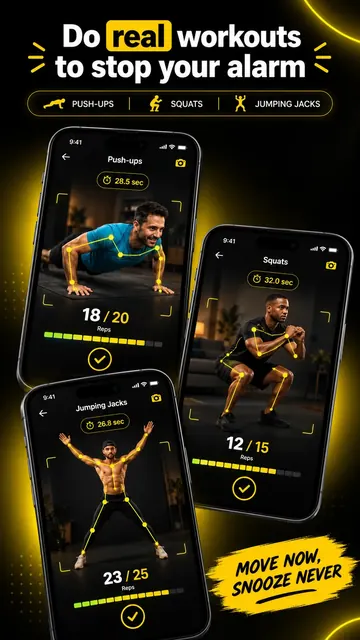 Real workoutsPush-ups, squats and jacks, counted on the device.
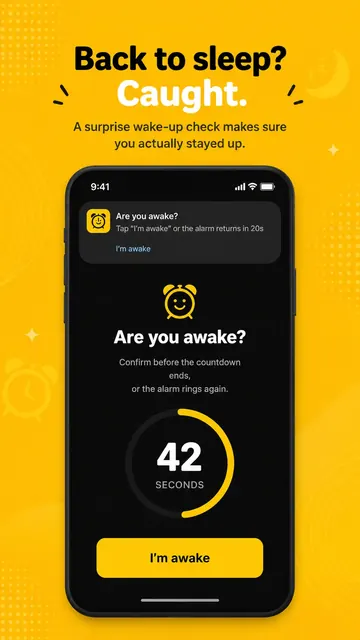 Wake-up CheckIt comes back a few minutes later to see if you stayed up.
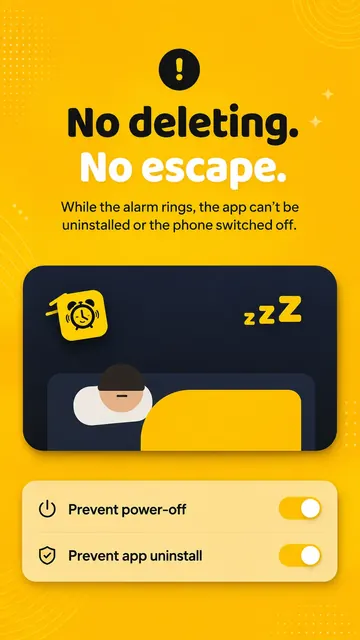 No deleting, no escapeIt cannot be uninstalled or powered off mid-alarm.
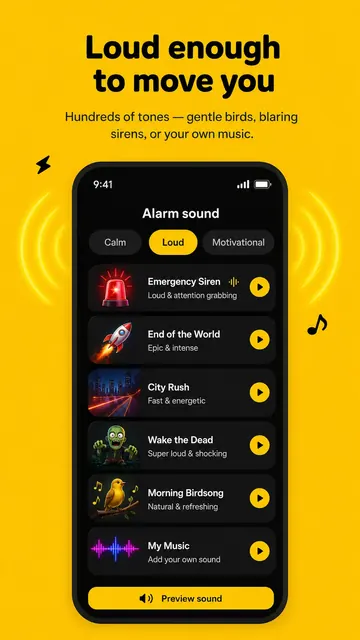 Loud enough to move youSirens, birdsong, or your own music.
The problem it was built for
A normal alarm asks a sleeping person to make a decision. That is a bad plan, because the sleeping person is not in a state to make good ones — which is why people wake up having dismissed an alarm they do not remember hearing.
The usual answer is a harder alarm. That helps, and then the second problem arrives: you get up, and the morning goes anyway. Twenty minutes of Instagram sitting on the edge of the bed, before water, before anything. The alarm did its job perfectly and the hour is still gone.
Beyond Alarm is built around both halves rather than the first one.
Solve tasks to stop the alarm
The alarm keeps ringing until the mission is finished. Eleven of them, and the distinction that matters is whether one can be completed lying down.
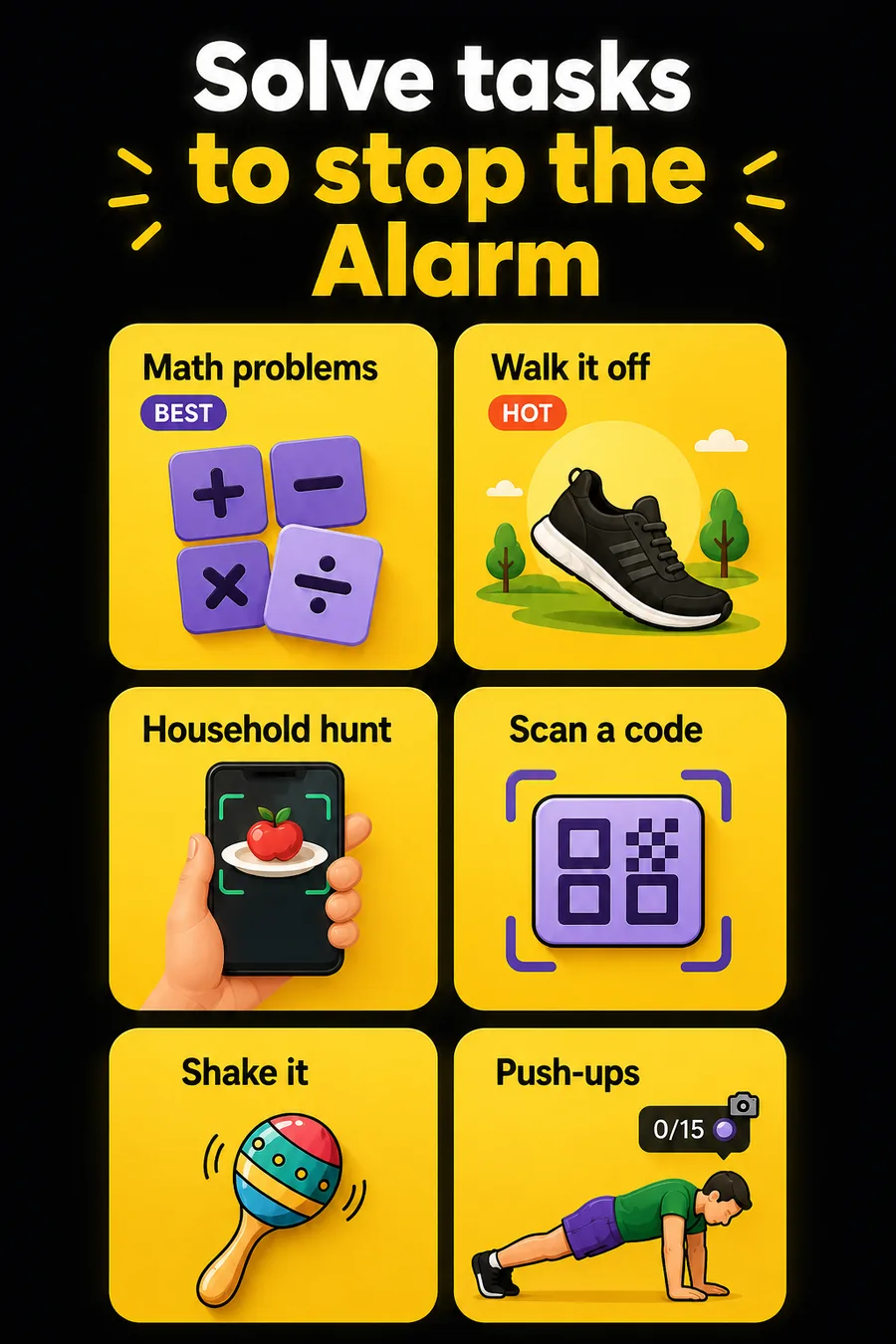
| Mission | Can you do it in bed? |
|---|---|
| Push-ups, squats, jumping jacks | No — the camera counts your reps |
| Photo of a place you registered | No — you have to be stood in front of it |
| Household hunt | No — the object is in another room |
| Walk it off | No — it counts your steps |
| Barcode scan | No, if you stuck it somewhere sensible |
| Maths, memory, typing | Yes, but not on autopilot |
| Shake | Yes — the quick one |
Stack up to five on one alarm if one is not enough. The full ranking, and why the split falls where it does goes deeper than this table.
Real workouts, counted by the camera
Push-ups, squats and jumping jacks, counted on the device with the camera. Nothing is uploaded and it works with no connection.
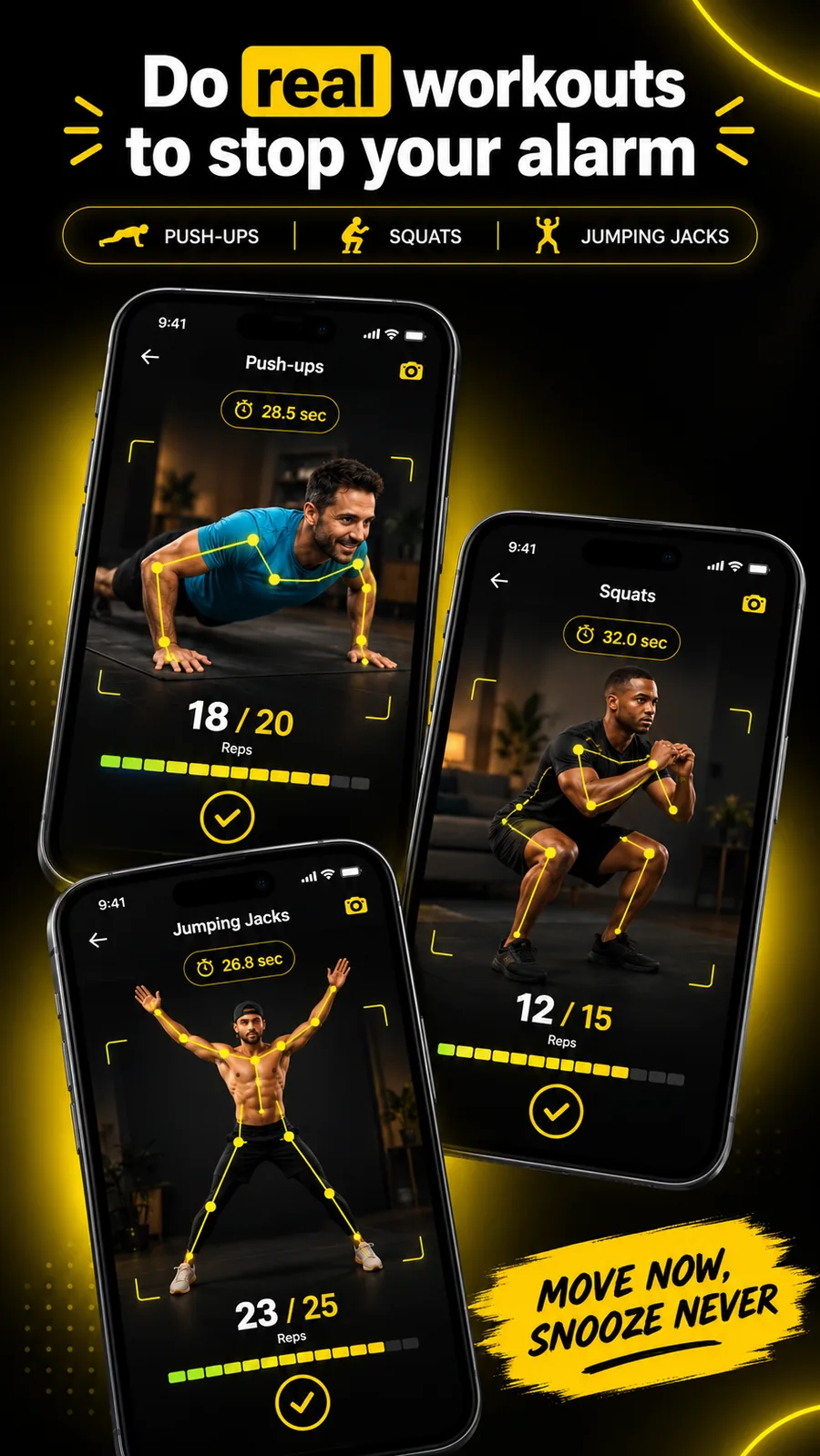
The counting checks it can genuinely see you before it believes a rep — which sounds obvious and is the thing most rep counters get wrong. Standing in front of a propped-up phone does not count, and neither does waving an arm at it.
Kill the morning doomscroll
The alarm is only half of it, and this is the half nobody sells you.
You beat the mission. You are up. And then the phone is in your hand and forty minutes are gone before you have had water — which is the pattern behind most "I can't get out of bed" problems and is not a wake-up problem at all. Willpower at 6:20am is not a plan; the version of you that just fought an alarm is the worst possible person to ask.
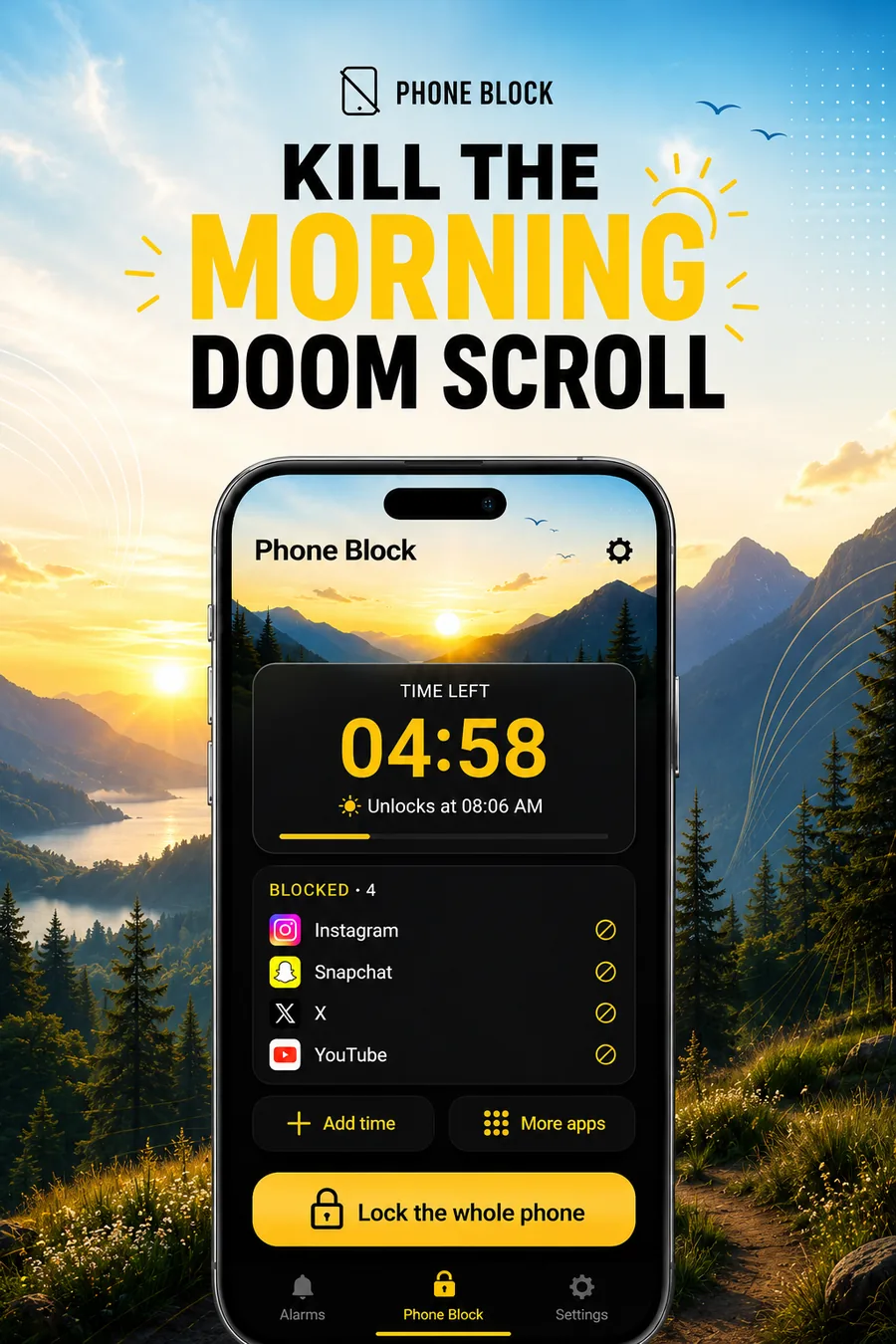
Morning Lockout kills the morning doomscroll by removing the decision. The apps you picked simply do not open for as long as you set. Not a reminder, not a nudge, not a screen-time warning you dismiss without reading — the app does not open.
And it starts the moment you beat the mission, not at a clock time you guessed the night before. That distinction is the whole thing. An ordinary app blocker starts on a schedule, so after two snoozes it spends its first stretch guarding a sleeping person and runs out before the window that mattered. The arithmetic is here.
Phone Block, on demand
The same thing, any time you want it: a focus session, exam week, an evening you want back. Pick the apps or lock the whole phone, set the timer, go.
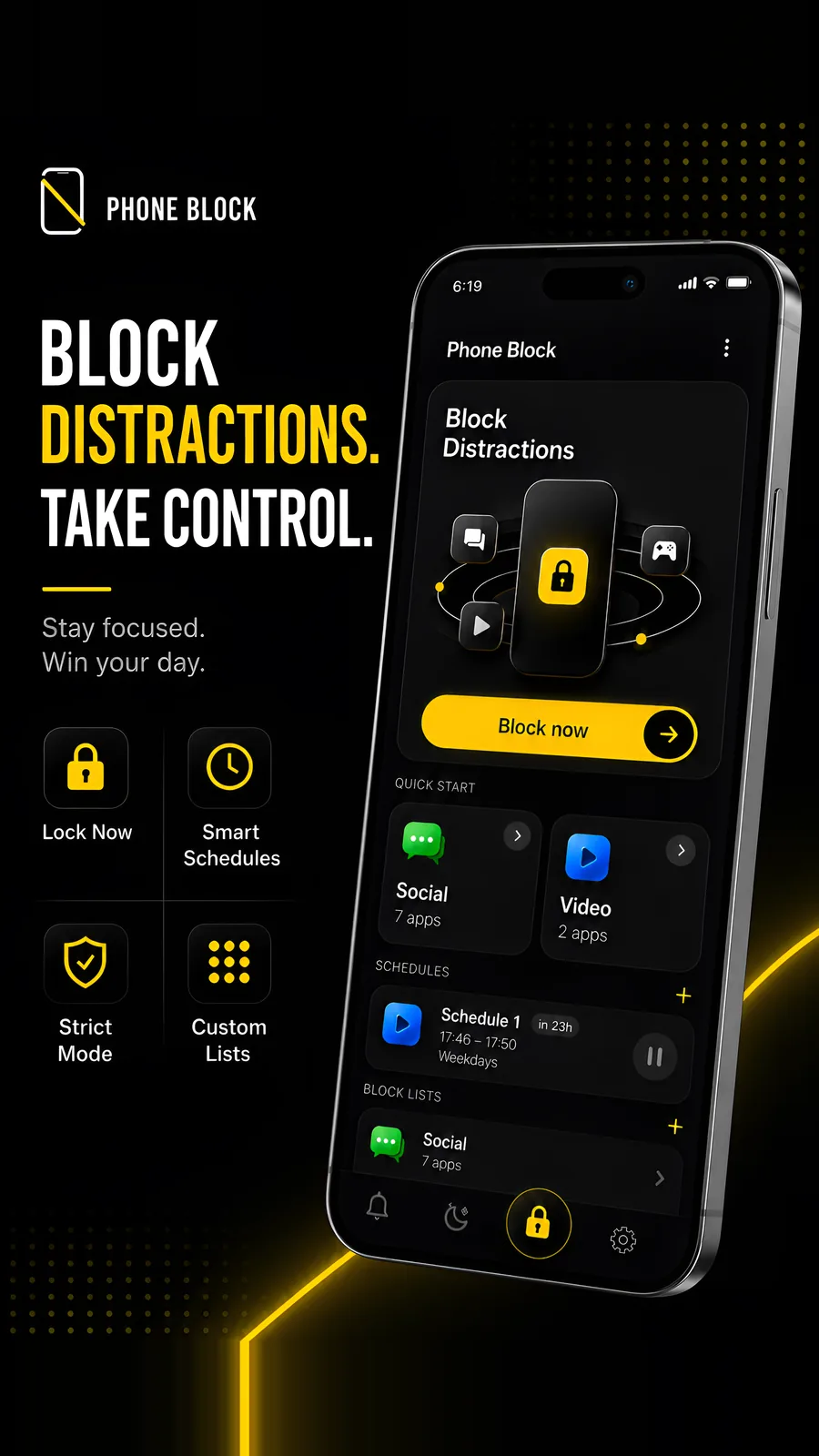
Saved lists mean you set up "Social" once and start it in a tap after that. This one is on the free tier.
Schedule it and forget it
Blocks that arrive on their own, on the days you chose, without you having to remember. They run with the app closed and survive a reboot.
This is also how to kill the night doomscroll. You meant to sleep at eleven; it is twenty past one — a problem of endings rather than willpower. A scheduled block from 11pm to 7am gives the night an ending that isn't a decision: the apps that keep you up simply don't open. How overnight schedules work.
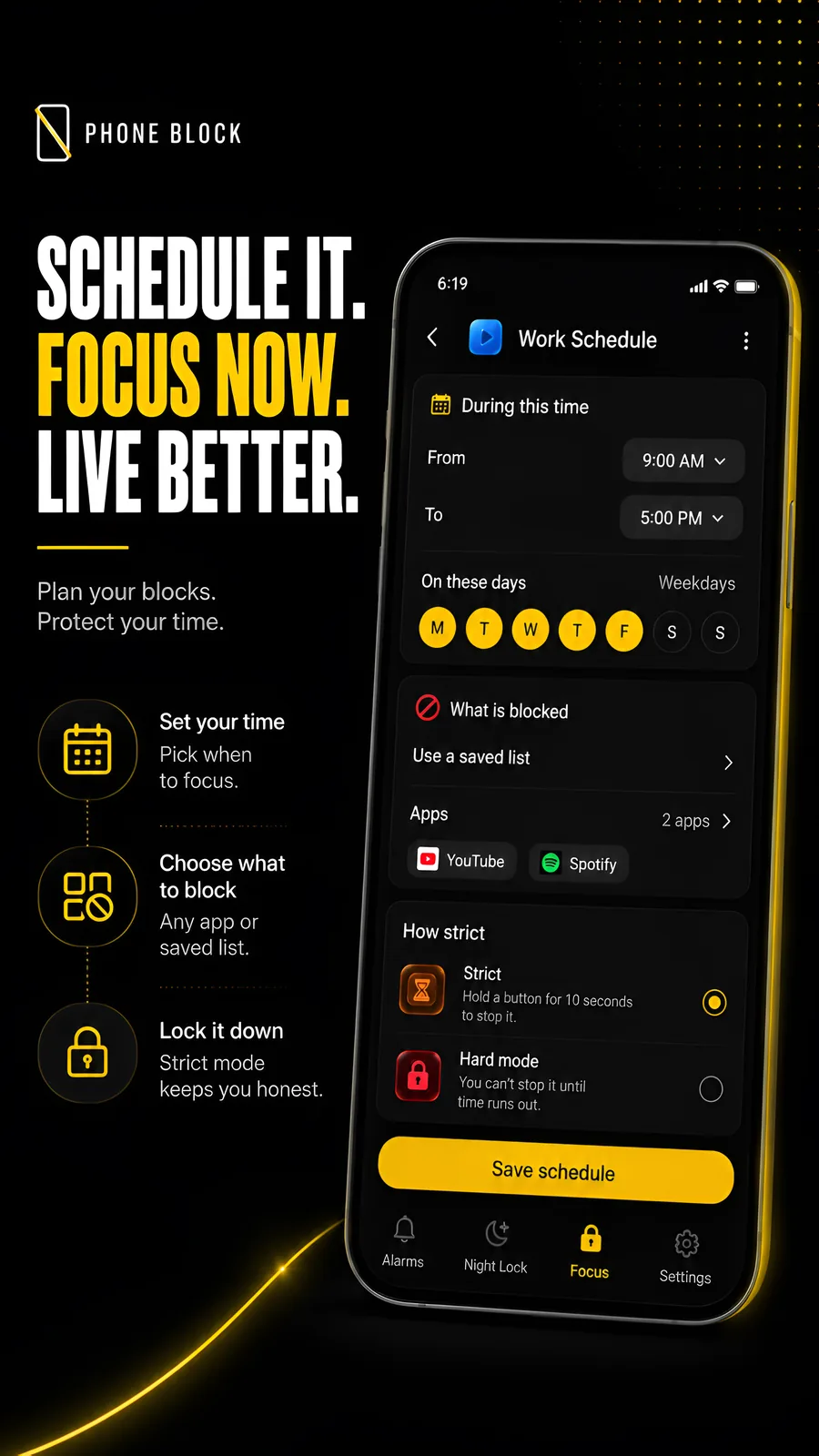
Strict or Hard mode, on every block. Strict offers an early-exit flow with a hold confirmation and, where shown, rewarded ads. Hard mode has no stop button at all — only the clock ends it.
Strict is the default. Hard mode is a deliberate choice and removes the ordinary early-stop button until the timer ends. In Phone Block it is free after a short ad; on Morning Lockout it is part of Pro.
Beyond Alarm
Beyond Alarm does this part for you: the alarm will not switch off until you have actually moved, and the apps you pick stay locked afterwards.





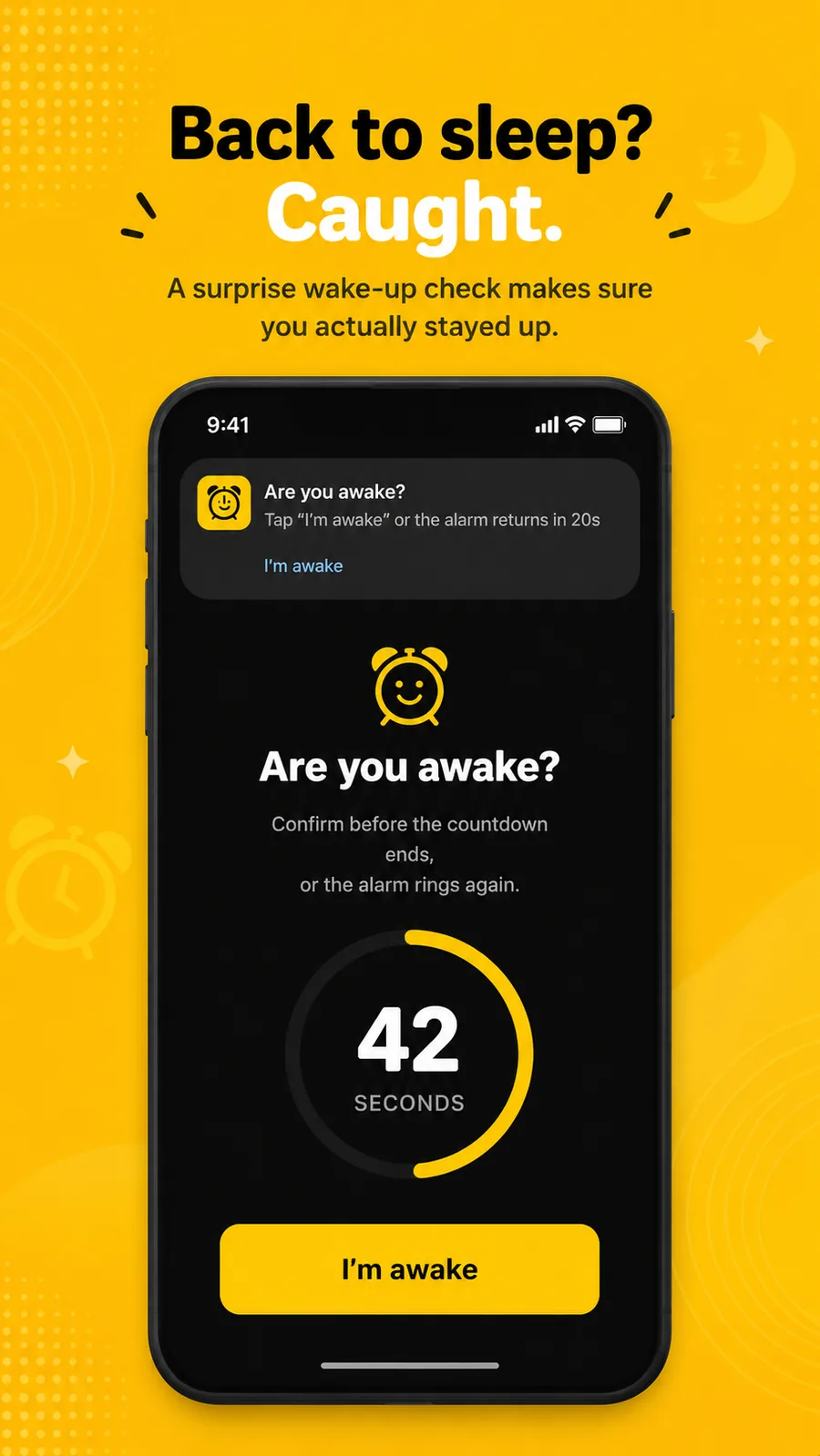
Back to sleep? Caught
Finishing the mission and going straight back to bed is the oldest trick there is. Wake-up Check comes back a few minutes later and asks you to confirm — and if you do not, the alarm rings again.
No deleting, no escape
The two ways people beat a mission alarm are uninstalling the app and holding the power button. Both can be switched off while an alarm is ringing.
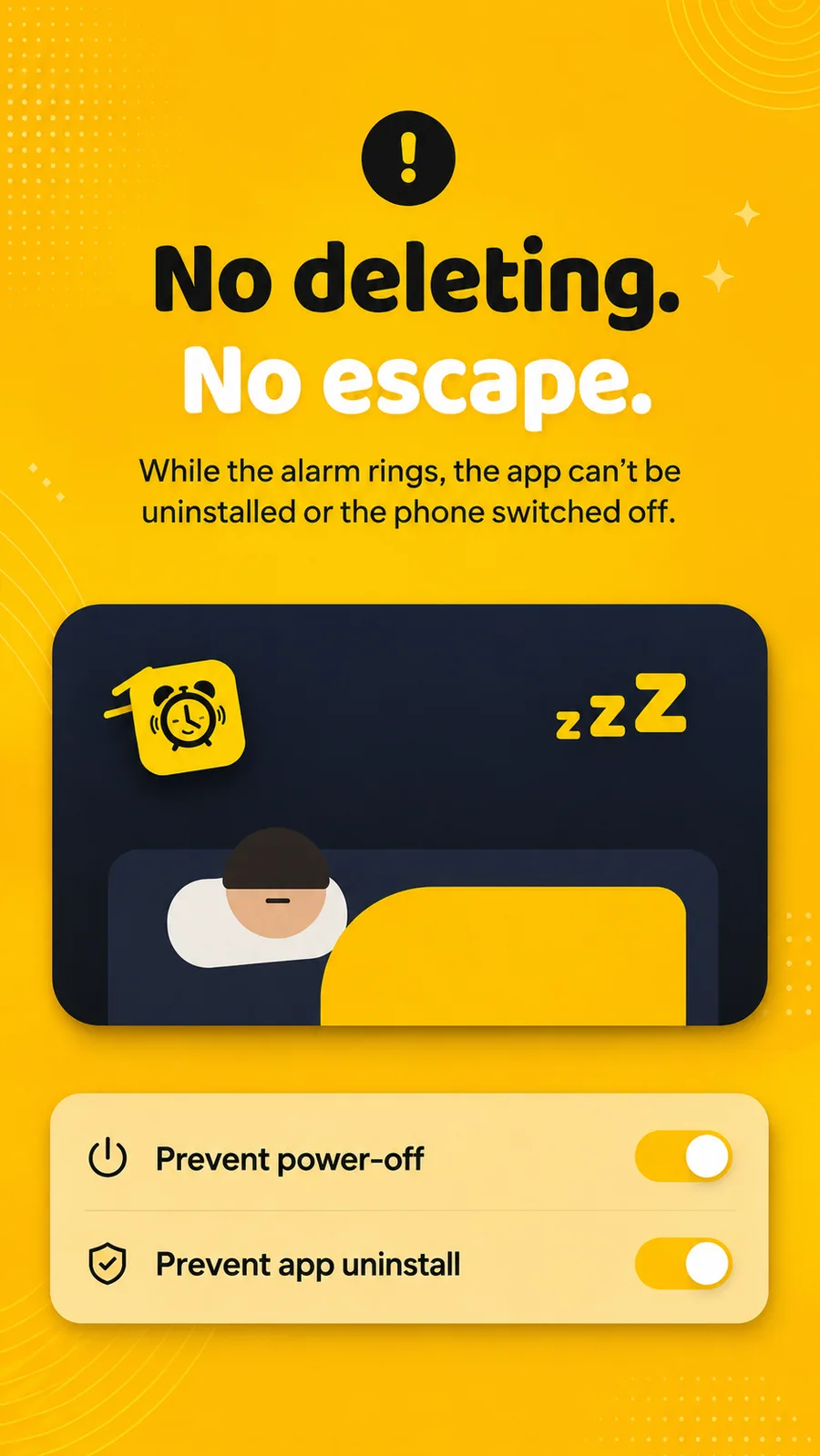
Optional, obviously — but the version of you that turns these on is the one worth listening to.
Loud enough to move you
Hundreds of tones, from gentle birdsong to a siren, or your own music. Preview any of them before you commit to being woken by it.
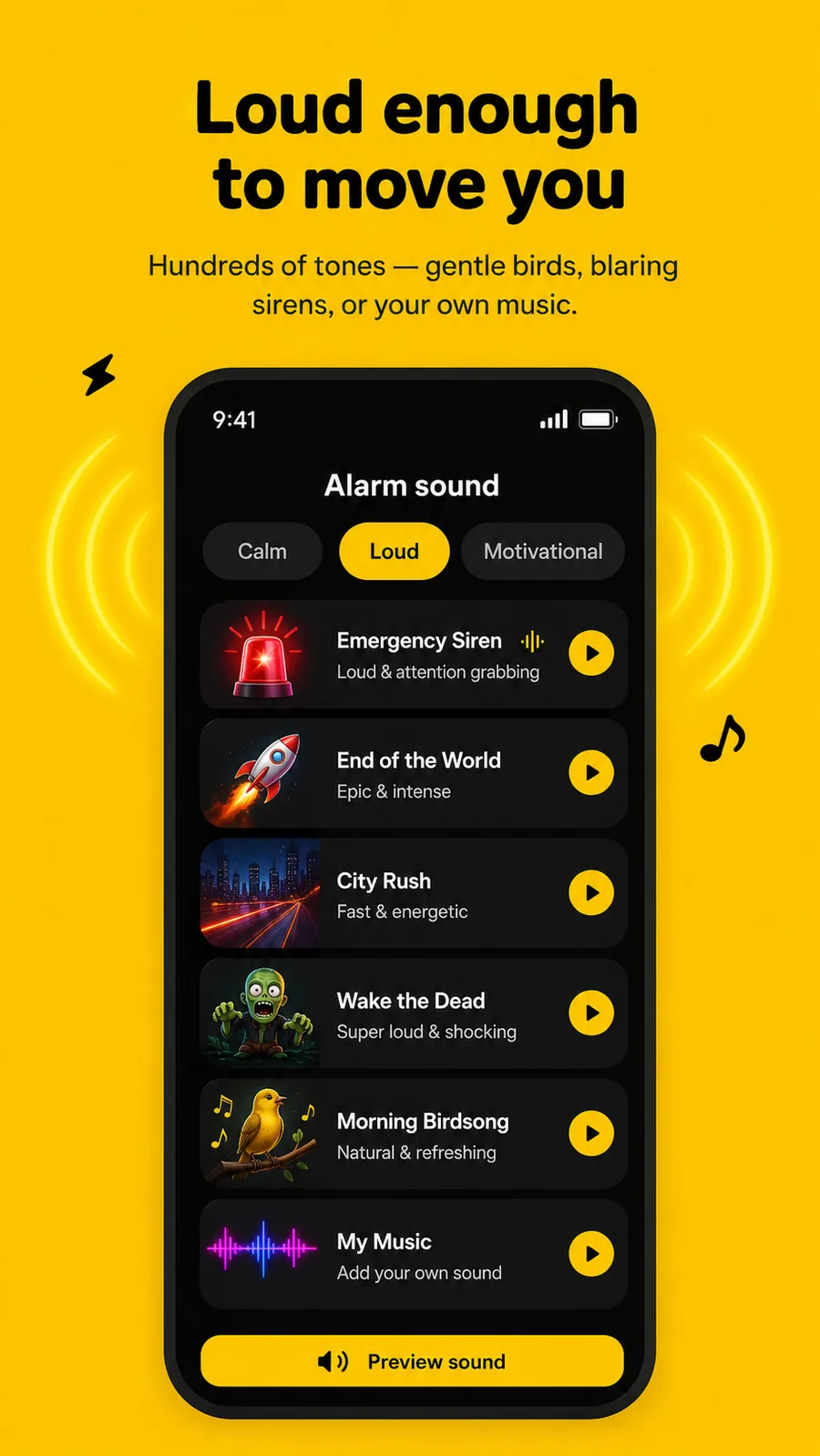
Gentle wake ramps the volume up over a set time if you would rather not be detonated awake. And if your alarm has ever been too quiet to hear, that post explains why the volume slider is not the whole story.
Free, with ads
Nearly every part of the app above is in the current free offering, paid for by ads. Pro removes the ads, and adds one thing: Hard mode on Morning Lockout.
| Free | Pro | |
|---|---|---|
| The alarm and missions, all eleven | Yes | Yes |
| Missions per alarm | Up to five | Up to five |
| Morning Lockout | Strict mode, any length | Strict or Hard mode |
| Wake-up Check | Yes | Yes |
| Blocks on a schedule | Yes | Yes |
| Phone Block, on demand | Yes — Hard mode after a short ad | Yes |
| Ads | Yes | None |
What it deliberately does not do
Worth saying plainly, because it decides whether this is your app:
- No sleep tracking. Sleep as Android does that properly and a bolt-on version would not. Beyond Alarm is built for the fifteen minutes either side of the alarm, not the seven hours between.
- Limited website blocking. It blocks apps first; websites only through supported browsers' address bars. If your hours go to browser tabs, a dedicated website blocker is the better tool.
- Android only, today.
- No account. There is nothing to sign up to.
One thing to do after installing it
Many phones' battery management stops background apps — and an alarm that has been stopped cannot ring. Allow autostart for Beyond Alarm and turn off battery optimisation for it. There are step-by-step checklists for Samsung, Google Pixel, OnePlus and Motorola.
This is not specific to us; it affects every alarm app on those phones equally, and it is the single most common reason any of them "stops working". The settings, per manufacturer, are here.
Where to go next
- Wake-up missions — all eleven, in detail
- Morning Lockout and scheduled blocks
- Support and FAQ
- How it compares to other alarm apps, written to be fair to them
And if you want the short version: set the alarm for tomorrow, pick a mission you cannot finish in bed, and turn Morning Lockout on. That is the whole product working.
For the practical setup, see how to block social media after your alarm on Android, including a short test and the apps to leave available.
Common questions
What is Beyond Alarm?
An Android alarm app that will not switch off until you have finished a mission — from push-ups counted by the camera to a photo of somewhere you have to walk to — and that then blocks the apps you picked, so the morning does not disappear into your phone immediately afterwards. Phone Block and scheduled blocks cover the rest of the day.
Is Beyond Alarm free?
Almost all of it. The alarm, all eleven missions, Morning Lockout in Strict mode, Wake-up Check, blocks on a schedule and Phone Block are in the current free offering, supported by ads. Pro removes the ads and adds Hard mode to Morning Lockout.
How do I stop doomscrolling in the morning?
Take the decision away from the version of you that has been awake for a minute. Beyond Alarm's Morning Lockout holds the apps you chose shut for a set time starting the moment you finish the wake-up mission — so there is nothing to resist. A screen-time limit you can dismiss is not the same thing, which is why most people find those stop working within a week.
How do I stop scrolling on my phone at night?
Give the night an ending that is not a decision. A scheduled block in Beyond Alarm — 11pm to 7am, say — shuts the apps that keep you up during the hours you choose, every night, running on the device with the app closed. The reason a bedtime alone rarely holds is that it asks the tired version of you to enforce it.
Does it need an account or an internet connection?
Neither. There is no sign-up, and alarms, missions and blocking all run on the device. The pose detection that counts your push-ups is on-device too, so no camera frame ever leaves your phone.
How is it different from a normal alarm app?
Two things. The mission has to be finished before it stops, and several of the missions cannot be finished lying in bed. And it does not stop at the alarm — Morning Lockout starts the moment you beat the mission, which is the part no alarm app and no separate app blocker can do on its own.
Can the app be uninstalled or the phone switched off while it rings?
Not while the alarm is going, if you turn those protections on. Prevent power-off and prevent app uninstall both exist because the two ways people beat a mission alarm are deleting it and holding the power button.
What does it not do?
It does not track your sleep, website blocking depends on browser address-bar access, and it is Android-only today. If sleep data is what you want, Sleep as Android does that properly. If the hours go to browser tabs rather than apps, a dedicated website blocker is the better tool.
Can the blocks be switched off when you want to?
That is your choice when you set them up. Strict, the default, offers a hold-confirmed early-exit flow, with rewarded ads where shown. Hard mode has no stop button at all — only the clock ends it. In Phone Block, Hard mode is free after a short ad; on Morning Lockout it is part of Pro.
We build Beyond Alarm, an Android alarm app that will not switch off until you have actually moved. Most of what we write here comes out of problems we hit building it.
Beyond Alarm
An alarm that keeps ringing until you’ve actually moved — then blocks the apps that pull you back to bed. Free to start, no account.
Keep reading

Alarmy vs Beyond Alarm — a straight, feature-by-feature comparison
Missions, pricing, platform support, app blocking, sleep tracking — compared directly, with the numbers dated and sourced rather than asserted.

Beyond Alarm features are free with ads: what is included
All missions, Morning Lockout and scheduled blocks are in the current free offering. Ads support the app; Pro removes them.