
Freedom vs Cold Turkey vs Free App Blockers (2026)
 Beyond Alarm24 October 2026 · 7 min read
Cold Turkey is the stronger blocker on a Windows or Mac computer, and it doesn't run on phones. Freedom is weaker on any one device but covers phones and computers together. If you only need one browser tamed, a free blocker may be enough.
The short version:
- Cold Turkey: Windows and macOS only. Pro is a one-off purchase with locks that are hard to undo.
- Freedom: Mac, Windows, iPhone, Android, Chromebook and Linux, synced. Free plan, but Locked Mode and schedules are Premium.
- Free first: Screen Time (iPhone and Mac), Digital Wellbeing (Android) and LeechBlock NG (browsers) cost nothing.
- Every option can be undone by a determined person. You are buying friction, not a vault.
Freedom vs Cold Turkey at a glance
Everything below comes from each maker's own website at the time of writing, 23 October 2026. Prices and plans change, so check the pricing page before you pay.
| Freedom | Cold Turkey Blocker | Free built-ins | |
|---|---|---|---|
| Runs on | macOS, Windows, iOS, Android, Chromebook, Linux | Windows and macOS only | The device they ship on |
| Blocks | Apps, websites, or the whole internet | Websites (free); apps too (Pro) | Apps and sites, by limit or schedule |
| Free version | Yes; blocking and sync, no Locked Mode or schedules | Yes; timed website blocks and stats | Free |
| Paid | $8.99/month or $39.99/year; a one-off Forever plan | Pro: one-off "lifetime access" | — |
| Hard to stop? | Locked Mode (Premium) | Locking features (Pro) | One tap or your own passcode |
| Schedules | Premium | Pro | Yes |
| Phone and laptop in one session | Yes | No | No |
| Trial / refund | 7 days, yearly plan | 7-day Pro trial; 30-day refund | — |
Cold Turkey: the hard lock for your computer
Cold Turkey Blocker is a desktop program. Its pricing page says the product key works on Windows and macOS, and that "Linux, ChromeOS, Android, iOS or other operating systems are not supported". It installs extensions in your browsers to do the website blocking.
The free version blocks websites, with exceptions, for a set time, and shows statistics. It includes a seven-day trial of Pro.
Pro adds blocking apps and games, scheduled blocks, all the locking features, breaks and allowances, and an application password. Its homepage also lists keyword blocking, blocking the whole internet or the computer, and uninstall prevention. It is sold as lifetime access — "Pay once, own forever" — and one purchase covers all the computers you personally use.
The price wasn't in the page text when we checked; it loads at checkout. There is a full refund within 30 days.
Pick it if the distraction lives on your computer and you have talked yourself out of every softer blocker. Skip it if your phone is the problem: it does nothing there.
Freedom: one session across every device
Freedom started on desktop and now runs on macOS, Windows, iOS, Android, Chromebook and Linux. Its central idea is sync: start one session and the same blocklist applies on your laptop and your phone at once.
The Premium page splits the plans like this at the time of writing:
- Free: block apps, websites or the whole internet, sync across devices, custom blocklists, focus sounds. It describes the free plan as having limited sessions.
- Premium: scheduling, recurring and advance sessions, Locked Mode — which "prevents quitting" a session — and unlimited sessions.
Premium was listed at $8.99 a month or $39.99 a year, with a seven-day free trial on the yearly plan. There is also a one-off Forever plan, listed at $199 before any discount.
Pick it if you lose time on both phone and laptop and want one switch for both. Skip it if you only need one device covered, or you want a hard lock without a subscription: Locked Mode is Premium.

Where each is weak
Neither product hides these, but neither puts them on the homepage.
Cold Turkey:
- No phone version. If your hours go to Instagram on the sofa, it can't help.
- The free version only does timed website blocks. Apps, schedules and locks are all Pro.
Freedom:
- Locked Mode and schedules are Premium, so the free plan is easy to quit.
- On a phone, it works inside the same rules as every other phone blocker. On iPhone that means Apple's Screen Time; on either phone, the system Settings app is the way out for someone determined.
Both: a computer blocker relies on its browser extensions and background program. Cold Turkey's uninstall prevention is there for exactly that reason, and it is a Pro feature.
The free blockers worth trying first
Before paying for either, try what you already have. It tells you whether the problem needs a lock or just a reminder.
| Free option | Where | Good at | Weak at |
|---|---|---|---|
| Screen Time | iPhone, iPad, Mac | App Limits, Downtime, website limits | "Ignore Limit" unless someone else holds the passcode |
| Digital Wellbeing | Android | App timers, Focus mode, Bedtime mode | "Turn off now" is one tap |
| LeechBlock NG | Firefox, Chrome, Edge and other Chromium browsers | Up to 30 block sets with their own times and days | Browser only; another browser gets round it |
| Cold Turkey Free | Windows, macOS | Timed website blocks | No app blocking or locks without Pro |
| Freedom Free | All its platforms | Synced blocking | No Locked Mode or schedules |
LeechBlock NG describes itself as "a simple free productivity tool". It can block sites in fixed windows, allow a set amount of browsing per hour, or lock a set immediately for a fixed time.
The weak spot of every free option is the same: the person locked out holds the key. That is why Screen Time limits stop working for so many people after a week, and the one free fix is to let someone else set the passcode.
Beyond Alarm
Beyond Alarm does this part for you: the alarm will not switch off until you have actually moved, and the apps you pick stay locked afterwards.





Which one to choose
Answer two questions.
1. Where do you lose the time?
- Mostly on a computer: Cold Turkey, or LeechBlock NG if a browser is the whole problem.
- Mostly on your phone: a phone blocker. Cold Turkey is out. Freedom works, but so do cheaper phone-only options; our comparison of Android app blockers goes through them.
- Both, and it jumps between them: Freedom. This is the one thing it does that nothing else here does.
2. Will you quit a soft block? If you know you will, the free versions of both are a trial run, not the answer. The locks are where the paid tiers earn their money.

What we found building a blocker
We built app blocking into our own alarm app, so one point here comes from code rather than marketing pages: on a phone, no blocker is truly locked. On Android, every blocker depends on a permission you can switch off in Settings. On iPhone, every blocker runs on Screen Time, and Beyond Alarm's own blocks end if you turn off its Screen Time access.
That isn't a reason to skip one. It is a reason to judge a blocker by what stopping early costs you, not by the word "unbreakable" on its homepage.
Beyond Alarm is an alarm app with wake-up missions that also blocks apps, on Android and iPhone. It has no desktop app and no computer or browser extension, so for a laptop it is no substitute for Freedom or Cold Turkey. On a phone, its Phone Block runs from 5 minutes to 8 hours, with a Strict mode (a short ad and a five-second hold to leave) and a Hard mode with no stop button. On Android it can block the whole phone, with calls allowed; on iPhone it blocks only the apps or categories you pick through Screen Time. The free version has ads, and blocks don't repeat on a schedule.
Before you pay for anything
- Block fewer things than you want to. A blocklist of twenty sites gets switched off by Friday. The three you actually lose hours to survives.
- Use the trial on a real week. Both offer seven days of the paid features. Run them on a week with a deadline, not a quiet one.
- For the phone alone, try a timer first. If one focused hour is the goal, locking your phone for an hour covers the free and built-in ways to do it.
Sources
Product details are from each maker's own site at the time of writing, 23 October 2026, and will change. Beyond Alarm's details are checked against its own code as of October 2026.
- Freedom and Freedom Premium — platforms, plans, prices, trial.
- Cold Turkey Blocker and its pricing page — platforms, Free vs Pro, licence, refund.
- LeechBlock NG — browsers and features.
Common questions
Is Freedom or Cold Turkey better?
Cold Turkey if the distraction is on your Windows or Mac computer and you want the hardest lock you can buy once. Freedom if the distraction moves between laptop and phone, because it runs on phones and computers and syncs one session across them. Cold Turkey does not run on phones at all.
Does Cold Turkey work on iPhone or Android?
No. At the time of writing, Cold Turkey's own pricing page says it runs on Windows and macOS, and that Linux, ChromeOS, Android and iOS are not supported. For a phone you need a different blocker, such as Freedom, Apple's Screen Time or Android's Digital Wellbeing.
Is Freedom app blocker free?
There is a free plan. At the time of writing it blocks apps, websites or the whole internet and syncs across devices, while scheduling, recurring sessions, Locked Mode and longer sessions are Premium. Premium was listed at $8.99 a month or $39.99 a year, with a seven-day trial on the yearly plan.
Is Cold Turkey a one-time purchase?
Yes. Cold Turkey Blocker Pro is sold as lifetime access, with no subscription, and one purchase covers all the computers you personally use. The free version blocks websites for a set time. Its site offers a full refund within 30 days.
What is the best free website blocker?
On a computer, a browser extension such as LeechBlock NG is free and blocks sites on a schedule or for a set time. On a phone, Apple's Screen Time and Android's Digital Wellbeing are free and already installed. Cold Turkey's free version also blocks websites on Windows and Mac. All are easier to get round than a paid locked mode.
We build Beyond Alarm, an Android alarm app that will not switch off until you have actually moved. Most of what we write here comes out of problems we hit building it.
Beyond Alarm
An alarm that keeps ringing until you’ve actually moved — then blocks the apps that pull you back to bed. Free to start, no account.
Keep reading
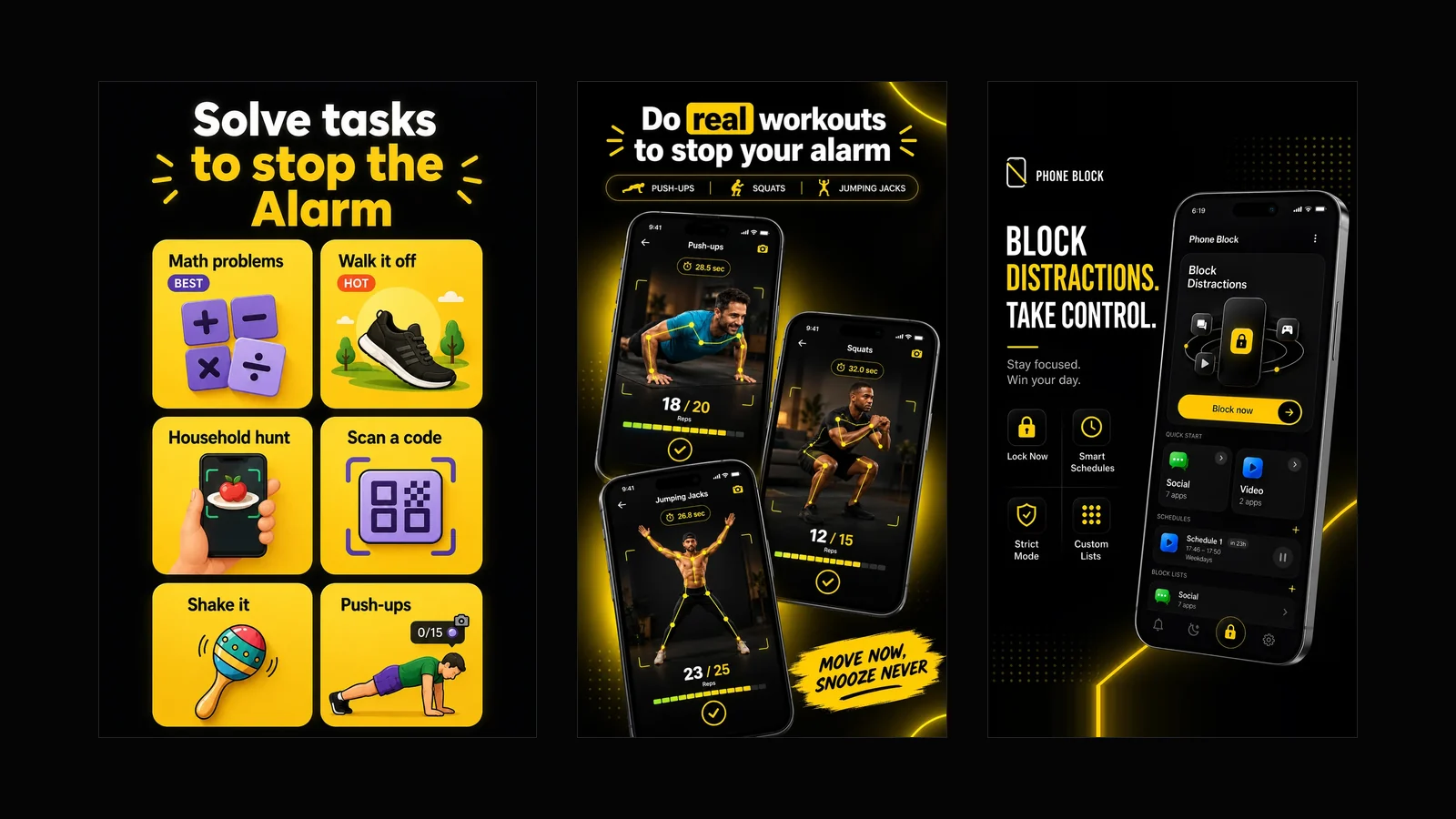
What Beyond Alarm does: wake-up missions and app blocking
The whole app on one page, for Android and iPhone — missions to stop the alarm, app blocking after it, Phone Block, and what it does not do.
Best App Blockers for iPhone in 2026, Compared Honestly
Apple Screen Time, Opal, one sec, Freedom and Beyond Alarm compared - what each blocks, what is free, and how easy each is to get around on iPhone.