
Alarm didn't go off after your phone restarted? Here's why it happens on Android
 Beyond Alarm30 September 2026 · 4 min read
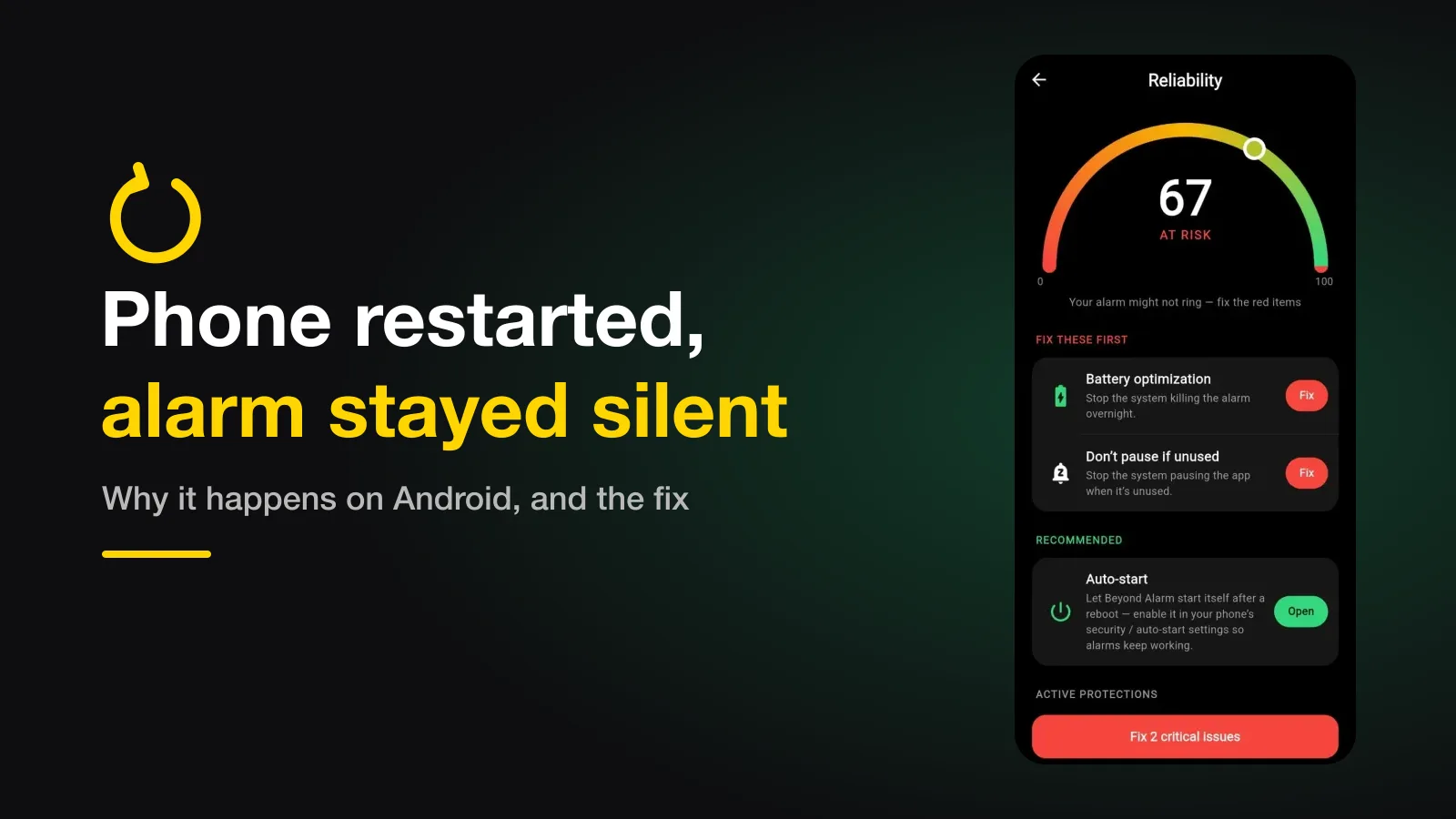
If your alarm didn't go off after the phone restarted, it is almost always because the phone was still locked. After a restart, Android keeps each app's normal storage encrypted until you first unlock, so most alarm apps can't set their alarms until then. The fix is making sure an overnight restart doesn't happen, or doesn't leave the phone locked at alarm time.
The short version:
- A restart doesn't delete your alarms. It stops most apps setting them until the first unlock.
- The usual culprit is an automatic restart at night — an overnight system update or a scheduled restart in the phone's maintenance settings.
- Built-in clock apps normally work before unlock; many third-party apps don't.
- An alarm that was already ringing can survive a restart, if the app was built for it.
Why a restart silences alarms
Android has two kinds of app storage. Normal storage stays encrypted after a restart until you enter your PIN, pattern or fingerprint for the first time. A second, smaller area is available straight away. Google calls the time before that first unlock Direct Boot, and names alarm clocks as one of the apps that need to plan for it.
Android also doesn't remember an app's scheduled alarms across a restart. Every alarm app has to set them again when the phone boots. If its alarm list sits in normal storage, it can't read that list, and so can't set anything, until you unlock.
So the phone restarts at 3am, stays on the lock screen, and a 7am alarm in that app never gets set. Unlock at 7:40 and everything looks fine again, which is why this is so confusing to diagnose.
Which case did you hit?
| What happened | What most third-party alarm apps do | What Beyond Alarm does |
|---|---|---|
| Phone restarted while the alarm was ringing | The ring is gone | Starts ringing again as soon as the phone boots, before you unlock |
| Restarted overnight, unlocked before alarm time | Alarms set again at unlock — fine | Same: re-armed the moment you unlock |
| Restarted overnight, still locked at alarm time | Silent until you unlock | Also can't ring on time. When you unlock, the most recent missed alarm rings once, if it was due within the last hour |
| The app was updated overnight | Alarms dropped until the app is opened, in some apps | Re-armed immediately; nothing rings for the update itself |
The third row is the honest gap, and it is ours too: our alarm list lives in normal storage, so a phone that restarts and stays locked past alarm time will miss it. What we do differently is the first row. We keep a small resume marker in the storage Android allows before unlock, so a restart can't be used to escape an alarm that is already going off. If you're curious about the other ways out of a ringing alarm, we've covered those here.
Beyond Alarm
Beyond Alarm does this part for you: the alarm will not switch off until you have actually moved, and the apps you pick stay locked afterwards.





Why your phone restarts at night
Most people who hit this didn't restart anything. The phone did. The two usual reasons:
- A system update installed overnight. Phones often offer to install updates at night, and the restart that follows leaves the phone locked.
- A scheduled automatic restart. Several manufacturers include one in the phone's maintenance or device care settings, often set for the small hours.
Neither is harmful on its own. Together with a third-party alarm, they are the single most common reason an alarm "randomly" doesn't ring.
How to stop it happening
- Check for a scheduled restart. Look in your phone's device care, maintenance or battery settings for an automatic restart, and either turn it off or move it to the afternoon.
- Install updates when you're awake. Choose "install now" in the day instead of "install tonight" on nights before an early alarm.
- Keep the app from being stopped. A restart isn't the only way an alarm dies — on Xiaomi, vivo, OPPO and realme, battery management can stop the app outright. The per-manufacturer settings are here.
- Check Do Not Disturb. Make sure alarms are allowed through it, or they can ring silently — here's what to check.
- For something critical, set a backup in the phone's built-in clock app, which normally works before the first unlock.
Beyond Alarm's reliability screen checks the settings that decide whether an alarm can ring at all — battery optimisation, exact alarms, notifications — and shows you where to fix each one on your phone. It can't stop a phone restarting overnight, which is why the scheduled-restart check above is worth two minutes tonight.
Test it once
Set an alarm for five minutes from now, restart the phone, and don't unlock it. If the alarm stays silent until you unlock, your app has the gap described above — so an overnight restart will silence it too. It's a two-minute test that answers the question for good.
Common questions
Why does my alarm work after I unlock the phone, but not before?
After a restart, Android keeps each app's normal storage encrypted until the first unlock. An app that keeps its alarm list there cannot read it, and so cannot set the alarm, until you unlock. Apps built for Direct Boot can do a little before that, from a separate storage area.
Does the built-in clock app have this problem?
Usually not. Phone makers' own clock apps are normally built to work before the first unlock. The problem mostly affects third-party alarm apps, and apps that were never updated for Direct Boot.
My phone restarted by itself at night. Why?
The two usual causes are a system update installing overnight and a scheduled automatic restart in the phone's maintenance settings. Both leave the phone locked afterwards, which is exactly the case that silences third-party alarms.
What happens if the phone restarts while the alarm is ringing?
It depends on the app. Beyond Alarm keeps a small marker in the storage Android allows before unlock, so an interrupted ring starts again as soon as the phone boots, on the lock screen, before you unlock it.
We build Beyond Alarm, an Android alarm app that will not switch off until you have actually moved. Most of what we write here comes out of problems we hit building it.
Beyond Alarm
An alarm that keeps ringing until you’ve actually moved — then blocks the apps that pull you back to bed. Free to start, no account.
Keep reading
Turning your phone off to stop the alarm? How to close that loophole on Android
If you power your phone off, uninstall the app or hit Home to escape a mission alarm, here is what Android 12 changed, what an app can still stop, and the one escape nothing can block.
Why your app blocker stops working after a phone update
An app blocker that worked for weeks and then let everything through right after an update isn't broken code. It's one of three settings resetting, and each one has a different fix.