
Push-up alarm on Android — how it works, and how to set it up so it actually gets you up
 Beyond Alarm1 October 2026 · 4 min read
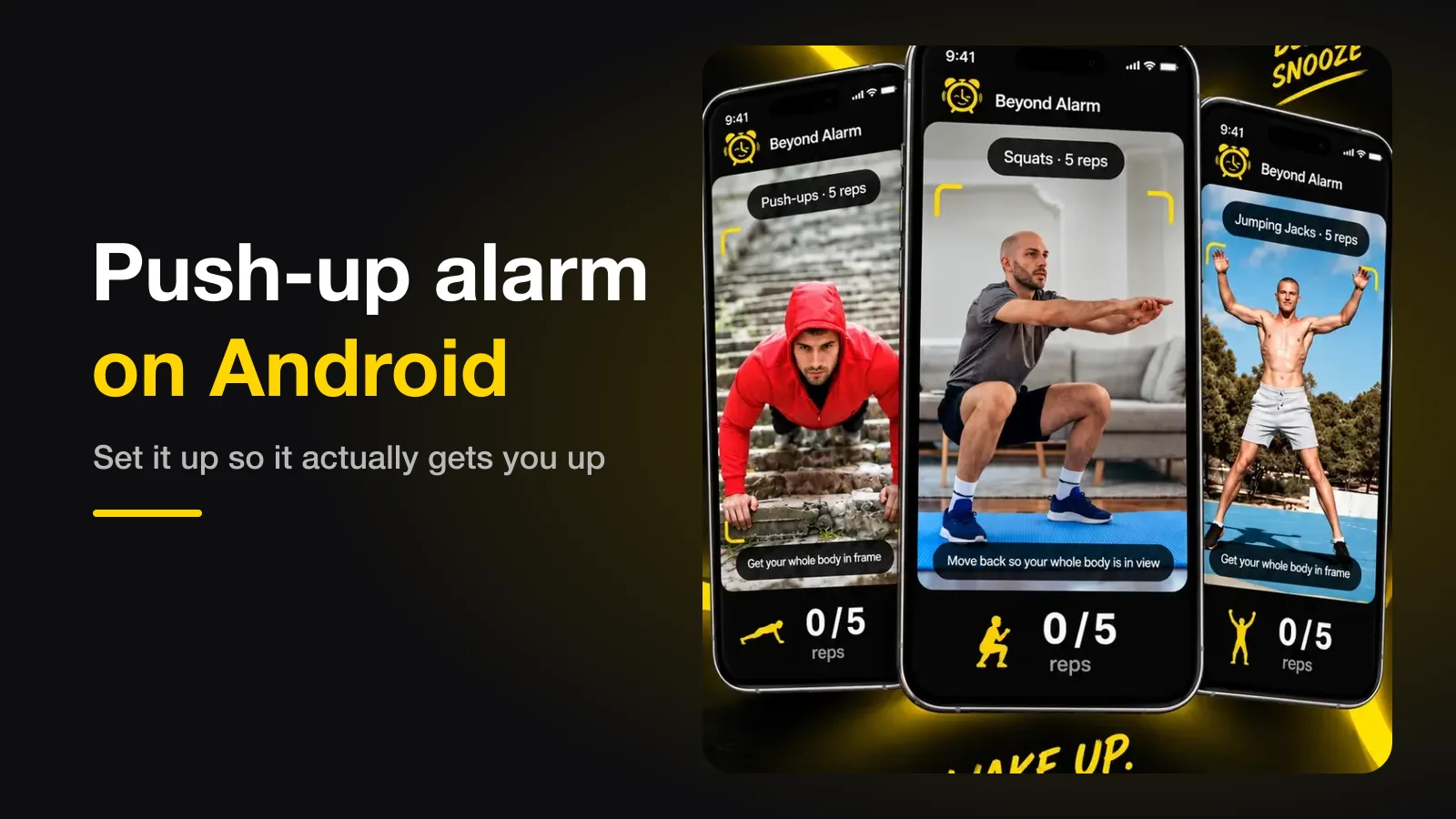
A push-up alarm is an alarm that only stops once your phone's camera has counted the push-ups you set. To make it work, put the phone on the floor a couple of metres away with your whole body in view, start at five reps, and give the app camera access as "While using the app" — not "Only this time".
The short version:
- The camera counts reps on the phone; you have to be fully in frame.
- Phone on the floor, propped up, about two metres from where you'll do them.
- Five reps is the right start. The goal is vertical, not fit.
- "Only this time" camera access is the setting that quietly breaks it.
How a push-up alarm counts you
The app runs pose detection on each camera frame: it finds your shoulders, elbows, hips and wrists, and watches the angle at your elbows go down and back up. One full down-and-up is one rep. Everything happens on the phone, so it works in airplane mode and nothing needs to be uploaded.
The catch is that a camera can be fooled. Bobbing your head at the lens, or standing up and swinging your arms, can look like movement to a careless counter. We wrote up why a rep counter counts push-ups you didn't do and the checks that stop it — the short answer is that a good counter refuses to count at all until it can see your whole body.
Set it up so it works at 6am
| Setting | Do this | Why |
|---|---|---|
| Where the phone goes | On the floor, propped against something, screen facing you | The camera needs your whole body, side-on or front-on |
| How far away | About two metres | Closer and your head and feet fall out of frame |
| Light | A lamp on, or curtains open | Pose detection struggles in a dark room |
| Reps | Start at 5 | Enough to wake you; not enough to dread |
| Camera permission | "While using the app" | "Only this time" is taken back when the app closes |
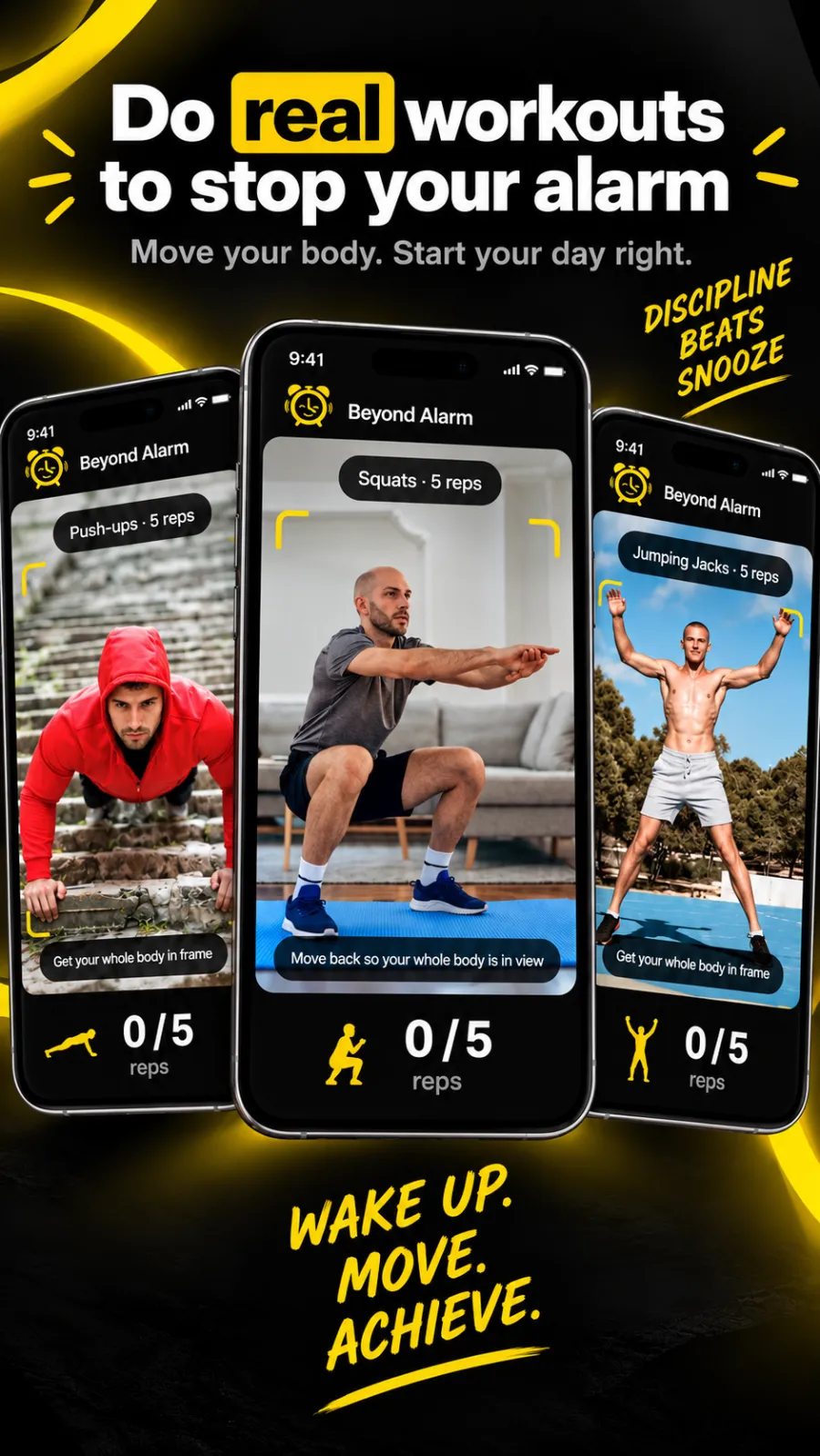
In Beyond Alarm the camera missions go from 3 to 20 reps, and start at 5. The screen tells you what it sees as you go — "Get your whole body in frame" until it has you, then the count.
The setting that quietly breaks it
Android offers three answers when an app asks for the camera. "Only this time" looks like the cautious choice, and it works perfectly when you test the alarm. Then Android takes the permission back once the app leaves the screen, and the next morning the alarm rings with no camera access.
What happens next depends on the app. Beyond Alarm asks you, with the alarm going, whether to grant camera access again or solve maths instead to turn it off — so you're never stuck, but you're also not doing push-ups. If your push-up alarm keeps turning into a maths alarm, this is why. Choose "While using the app" once and it stops.
Beyond Alarm
Beyond Alarm does this part for you: the alarm will not switch off until you have actually moved, and the apps you pick stay locked afterwards.





When push-ups are the wrong mission
Push-ups suit people who are fine on the floor first thing. If your wrists or shoulders object, squats and jumping jacks use the same camera and get you up just as fast — jumping jacks arguably faster. If you'd rather wake your brain than your body, there is a whole range of missions, and we've ranked them by how hard each is to fake half-asleep.
The apps that do this
| App | Exercises | Counting | Price |
|---|---|---|---|
| Beyond Alarm | Push-ups, squats, jumping jacks — plus 8 other missions | On the phone, works offline | Free with ads; Pro removes ads |
| Pushy | Push-ups, with squats and easier push-up variants as alternatives | On the phone, works offline (per its site) | Paid, with a way to earn it free per its site |
Pushy is built around push-ups and does that one job. Beyond Alarm adds what happens after the alarm: the apps that pull you back to bed can stay locked for as long as you set. If you want the wider field, the alarm apps that make you get up are compared here.
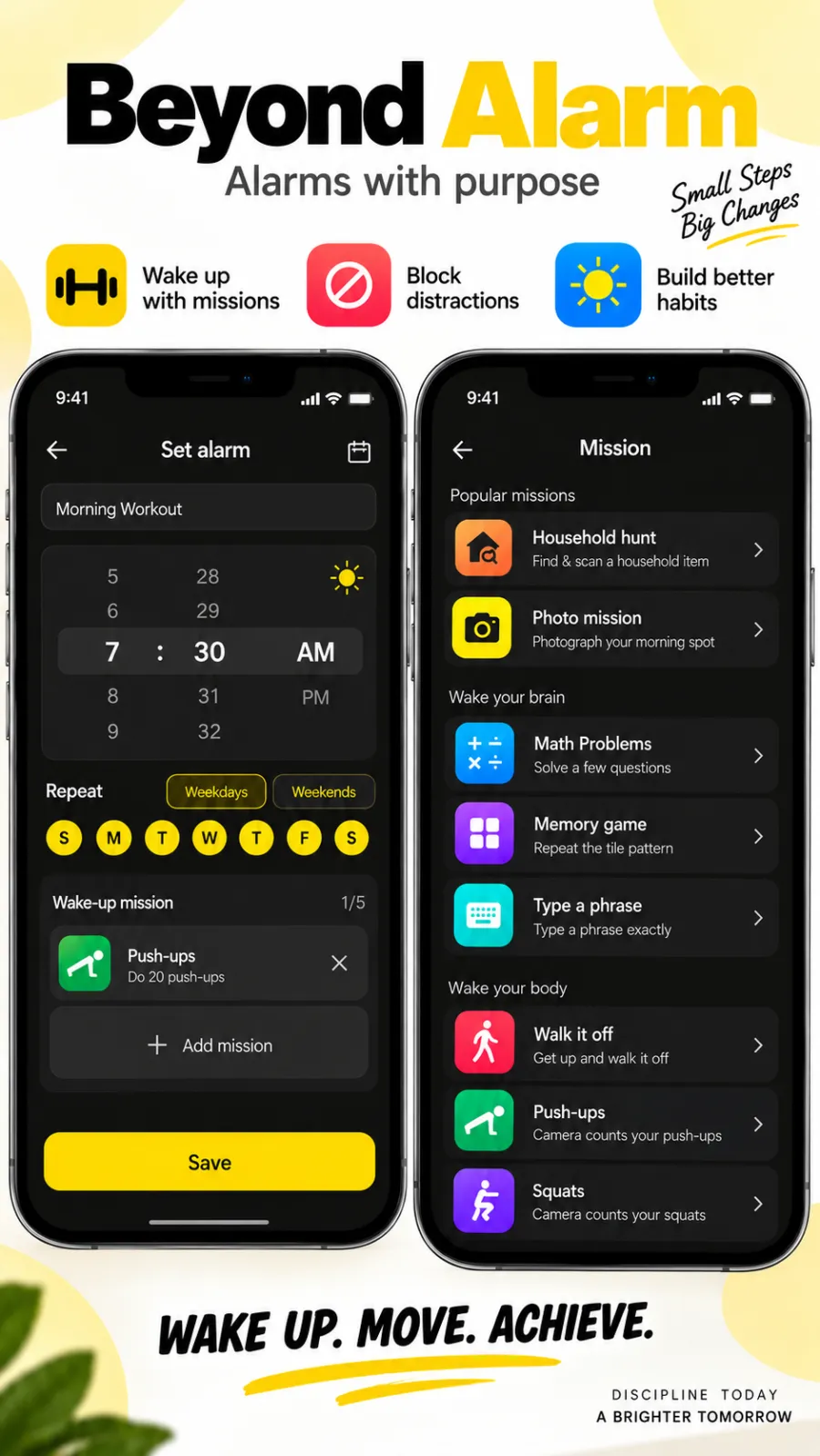
Beyond Alarm counts push-ups, squats and jumping jacks on the device and keeps no camera frames. It's Android-only for now, and the camera missions are included in the current free offering, supported by ads.
Try it tonight
Set a push-up alarm for two minutes from now, prop the phone on the floor, and let it ring. If it counts you on the first try, you're set. If it keeps saying "Get your whole body in frame", move the phone back half a metre and turn a light on — that fixes it nearly every time.
Common questions
How many push-ups should I set?
Start with five. The point is to get your body vertical and your heart rate up, not to train. Five is enough to clear the fog and short enough that you will not dread the alarm. Raise it once five feels automatic.
Does the phone record video of me?
It should not need to. A well-built push-up alarm runs pose detection on the phone itself and keeps nothing. Beyond Alarm counts on the device and sends no camera frames anywhere; check the privacy policy of any app you use.
What if I can't do a full push-up?
Pick a different movement rather than forcing it. Beyond Alarm also counts squats and jumping jacks with the same camera, and either gets you up just as well.
Why did the alarm switch to maths instead of push-ups?
Almost always because camera access was gone when the alarm rang — often because it was granted as "Only this time", which Android takes back once the app closes. Grant it as "While using the app" and it stays.
We build Beyond Alarm, an Android alarm app that will not switch off until you have actually moved. Most of what we write here comes out of problems we hit building it.
Beyond Alarm
An alarm that keeps ringing until you’ve actually moved — then blocks the apps that pull you back to bed. Free to start, no account.
Keep reading
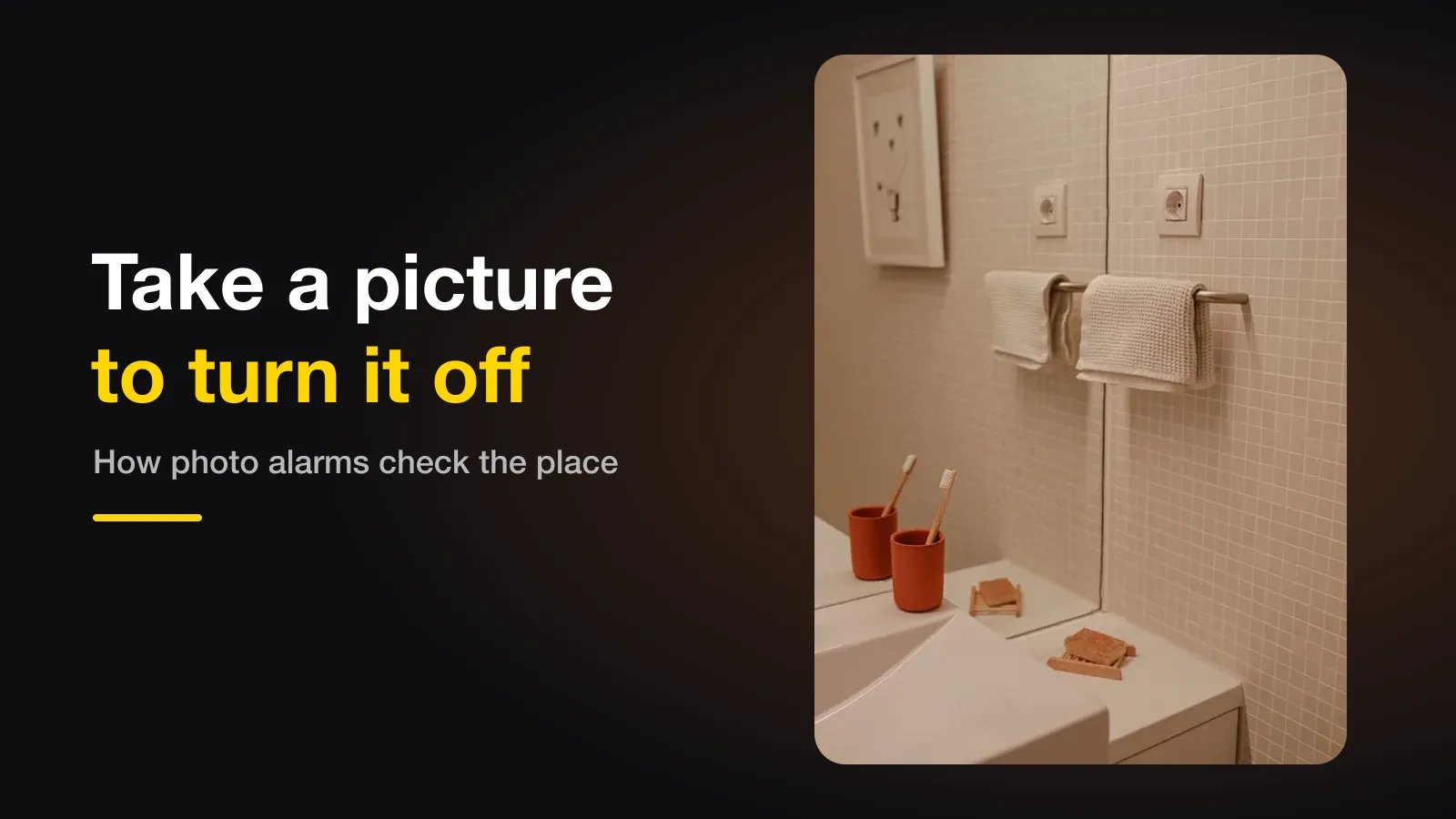
The alarm that makes you take a picture — how photo alarms decide you're in the right place
A photo alarm stops only when you photograph a place you chose the night before. How the phone decides it's the same place, which spots work best, and why a good one gets more forgiving, not less.
QR code alarm on Android — set it up so you can't scan it from bed
A QR or barcode alarm stops only when you scan a code, so where the code lives is the whole trick. Where to put it, what to scan, and the one mistake that lets you switch it off without leaving bed.