
Beyond Alarm vs Alarm Clock Xtreme
Pick Beyond Alarm. Alongside maths and typing it has camera-counted push-ups, squats and jumping jacks, its barcode mission is free right now, and Morning Lockout keeps your apps shut once you are up.


Alarm Clock Xtreme and Beyond Alarm both stop you switching the alarm off by reflex. Beyond Alarm adds missions you have to stand up for, and a block that keeps your phone quiet once you are up.
The short answer
- More ways to get up. Eleven missions, including push-ups, squats and jumping jacks counted by the camera on the device.
- Free right now. Every mission, barcode included, is free during the current promotion; Pro removes ads.
- Morning Lockout blocks your chosen apps the moment you beat the alarm.
- A full app blocker in the same app, with Strict mode free after one ad.
Side by side
Alarm Clock Xtreme's column comes from its own Play listing at the time of writing (27 October 2026). "—" means its listing doesn't mention it.
| Feature | Beyond Alarm | Alarm Clock Xtreme |
|---|---|---|
| Task to stop the alarm | ✓ 11 missions | ✓ Puzzles |
| Maths | ✓ | ✓ 1–5 problems, five levels |
| Typing | ✓ Type a phrase | ✓ Retype a password |
| Barcode / QR | ✓ Free right now | ✓ PRO only |
| Camera-counted push-ups, squats, jumping jacks | ✓ | — |
| Memory, photo, household hunt, step count | ✓ | — |
| Several missions on one alarm | Up to 5 | — |
| Snooze limit | ✓ | ✓ |
| Gentle volume rise | ✓ | ✓ |
| Apps locked when you beat the alarm | ✓ Morning Lockout | — |
| On-demand app blocker | ✓ Phone Block, Strict mode free after one ad | — |
| Platforms | Android 7.0+, iPhone (iOS 26.1+) | Android |
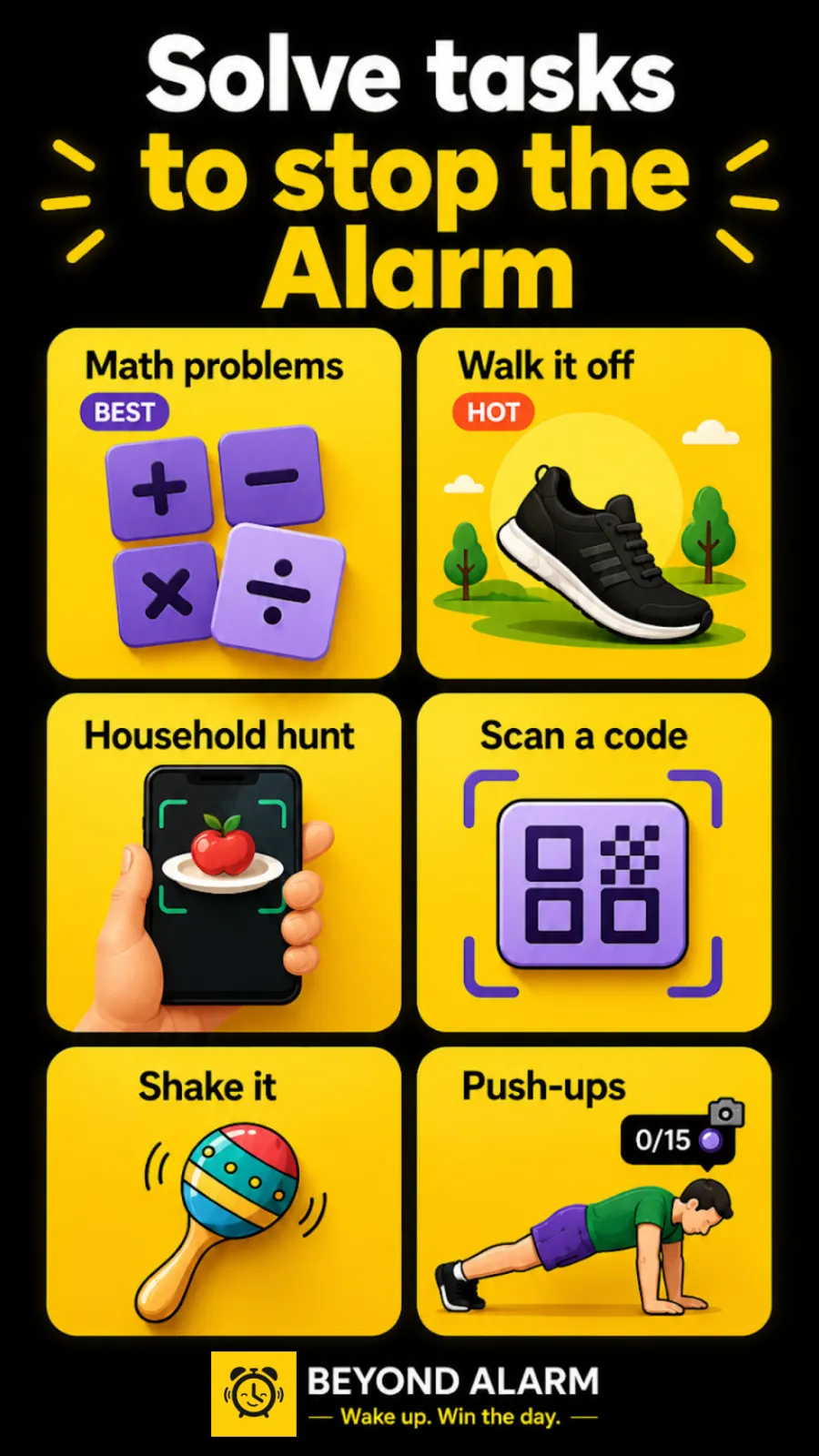
Where Beyond Alarm pulls ahead
Missions that need you on your feet
A maths problem wakes your brain; a set of squats wakes the rest of you. Beyond Alarm's camera missions count real reps with on-device pose detection, and you can stack up to five missions — say, a photo of the kitchen, then ten squats.
Nothing locked behind a paywall right now
Every mission, including the barcode and the camera ones, is free during the current promotion. Pro is there if you want to remove the ads.
It looks after the morning, not just the alarm
Once the mission is done, Morning Lockout keeps the apps you chose shut for the time you set, so the alarm doesn't hand you straight to a feed. On Android it can lock the whole phone, calls still allowed, and an optional setting stops the phone being switched off while the alarm rings.
Beyond Alarm
Beyond Alarm does this part for you: the alarm will not switch off until you have actually moved, and the apps you pick stay locked afterwards.



What Alarm Clock Xtreme offers
At the time of writing, Alarm Clock Xtreme's Play listing describes gradually rising volume, an extra-large snooze button, decreasing snooze intervals and a maximum number of snoozes, auto-snooze and auto-dismiss, and dismiss options using the screen, volume buttons, power button or shaking. Its puzzles are maths, retyping a password, QR/barcode (PRO only) and launching an app after the alarm. It also includes music, online radio and random-song alarms, a nap alarm, a "My day" screen with weather and calendar, and a built-in timer and stopwatch.
Switching from Alarm Clock Xtreme
- Install Beyond Alarm and follow its reliability screen so alarms ring on time, even on phones that close background apps.
- Recreate your alarms, sounds and repeat days.
- Choose Math Problems or Type a phrase to match your old puzzle.
- Stick a QR code or barcode somewhere you have to walk to, such as the bathroom, for the Scan a code mission — free right now.
- Add a camera exercise and turn on Morning Lockout.
- Switch off the old alarms so only one app rings.
Sources
Checked on 27 October 2026. Listings change, so check them before relying on any detail. Beyond Alarm's details are checked against its own code.
Common questions
What is the difference between Alarm Clock Xtreme and Beyond Alarm?
Both can make you solve something before the alarm stops. Beyond Alarm has eleven missions, including push-ups, squats and jumping jacks counted by the camera, all free right now, and adds a Morning Lockout that blocks your chosen apps once you're up.
Is the barcode mission free?
In Beyond Alarm, yes — every mission is free during the current promotion. At the time of writing, Alarm Clock Xtreme's Play listing says its QR/barcode puzzle is available only in the PRO version.
Does Beyond Alarm block apps?
Yes. Morning Lockout blocks your chosen apps — or on Android the whole phone — the moment you finish your mission, and Phone Block lets you block apps any time, with a Strict mode that is free after one short ad.
Does Beyond Alarm work on iPhone?
Yes, on iOS 26.1 and later, with alarms on Apple's AlarmKit and blocking through Screen Time. On Android it needs 7.0 or later.
How do I switch from Alarm Clock Xtreme to Beyond Alarm?
Install Beyond Alarm, recreate your alarms, pick maths or typing to match your old puzzle, add a camera exercise, and turn on Morning Lockout.
Beyond Alarm
An alarm that keeps ringing until you’ve actually moved — then blocks the apps that pull you back to bed. Free to start, no account.
More compare
Beyond Alarm vs Alarmy
Same mission idea, plus camera-counted reps, free missions right now and a lockout after you wake.
Beyond Alarm vs AppBlock
A no-stop-button block that's free after one ad, plus an alarm that starts the lockout when you're up.
Beyond Alarm vs Opal
Free Strict mode after one ad, whole-phone blocking on Android, and a lockout that starts when you wake.
Beyond Alarm vs Stay Focused
Free Strict mode after one ad, camera-counted wake-up workouts, and a lockout tied to your alarm.
Beyond Alarm vs Freedom
A no-stop-button phone block that's free after one ad, with an alarm that starts the lockout when you wake.
Beyond Alarm vs one sec
A real block with no stop button, free after one ad, for as many apps as you like — plus a morning lockout.
Beyond Alarm vs Digital Wellbeing
Digital Wellbeing turns off with a tap. Beyond Alarm's Strict mode has no stop button, free after one ad.
Beyond Alarm vs Apple Screen Time
Apple's own blocking, plus a free no-stop-button Strict mode and a lockout that starts when you wake.
Beyond Alarm vs Sleep as Android
Camera-counted wake-up workouts, every mission free right now, and a lockout that starts when you're up.