
Beyond Alarm vs one sec
Pick Beyond Alarm when you need the app shut, not just slowed down. Its Strict mode has no stop button and is free after one short ad, it blocks as many apps as you like, and it locks them the moment you beat your alarm.


one sec and Beyond Alarm come at the same problem from different ends. one sec slows you down before an app opens. Beyond Alarm closes the app until the timer says otherwise — and starts the moment your alarm is beaten.
The short answer
- A block, not a nudge. Beyond Alarm's Strict mode has no stop button and is free after one short ad.
- As many apps as you like, free. Pro only removes ads.
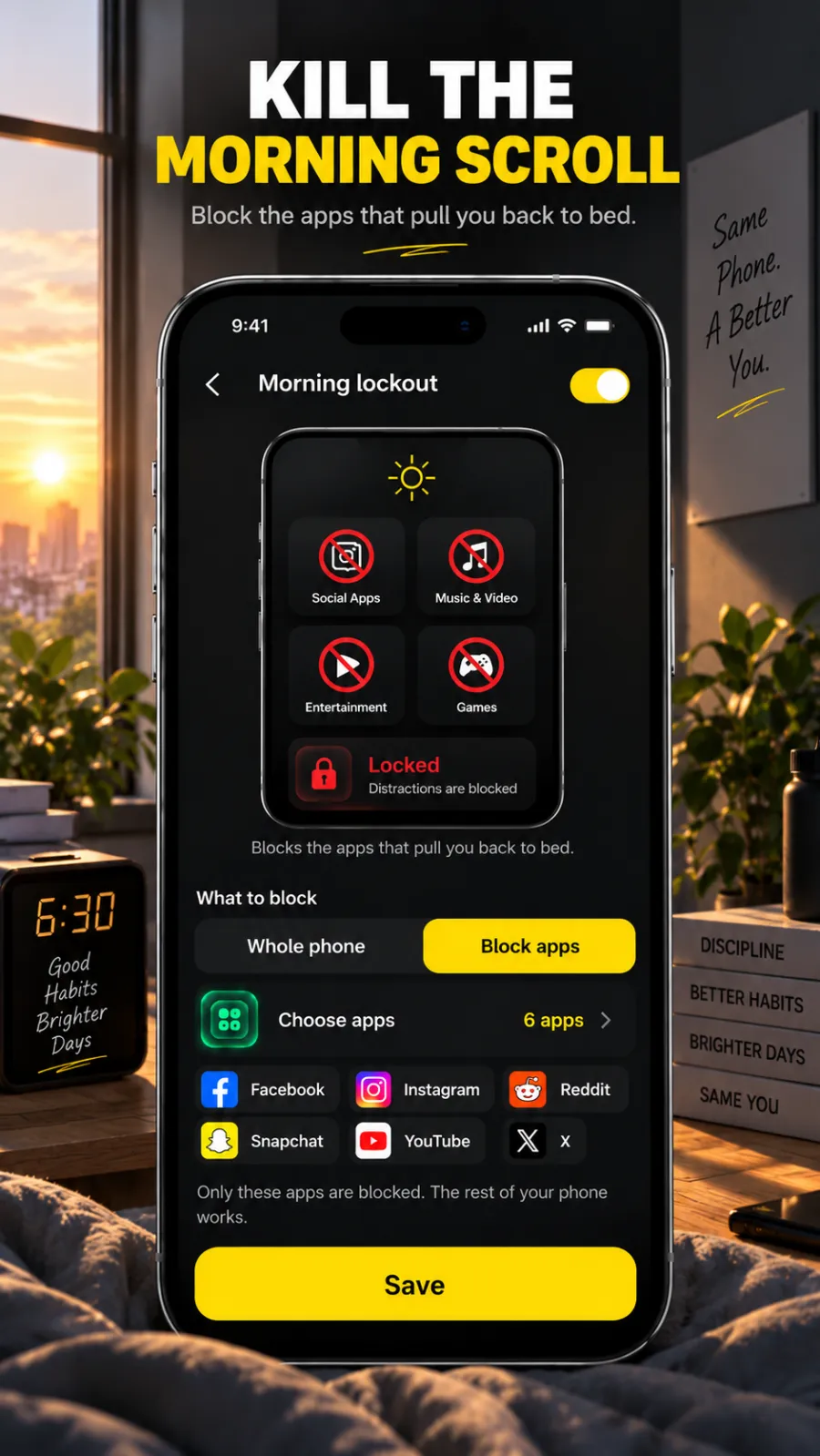
- Morning Lockout starts when you finish your wake-up mission.
- Whole-phone blocking on Android, with calls still allowed.
Side by side
one sec's column comes from its own Play listing and website at the time of writing (27 October 2026). "—" means its listing doesn't mention it.
| Feature | Beyond Alarm | one sec |
|---|---|---|
| Block chosen apps | ✓ | ✓ |
| Apps covered on the free version | As many as you choose | One app |
| No-stop-button mode | ✓ Strict mode, free after one ad | — |
| Leave early with friction | ✓ Regular mode: short ad and 5-second hold | — |
| Whole-phone block (Android) | ✓, calls allowed | — |
| Block starts when you beat your alarm | ✓ Morning Lockout | — |
| Alarm with wake-up missions | ✓ 11 missions | — |
| Camera-counted push-ups, squats, jumping jacks | ✓ | — |
| Price | Free; Pro removes ads | Free for one app; Pro for unlimited apps |
| Platforms | Android 7.0+, iPhone (iOS 26.1+) | iPhone, Android, desktop browser extension |
Where Beyond Alarm pulls ahead
When a pause isn't enough
A breath before Instagram works on autopilot opens. It is less help at 7am, half awake, when you would happily wait out any pause. Beyond Alarm's Strict mode has no stop button until the timer ends, and free users unlock it with one short ad. Regular mode, the gentler option, still asks for a short ad and a continuous five-second hold before you can leave.
The morning, handled
Morning Lockout starts the moment you finish your alarm's mission and keeps your chosen apps shut for the time you set. On Android you can lock the whole phone instead, with calls still allowed. On iPhone it shields the apps and Screen Time categories you pick.
An alarm that gets you up first
Eleven missions — maths, memory, typing, a photo, a barcode, a step count, and push-ups, squats and jumping jacks counted by the camera on the device. Every one is free right now.
Beyond Alarm
Beyond Alarm does this part for you: the alarm will not switch off until you have actually moved, and the apps you pick stay locked afterwards.



What one sec offers
At the time of writing, one sec's Play listing describes a breathing pause before distracting apps open, an app blocker that works instantly or on a schedule, app time limits, Shorts and Reels blocking, scheduled focus times, a porn blocker, screen time stats and a desktop browser extension. It cites a peer-reviewed study in PNAS with the Max Planck Institute and Heidelberg University reporting 57% fewer app openings on average. The listing says the free version covers one app, with Pro for unlimited apps. Its website lists iOS and Android apps and a browser extension for Windows, macOS and Linux.
Switching from one sec
- Install Beyond Alarm and give it Accessibility access on Android, or Screen Time access on iPhone.
- Put the apps you had in one sec into a block list — as many as you like.
- Start a Phone Block for your next focus session. Pick Regular mode to keep a door open, or Strict mode for no door at all.
- Set your alarm with a mission and turn on Morning Lockout for the same apps.
Sources
Checked on 27 October 2026. Listings change, so check them before relying on any detail. Beyond Alarm's details are checked against its own code.
- one sec on Google Play
- one sec website
- The one sec study in PNAS, as cited on its listing
Common questions
What is the difference between one sec and Beyond Alarm?
one sec is built around a pause — a breath before a distracting app opens. Beyond Alarm blocks the apps outright, with a Strict mode that has no stop button and is free after one short ad, and a Morning Lockout that starts when you finish your wake-up alarm.
Is one sec free?
At the time of writing, one sec's Play listing says you can try it free with one app and upgrade to Pro for unlimited apps. Beyond Alarm blocks as many apps as you choose for free; Pro removes ads.
Can I use Beyond Alarm and one sec together?
You can. Some people keep a pause on one app and use Beyond Alarm's Phone Block and Morning Lockout for the times they need a firm block. Beyond Alarm on its own covers both the morning and focus sessions.
Can Beyond Alarm block the whole phone?
Yes, on Android — browser and every other app included, with calls still allowed. On iPhone it blocks the apps and categories you choose through Screen Time.
How do I switch from one sec to Beyond Alarm?
Install Beyond Alarm, add the apps you had in one sec to a block list, start a Phone Block in Regular mode or Strict mode, and turn on Morning Lockout on your alarm.
Beyond Alarm
An alarm that keeps ringing until you’ve actually moved — then blocks the apps that pull you back to bed. Free to start, no account.
More compare
Beyond Alarm vs Alarmy
Same mission idea, plus camera-counted reps, free missions right now and a lockout after you wake.
Beyond Alarm vs AppBlock
A no-stop-button block that's free after one ad, plus an alarm that starts the lockout when you're up.
Beyond Alarm vs Opal
Free Strict mode after one ad, whole-phone blocking on Android, and a lockout that starts when you wake.
Beyond Alarm vs Stay Focused
Free Strict mode after one ad, camera-counted wake-up workouts, and a lockout tied to your alarm.
Beyond Alarm vs Freedom
A no-stop-button phone block that's free after one ad, with an alarm that starts the lockout when you wake.
Beyond Alarm vs Digital Wellbeing
Digital Wellbeing turns off with a tap. Beyond Alarm's Strict mode has no stop button, free after one ad.
Beyond Alarm vs Apple Screen Time
Apple's own blocking, plus a free no-stop-button Strict mode and a lockout that starts when you wake.
Beyond Alarm vs Sleep as Android
Camera-counted wake-up workouts, every mission free right now, and a lockout that starts when you're up.
Beyond Alarm vs Alarm Clock Xtreme
Eleven missions free right now, camera-counted workouts, and a lockout that starts when you're up.