
Beyond Alarm vs Stay Focused
Pick Beyond Alarm. Its Strict mode block has no stop button and is free after one short ad, its alarm counts real push-ups with the camera, and its Morning Lockout starts the moment you beat that alarm.


Stay Focused and Beyond Alarm both block distracting apps, and both have an alarm you can't just tap off. Beyond Alarm ties the two together, so your apps lock the moment you are up.
The short answer
- Strict mode is free in Beyond Alarm after one short ad: no stop button until the timer ends.
- Morning Lockout starts when you finish your alarm's mission.
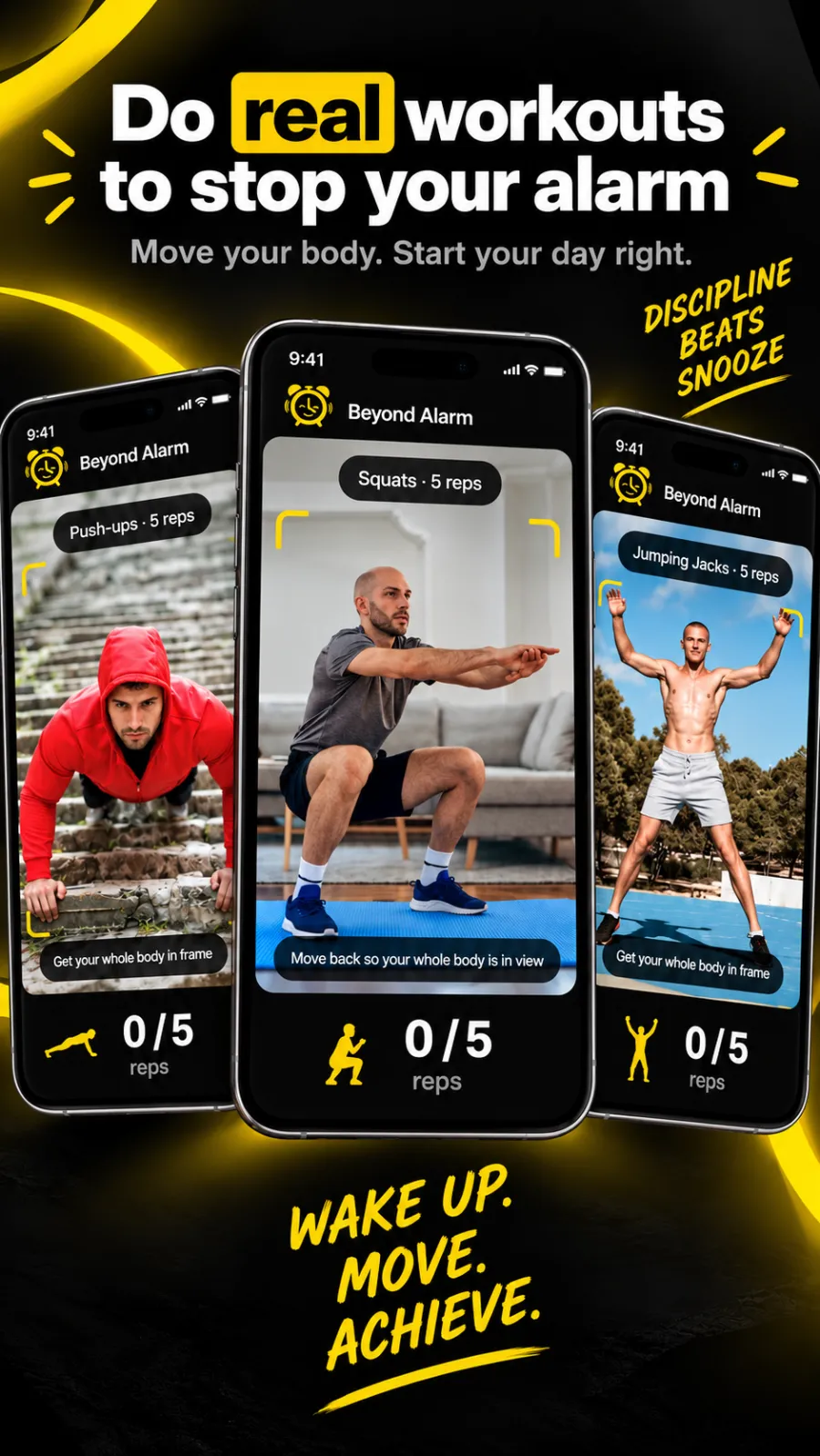
- Camera-counted exercise. Push-ups, squats and jumping jacks are counted rep by rep on your phone.
- All eleven missions are free right now; Pro removes ads.
Side by side
Stay Focused's column comes from its own Play and App Store listings at the time of writing (27 October 2026). "—" means its listing doesn't mention it.
| Feature | Beyond Alarm | Stay Focused |
|---|---|---|
| Block chosen apps | ✓ | ✓ |
| Whole-phone block (Android) | ✓, calls allowed | — |
| Leave early with friction | ✓ Regular mode: short ad and a 5-second hold | ✓ PIN, expiry date, QR scan or random text |
| No-stop-button mode | ✓ Strict mode, free after one ad | — |
| Alarm you can't just tap off | ✓ 11 missions, up to 5 per alarm | ✓ Strict Alarm with a challenge |
| Camera-counted push-ups, squats, jumping jacks | ✓ | — |
| Apps locked when you beat the alarm | ✓ Morning Lockout | — |
| Prevent uninstall | ✓ | ✓ (Android, Device Administrator) |
| Price | Free; Pro removes ads | Free with in-app purchases; $3.99/month, $9.99/quarter or $24.99/year (US App Store) |
| Platforms | Android 7.0+, iPhone (iOS 26.1+) | Android, iPhone (iOS 16.6+) |
Where Beyond Alarm pulls ahead
The alarm and the block are one routine
In Beyond Alarm, finishing your wake-up mission is what starts Morning Lockout. The apps you chose stay shut for the time you set — whether you got up at the first ring or after two snoozes. On Android that can be the whole phone, with calls still allowed.
Missions that get you moving
Eleven missions, from maths and memory to a photo of a spot in another room. The camera ones count real reps on the device: ten squats is ten squats. Stack up to five on one alarm.
Strict mode, no subscription
Phone Block runs from 5 minutes to 8 hours. Regular mode lets you leave after a short ad and a continuous five-second hold. Strict mode has no stop button at all, and free users unlock it with one short ad.
Beyond Alarm
Beyond Alarm does this part for you: the alarm will not switch off until you have actually moved, and the apps you pick stay locked afterwards.



What Stay Focused offers
At the time of writing, Stay Focused's Play listing describes an app blocker, website blocking in supported browsers, a Pomodoro study timer, focus sounds, location-based blocking, daily app limits, scheduled phone-free hours, Shorts and Reels blocking, an adult-content filter, keyword blocking, notification blocking and a Strict Alarm. Its App Store listing describes Strict Mode options including a PIN, an expiry date, a QR code scan or randomly generated text, and requires iOS 16.6 or later.
Switching from Stay Focused
- Install Beyond Alarm and allow Accessibility on Android, or Screen Time on iPhone.
- Save the apps from your Stay Focused blocklist as a block list.
- Start a Phone Block for your next session and try Strict mode once.
- Set your alarm and pick missions — try a photo mission plus ten squats.
- Turn on Morning Lockout for the apps you reach for first.
- Turn off Stay Focused's Strict Alarm so two alarms don't ring at once.
Sources
Checked on 27 October 2026. Listings and prices change, so check them before relying on any detail. Beyond Alarm's details are checked against its own code.
Common questions
Is Beyond Alarm better than Stay Focused?
Beyond Alarm is our pick. Its Strict mode — no stop button until the timer ends — is free after one short ad, its wake-up missions include push-ups, squats and jumping jacks counted by the camera, and Morning Lockout keeps your apps shut from the moment you beat the alarm.
Is Stay Focused free?
Stay Focused is free to download with in-app purchases. At the time of writing its US App Store listing showed plans at $3.99 a month, $9.99 a quarter and $24.99 a year. Beyond Alarm's blocking is free; Pro only removes ads.
Does Stay Focused have an alarm?
Yes. At the time of writing its Play listing describes a Strict Alarm that keeps ringing until you solve a challenge. Beyond Alarm's alarm has eleven missions, up to five on one alarm, and starts a Morning Lockout when you finish.
Does Beyond Alarm work on iPhone?
Yes, on iOS 26.1 and later. It blocks the apps and Screen Time categories you pick, and its alarms run on Apple's AlarmKit. Whole-phone blocking is Android only.
How do I switch from Stay Focused to Beyond Alarm?
Install Beyond Alarm, save your blocklist as a block list, start a Phone Block in Strict mode, and set your alarm with Morning Lockout turned on.
Beyond Alarm
An alarm that keeps ringing until you’ve actually moved — then blocks the apps that pull you back to bed. Free to start, no account.
More compare
Beyond Alarm vs Alarmy
Same mission idea, plus camera-counted reps, free missions right now and a lockout after you wake.
Beyond Alarm vs AppBlock
A no-stop-button block that's free after one ad, plus an alarm that starts the lockout when you're up.
Beyond Alarm vs Opal
Free Strict mode after one ad, whole-phone blocking on Android, and a lockout that starts when you wake.
Beyond Alarm vs Freedom
A no-stop-button phone block that's free after one ad, with an alarm that starts the lockout when you wake.
Beyond Alarm vs one sec
A real block with no stop button, free after one ad, for as many apps as you like — plus a morning lockout.
Beyond Alarm vs Digital Wellbeing
Digital Wellbeing turns off with a tap. Beyond Alarm's Strict mode has no stop button, free after one ad.
Beyond Alarm vs Apple Screen Time
Apple's own blocking, plus a free no-stop-button Strict mode and a lockout that starts when you wake.
Beyond Alarm vs Sleep as Android
Camera-counted wake-up workouts, every mission free right now, and a lockout that starts when you're up.
Beyond Alarm vs Alarm Clock Xtreme
Eleven missions free right now, camera-counted workouts, and a lockout that starts when you're up.