
Beyond Alarm vs Digital Wellbeing
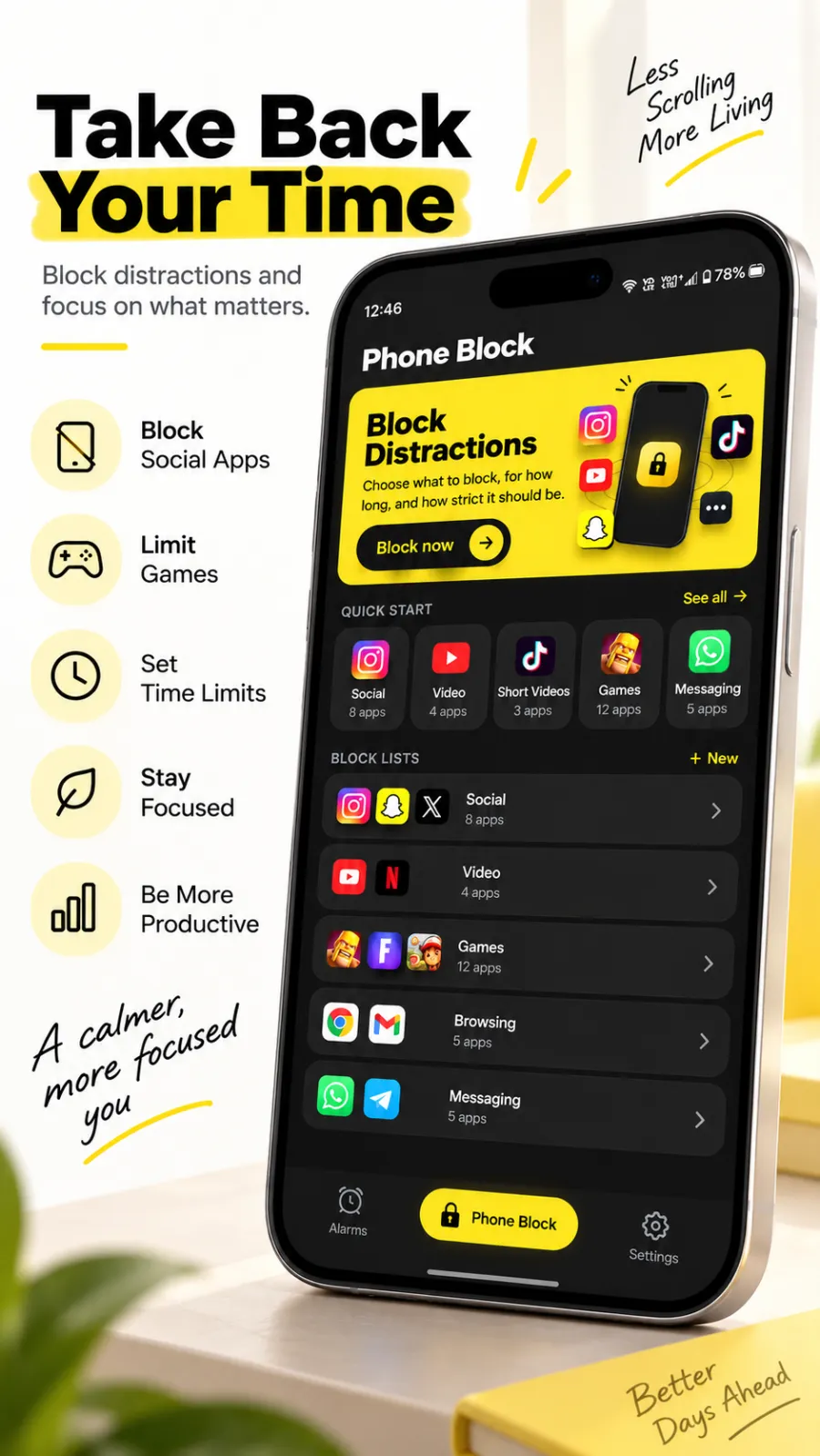
Pick Beyond Alarm when you want the block to hold. Digital Wellbeing's Focus mode has a "Turn off now" button; Beyond Alarm's Strict mode has no stop button at all, is free after one short ad, and can lock the whole phone.


Digital Wellbeing ships with Android and costs nothing, which makes it a sensible first try. Beyond Alarm is what you install when you want a block that doesn't end the moment you ask it to.
The short answer
- Beyond Alarm's Strict mode has no stop button, and is free after one short ad. Focus mode has "Turn off now".
- Whole-phone blocking, with calls still allowed.
- Morning Lockout starts when you beat your alarm.
- An alarm with eleven missions, including camera-counted push-ups, all free right now.
Side by side
Digital Wellbeing's column comes from Google's own help page and Play listing at the time of writing (27 October 2026). "—" means neither mentions it.
| Feature | Beyond Alarm | Digital Wellbeing |
|---|---|---|
| Pause or block chosen apps | ✓ Phone Block | ✓ Focus mode |
| Ending it early | Strict mode: no stop button. Regular mode: short ad and 5-second hold | "Take a break" or "Turn off now" |
| Whole-phone block | ✓, calls allowed | — |
| Block length you choose | ✓ 5 min to 8 h | — |
| Block starts when you beat your alarm | ✓ Morning Lockout | — |
| Alarm with wake-up missions | ✓ 11 missions | — |
| Camera-counted push-ups, squats, jumping jacks | ✓ | — |
| Prevent uninstall during a block | ✓ | — |
| Price | Free; Pro removes ads | Free, built in |
| Platforms | Android 7.0+, iPhone (iOS 26.1+) | Android |
Where Beyond Alarm pulls ahead
A block with no "turn off now"
Google's help page says Focus mode can be paused with "Take a break" or ended with "Turn off now". Beyond Alarm gives you two firmer options. Regular mode lets you leave only after a short ad and a continuous five-second hold — long enough to turn a reflex into a decision. Strict mode has no stop button at all. Free users unlock Strict mode with one short ad.
The whole phone, not just a list
Pick the whole phone and every app is shut except calls — the browser included. During a whole-phone block, Android's Settings app is sent back to the block screen, which closes the usual way out. Beyond Alarm can also stop itself being uninstalled, and blocks carry on after a restart.
Your mornings
Beyond Alarm is an alarm too. You stop it by finishing a mission — maths, a photo, a barcode, or ten squats counted by the camera — and Morning Lockout starts straight away, keeping the apps you chose shut while you get going.
Beyond Alarm
Beyond Alarm does this part for you: the alarm will not switch off until you have actually moved, and the apps you pick stay locked afterwards.



What Digital Wellbeing offers
According to Google's help page and its Play listing at the time of writing, Digital Wellbeing shows a dashboard of screen time, app opens and notifications. App timers set a daily limit per app; when time runs out the app closes and its icon dims until midnight, unless you delete the timer. Bedtime mode can turn the screen to greyscale and silence notifications on a schedule or while charging. Focus mode pauses chosen apps and their notifications, and can run on a schedule. It is found in your phone's Settings.
Switching from Digital Wellbeing
- Install Beyond Alarm and allow Accessibility when it asks — that is what lets it block apps on Android.
- Open the reliability screen and follow its battery and autostart steps, especially on Xiaomi, vivo, OPPO or realme phones.
- Make a block list from the apps you had in Focus mode.
- Start a Phone Block for your next focus session and try Strict mode once.
- Set your morning alarm with a mission and turn on Morning Lockout.
- Keep Digital Wellbeing's dashboard if you like the numbers; turn off Focus mode schedules that overlap your Beyond Alarm blocks.
Sources
Checked on 27 October 2026. Google updates Android often, so check the help page for your version. Beyond Alarm's details are checked against its own code.
Common questions
Is Beyond Alarm better than Digital Wellbeing?
For a block that holds, yes. Digital Wellbeing's Focus mode offers "Take a break" and "Turn off now". Beyond Alarm's Strict mode has no stop button until the timer ends, is free after one short ad, and can cover the whole phone with calls still allowed.
Can I use Digital Wellbeing and Beyond Alarm together?
Yes. Digital Wellbeing's dashboard and Bedtime mode can stay on; Beyond Alarm handles the blocks you need to hold, and the first minutes after your alarm.
How do I turn off Focus mode in Digital Wellbeing?
According to Google's help page, you tap "Turn off now", or "Take a break" to pause it for a while. That ease is why many people add Beyond Alarm's Strict mode for the times they need a block to stick.
Is Beyond Alarm free?
Yes. Blocking is free, including Strict mode after one short ad, and every wake-up mission is free during the current promotion. Pro removes ads.
Which Android versions does Beyond Alarm support?
Android 7.0 and later. It is on iPhone too, for iOS 26.1 and later.
Beyond Alarm
An alarm that keeps ringing until you’ve actually moved — then blocks the apps that pull you back to bed. Free to start, no account.
More compare
Beyond Alarm vs Alarmy
Same mission idea, plus camera-counted reps, free missions right now and a lockout after you wake.
Beyond Alarm vs AppBlock
A no-stop-button block that's free after one ad, plus an alarm that starts the lockout when you're up.
Beyond Alarm vs Opal
Free Strict mode after one ad, whole-phone blocking on Android, and a lockout that starts when you wake.
Beyond Alarm vs Stay Focused
Free Strict mode after one ad, camera-counted wake-up workouts, and a lockout tied to your alarm.
Beyond Alarm vs Freedom
A no-stop-button phone block that's free after one ad, with an alarm that starts the lockout when you wake.
Beyond Alarm vs one sec
A real block with no stop button, free after one ad, for as many apps as you like — plus a morning lockout.
Beyond Alarm vs Apple Screen Time
Apple's own blocking, plus a free no-stop-button Strict mode and a lockout that starts when you wake.
Beyond Alarm vs Sleep as Android
Camera-counted wake-up workouts, every mission free right now, and a lockout that starts when you're up.
Beyond Alarm vs Alarm Clock Xtreme
Eleven missions free right now, camera-counted workouts, and a lockout that starts when you're up.