
Wake-up streaks
Every morning you get up on time is worth something, and after a few weeks it's worth keeping. Wake-up streaks count your kept mornings, alarm by alarm, and stop you throwing a run away by accident.


Getting up on time once is easy. Doing it twenty mornings in a row is the habit you actually wanted. Beyond Alarm's wake-up streaks count the mornings you keep, for each alarm, with a 🔥 number on the alarm itself. And before you turn an alarm off or skip it, you're warned that your streak will end, so a mis-tapped switch can't cost you a 40-morning run.
What it does
- A streak on every repeating alarm. The 🔥 count sits on the alarm card, so you see it every time you open the app.
- Scheduled mornings, not calendar days. A weekday alarm counts weekdays. Your Saturday lie-in doesn't break anything, because there was no alarm to keep.
- Best and total, kept forever. Each alarm remembers its longest run and the total number of mornings kept. Those never go down, even after a run ends.
- Milestones. A progress bar on the Streaks page shows how close you are to the next milestone, from 3 mornings up to a full year.
- A Streaks page with every alarm's run, your achievements, and Share my streak to post an image to WhatsApp, Instagram, X or anywhere else.
The streak-break warning
The quickest way to lose a long streak is a thumb that hits the wrong switch. So when you turn off an alarm that has a run going, or tap Skip once, Beyond Alarm stops and asks first. A sheet headed You'll Lose Your Streak shows the alarm, your current run, and two buttons:
- Keep my streak, the big, safe one, which leaves the alarm as it was.
- Turn it off anyway (or Skip it anyway), which goes ahead and ends the run.
The safe choice is the main button on purpose. A warning that makes "yes, destroy it" the easy tap isn't really a warning.
How it works
- You finish the alarm. When a repeating alarm is seen through to the end, mission included, that morning counts.
- The run grows by one and the 🔥 number updates on the alarm card and on the Streaks page.
- A missed morning breaks it. If a scheduled wake-up passes without being completed, the run ends. There's a short grace window after the alarm time, so the number doesn't reset while you're still doing the mission.
- Turning off or skipping asks first, as above.
- Everything stays on your phone.
Beyond Alarm
Beyond Alarm does this part for you: the alarm will not switch off until you have actually moved, and the apps you pick stay locked afterwards.



When to use it
Streaks are always on for repeating alarms. They work best when:
- You're building a wake-up time, like 6:30 every weekday, and want to see it stick.
- You pair them with a mission. A run of push-up mornings means more than a run of snoozes.
- You need a reason not to skip. The warning sheet is a few seconds to ask yourself whether you really mean it.
Set it up
- Open the Alarm tab and tap +, or tap an existing alarm.
- Pick the days under Repeat (or Weekdays / Weekends). One-off alarms don't have streaks.
- Add a wake-up mission if you want each kept morning to mean you're properly up.
- Tap Save. Your first completed morning starts the run.
- To see every run, open Settings and tap Streaks & achievements.
Related
Common questions
How does a wake-up streak work?
Each repeating alarm keeps its own run. Every scheduled wake-up you see through to the end adds one. A scheduled morning you miss, skip or turn off ends the run.
Why is my streak per alarm, not one number?
So a day off doesn't count against you. Someone with a weekday alarm and a Sunday alarm would otherwise break their streak every Saturday for an alarm that was never set. A Monday, Wednesday and Friday alarm only counts Mondays, Wednesdays and Fridays.
Do one-off alarms have streaks?
No. A one-off alarm has no second morning to keep, so streaks run on repeating alarms only.
If I delete an alarm and make it again, is my streak gone?
No. If you recreate an alarm with the same time and days, it picks the run back up. Deleting an alarm is often just editing it the long way round.
Are my streaks uploaded anywhere?
No. Streaks are kept on your phone and free for everyone. Nothing is sent, backed up or sold.
Beyond Alarm
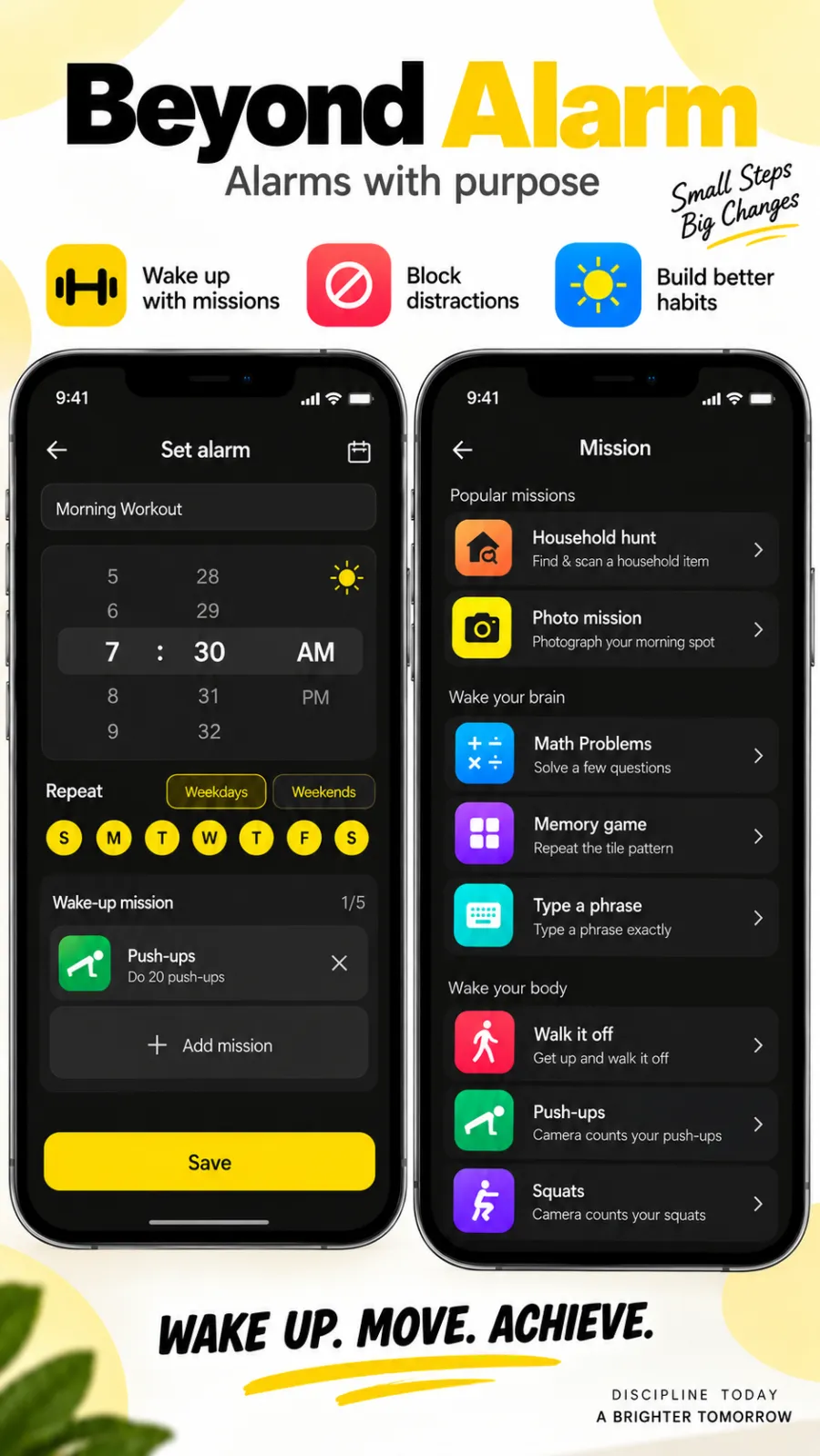
An alarm that keeps ringing until you’ve actually moved — then blocks the apps that pull you back to bed. Free to start, no account.
More features
Free Strict mode
No stop button until the timer ends. Free with one short ad, on Android and iPhone.
Phone Block
Block chosen apps or the whole phone for a set time. Regular mode or free Strict mode.
Whole-phone block
Android: every app locked until the timer ends. Calls still come through.
Push-up alarm
Push-ups, squats or jumping jacks, counted by the camera on your phone. Fake reps don't count.
QR and barcode alarm
The alarm stops only when you scan a QR code or barcode. Keep one a room away from bed.
Photo alarm
Register a place the night before. The alarm stops only when you photograph it again.
Alarm reliability check
Checks battery, auto-start, exact-alarm and full-screen settings, with one tap to each fix.
Prevent power-off
Android: the power menu closes while the alarm rings. Optional uninstall protection.
Daily Phone Block reminder
A daily nudge an hour before your usual Phone Block time, learned from when you really block.
Beyond Alarm on iPhone
AlarmKit alarms, wake-up missions, and Screen Time blocking with free Strict mode.