
I lose my first hour to my phone
You got up on time, but somehow it's an hour later and all you've done is scroll. Here's why the first hour is so easy to lose, and how to lock it in for yourself.


The first hour sets the tone for the rest of the day, and it's the hour most easily lost to the phone. Beyond Alarm fills it before your phone can: a mission to get you up, then the apps you chose stay locked for as long as you decided the night before.
Why it happens
Checking your phone first thing is normal. Reviews.org found 71% of people check their phone within ten minutes of waking. The check isn't really the problem. The problem is that the morning has no built-in stopping point.
Overnight messages, news, notifications. Each one feels urgent, each one leads to the next, and you're doing it while still groggy, which is when you're worst at noticing time passing. The tasks you meant to do, like exercise, breakfast, reading or getting to work early, need a decision to start. The feed doesn't.
Most fixes rely on the version of you that's least able to keep them. Screen-time limits pop up a warning that one tap dismisses, and that's why they rarely last. What works is deciding while you're clear-headed, the night before, and letting something else do the enforcing in the morning.
The fix: Beyond Alarm
Morning Lockout: the first hour, decided in advance. Attach a Morning Lockout to your alarm. It starts the moment you finish the wake-up mission, so it never wastes time guarding a phone while you're still asleep or snoozing. The apps you chose stay shut for the time you set.
- Android: chosen apps or the whole phone. Calls still come through.
- iPhone: the apps and categories you pick through Screen Time.
On Android, Morning Lockout runs in Regular mode; on iPhone it runs until its timer ends. On Android, ending it early means holding a button down on purpose.
Phone Block in Strict mode, for a longer stretch. For a deep-work morning or a study session after breakfast, start a Phone Block and choose Strict mode. There's no stop button until the timer ends. Strict mode is free: you watch one short ad to turn it on. Many blockers charge for their strict mode.
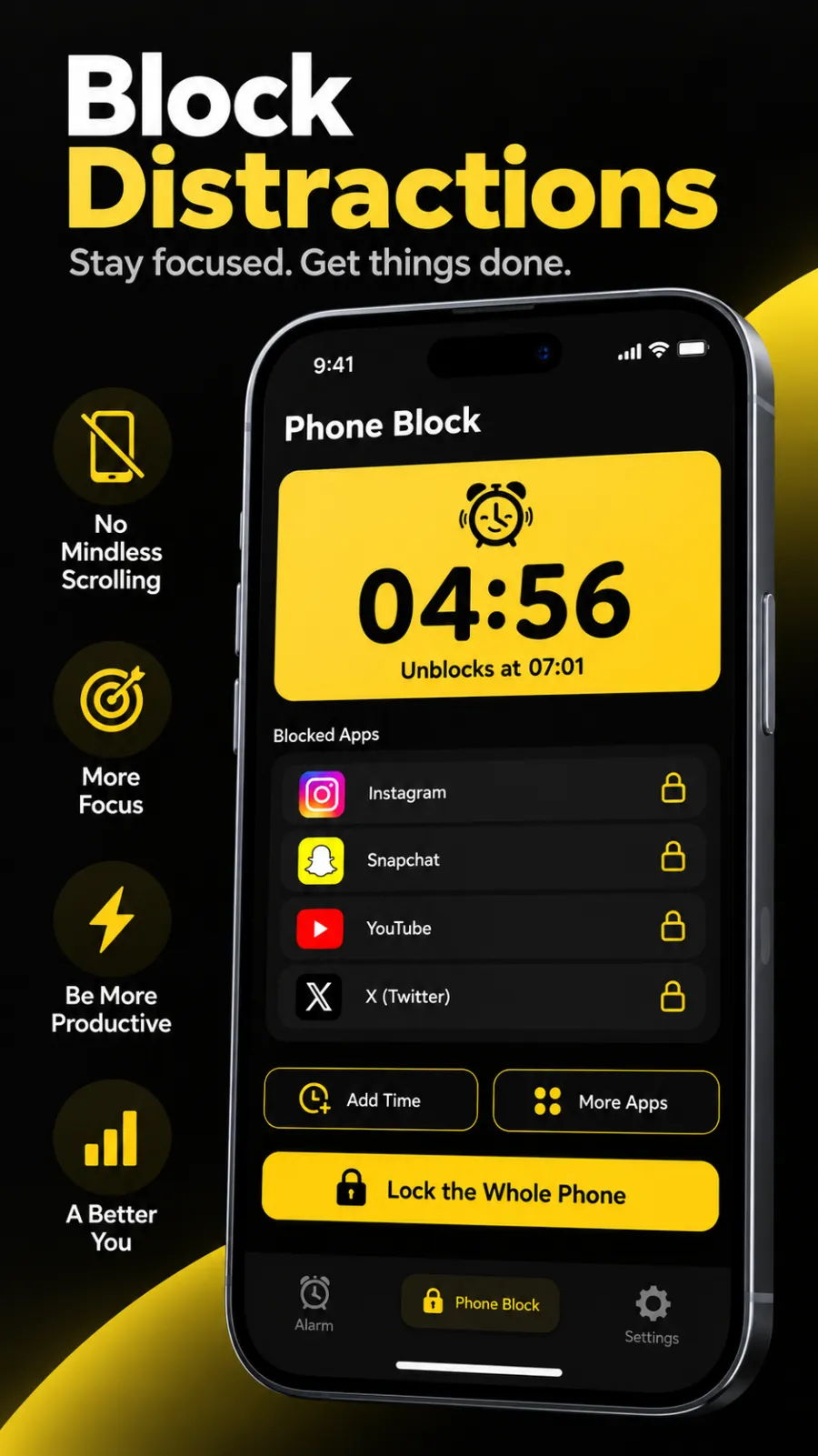
A daily nudge. Once you've started a Phone Block, Beyond Alarm sends a daily reminder an hour before the time you usually start one: "Time to block your distracting apps." It's skipped on days you've already blocked.
A streak to protect. On a repeating alarm, every morning you finish the mission adds to your streak.
Everything here is free during the current promotion. Pro removes the ads.
Beyond Alarm
Beyond Alarm does this part for you: the alarm will not switch off until you have actually moved, and the apps you pick stay locked afterwards.



Set it up tonight
- Open Beyond Alarm and edit your morning alarm, or tap + then Alarm.
- Under Wake-up mission, add a mission that gets you out of bed.
- Tap Morning lockout, switch it on, and choose What to block: the whole phone or Block apps on Android, or Block apps with Screen Time on iPhone.
- Under For how long, choose 1 hour, or Custom for your full routine. Save the lockout, then save the alarm.
- Want a longer focus block afterwards? Go to the Phone Block tab, tap Block now, choose what to block, set the length, pick Strict mode under How strict, and tap Block for…. Watch the short ad when asked.
- Optional: under Block lists, tap New and save your usual set of apps, so tomorrow it's one tap from Quick start.
Related
Common questions
How do I stop wasting the first hour of my day on my phone?
Don't rely on willpower in the first hour. Decide the night before. Beyond Alarm's Morning Lockout keeps your chosen apps shut from the moment you finish your wake-up mission. Add a Phone Block in Strict mode if you want a longer stretch with no way back in.
How long should I block my phone in the morning?
Long enough to cover your routine, which for most people is 30 to 60 minutes. Morning Lockout offers 15, 30 or 45 minutes, an hour, or a custom length up to 8 hours.
What is Strict mode?
Strict mode is a Phone Block with no stop button. Only the timer ends it. In Beyond Alarm it's free, and you watch one short ad to turn it on. Pro members skip the ad.
Will I miss important calls?
No. Calls still come through during a block, including a whole-phone block on Android.
Beyond Alarm
An alarm that keeps ringing until you’ve actually moved — then blocks the apps that pull you back to bed. Free to start, no account.
More fix your morning
I snooze ten times every morning
You hit snooze over and over and get up late anyway. Cap it, then make the alarm need a mission.
I sleep through every alarm
Five alarms and you still sleep through them. Make waking up mean standing up, not just hearing a sound.
I turn off my alarm in my sleep
You wake late with no memory of switching it off. Put a task between your thumb and the off button.
I scroll in bed every morning
Alarm off, one app open, thirty minutes gone. Get out of bed first, with the apps shut when you do.
It's exam week and I can't stop checking my phone
Notes open, phone in hand every five minutes. Lock it for the whole session, with no stop button.
I can't focus at work because of my phone
Ten minutes into a task, the phone is back in your hand. Lock it for a set stretch, with no stop button.
My alarm didn't go off
You set it, it never rang. Usually a battery setting on Android, and a two-minute check finds it.
I work nights and can't wake up in the afternoon
You sleep by day and the 3pm alarm feels like 3am. An alarm and block setup built around your shifts.
I stay up scrolling at night
Tired at 11pm, still scrolling at 1am. Give the night an ending you don't have to enforce yourself.