
Samsung alarm not going off? The causes on Galaxy phones, in the order to check them
 Beyond Alarm1 October 2026 · 4 min read
When an alarm doesn't go off on a Samsung Galaxy, it's almost always one of five things: the alarm volume or sound is off, Sleep or Do Not Disturb is blocking it, Samsung has put the alarm app to sleep, an auto restart left the phone locked overnight, or the app lost permission to set alarms. Check them in that order — the first two take thirty seconds.
The short version:
- Check the alarm's own sound, then the Alarm volume slider.
- Make sure Sleep mode / Do Not Disturb allows alarms.
- Add any third-party alarm app to Never sleeping apps.
- Turn off Auto restart at night, or move it to the afternoon.
- Allow Alarms & reminders for the alarm app.
Every cause, and where to fix it
Menu names below are from recent One UI versions; on older phones the same setting is usually one level up or under a slightly different name — the search bar in Settings finds all of them.
| # | Cause | Affects | Where to check |
|---|---|---|---|
| 1 | Alarm sound off or volume low | Clock and any app | The alarm itself; Settings → Sounds and vibration → Volume → Alarm |
| 2 | Sleep mode or Do Not Disturb | Mostly third-party apps | Settings → Modes and Routines / Do not disturb → allow Alarms |
| 3 | App put to sleep | Third-party alarm apps | Settings → Battery → Background usage limits → Never sleeping apps |
| 4 | Auto restart overnight | Third-party alarm apps | Settings → search Auto restart → turn off, or set for daytime |
| 5 | Alarms & reminders permission | Third-party alarm apps | Settings → Apps → the app → Alarms & reminders → Allow |
| 6 | Outdated Clock app | Samsung Clock | Galaxy Store → update Clock |
1. The alarm volume — not the ringtone volume
Android keeps the alarm on its own volume, separate from calls and media. Turning the phone to silent or lowering the ringtone doesn't touch it — but the Alarm slider itself can be low, and in Samsung's Clock every alarm also has its own sound switch and volume. Open the alarm, check its sound is on, then check the slider under Sounds and vibration → Volume.
If the sound is on but too quiet to wake you, that's a different problem with its own set of causes.
2. Sleep mode and Do Not Disturb
Samsung's Sleep mode and Do Not Disturb can turn on by schedule every night. Samsung's own Clock alarms are normally let through; alarms from other apps depend on the exceptions you've allowed. Open Do not disturb (or the Sleep mode in Modes and Routines) and make sure Alarms is allowed.
The three ways Do Not Disturb silences an alarm are covered in detail separately — the third one catches people out even with alarms allowed.
3. Samsung put the alarm app to sleep
This is the Samsung-specific one. Under Settings → Battery → Background usage limits (on some models, Battery and device care → Battery), Samsung keeps three lists: Sleeping apps pause in the background, Deep sleeping apps don't run in the background at all until you open them, and Never sleeping apps are left alone.
Samsung can move apps it thinks you don't use onto the sleeping lists by itself. An alarm app is exactly the kind of app you set up and never open, so it's a prime candidate. Add your alarm app to Never sleeping apps — open that list, tap the plus, and pick it.
Beyond Alarm
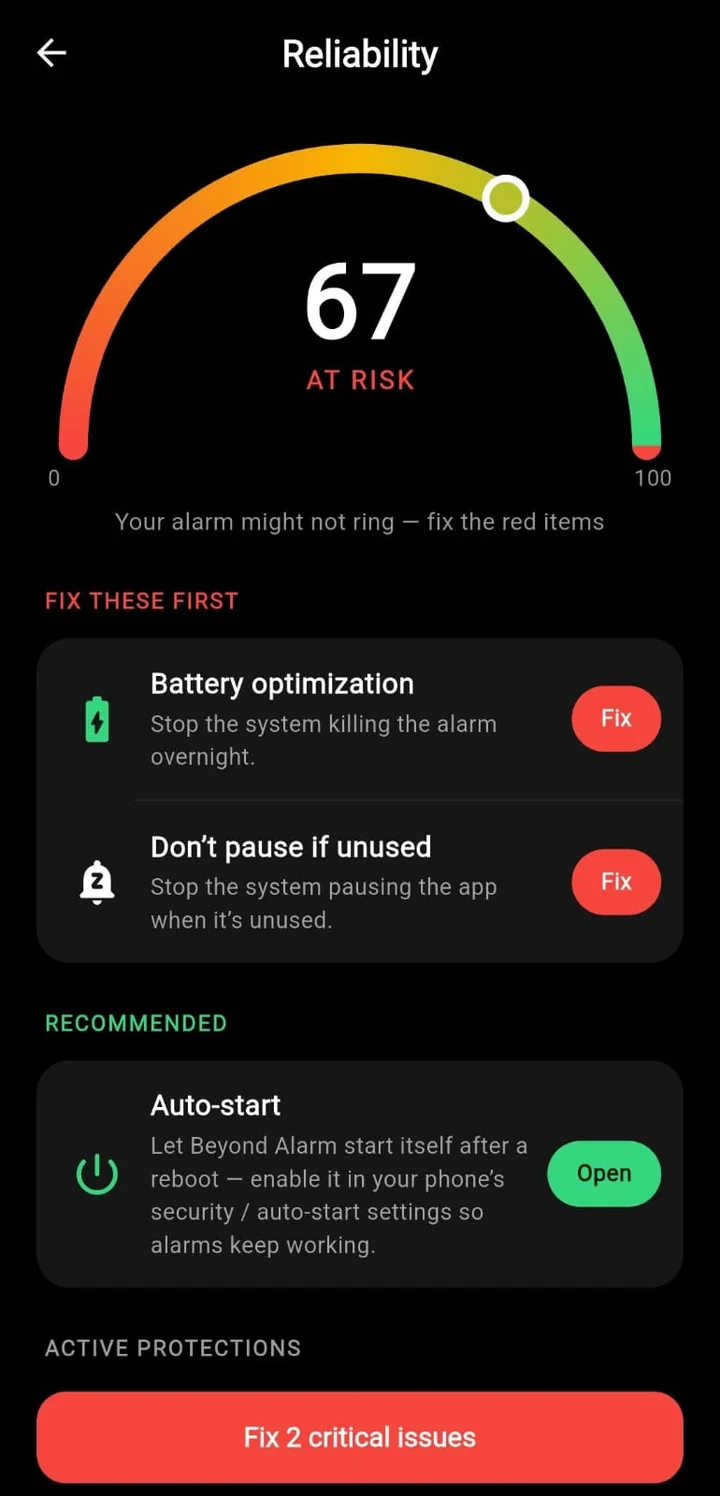
Beyond Alarm does this part for you: the alarm will not switch off until you have actually moved, and the apps you pick stay locked afterwards.





4. Auto restart left the phone locked
Many Galaxy phones can restart themselves on a schedule. Samsung describes it as restarting "within 1 hour of the time you set", and only when "the screen is off", "the phone isn't being used", "the battery is above 30%" and "the SIM card lock is off" — in other words, in the middle of the night.
After any restart, Android keeps app data locked until you first unlock the phone, so most third-party alarm apps can't set their alarms until then. We explain exactly why a restart silences alarms here. Search Settings for Auto restart and either turn it off or move it to a time you're awake.
5. The app can't set alarms
Since Android 12, an app needs a special permission to schedule exact alarms. It's usually granted on install, but it can be switched off. Open Settings → Apps → your alarm app → Alarms & reminders, and make sure it's allowed.
6. Samsung's own Clock app is out of date
If you use Samsung's built-in Clock and alarms stopped after an update, members of the Samsung Community report that updating Clock from the Galaxy Store fixes it. Open Galaxy Store → menu → Updates, and update Clock if it's listed.
Beyond Alarm's reliability screen checks the battery and background settings that decide whether an alarm can ring, and opens the right page for each one. It can't change Samsung's sleeping-app lists for you — that step above is worth doing by hand. If you're on Xiaomi, vivo, OPPO or realme instead, those phones have their own settings.
Test it before you rely on it
Set an alarm for three minutes from now, lock the phone, and put it face down. If it rings, the basics are right. Then, before a morning that really matters, check the two things a test like that can't catch: that Auto restart won't run overnight, and that the alarm app is on Never sleeping apps.
Common questions
Why did my Samsung alarm work yesterday but not today?
The commonest overnight changes are an automatic restart (Samsung's Auto restart, or a system update) that left the phone locked, and Sleep or Do Not Disturb turning on by schedule. Both change nothing you can see in the morning, which is why it feels random.
Does Samsung put alarm apps to sleep?
It can put any app it thinks you don't use into Sleeping or Deep sleeping apps, which stops it running in the background. Samsung's own Clock app is normally exempt; a third-party alarm app should be added to Never sleeping apps.
My alarm vibrates but makes no sound. Why?
Check the alarm's own sound setting first — in Samsung's Clock, each alarm has its own sound and volume — then the Alarm slider under Settings → Sounds and vibration → Volume. It is separate from the ringtone and media volume.
Will my alarm go off if my Samsung phone is off?
No app can ring on a phone that is switched off. If the phone restarted overnight and is still locked, third-party alarms may not be set until you unlock it — see the auto restart section above.
We build Beyond Alarm, an Android alarm app that will not switch off until you have actually moved. Most of what we write here comes out of problems we hit building it.
Beyond Alarm
An alarm that keeps ringing until you’ve actually moved — then blocks the apps that pull you back to bed. Free to start, no account.
Keep reading
Alarm didn't go off after your phone restarted? Here's why it happens on Android
After a restart, Android keeps most apps locked until you first unlock the phone — so an alarm set in one can stay silent. Why, which case you hit, and how to stop it happening overnight.
Turning your phone off to stop the alarm? How to close that loophole on Android
If you power your phone off, uninstall the app or hit Home to escape a mission alarm, here is what Android 12 changed, what an app can still stop, and the one escape nothing can block.