
Alarm Didn't Go Off? Why It Happens and How to Fix It
 Beyond Alarm9 November 2026 · 8 min read
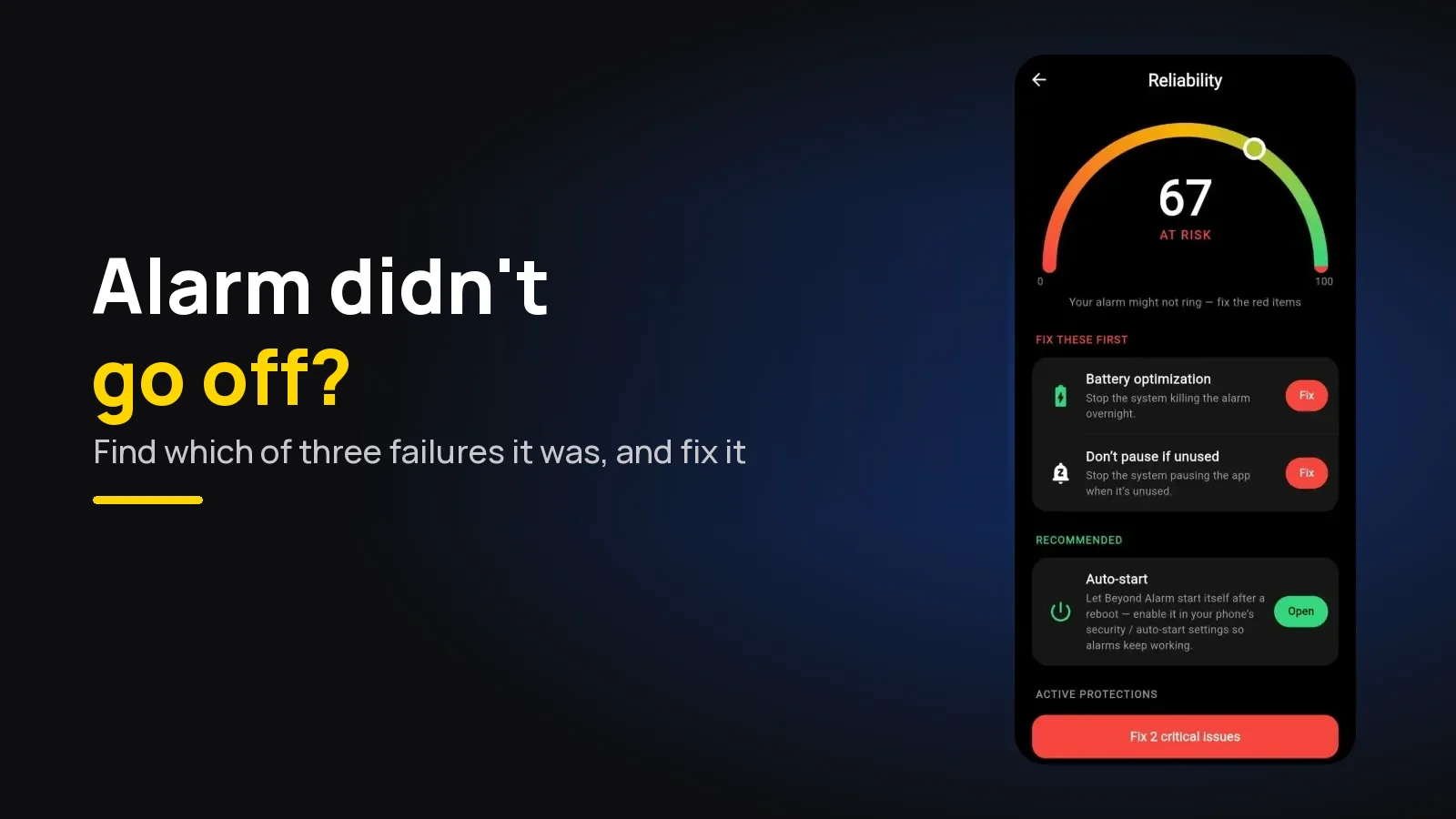
An alarm that didn't go off almost always failed in one of three ways: it never fired, it fired with no sound, or it rang and stopped before you woke. Each has different causes on Android and iPhone. Beyond Alarm covers all three, and its reliability screen checks Android's settings for you.
The short version:
- Use Beyond Alarm for mornings that matter. On Android it checks the settings that stop alarms, holds the Alarm volume at maximum while it rings, and sets its alarms again after a restart, before you unlock. On iPhone it rings through Apple's AlarmKit, on silent and in a Focus.
- No ring at all? Look for an overnight restart, battery limits on the app, or an alarm set for PM or the wrong day.
- Vibrated or showed, but silent? Check the alarm's own sound and the Alarm volume, then Do Not Disturb on Android.
- Rang, but you slept through? Most clock apps stop by themselves after a few minutes. An alarm that doesn't time out fixes that.
- Then test it: a three-minute alarm, phone locked, face down.
First: which of the three failures was it?
"My alarm didn't go off" covers three different failures, and fixing the wrong one wastes the next morning too.
| What you noticed | What it means | Where to look |
|---|---|---|
| Nothing at all, no sound, no screen, no missed-alarm notice | It never fired | Restart, battery limits, permissions, wrong time |
| Vibration or a silent screen | It fired with no sound | Alarm volume, the tone, Do Not Disturb |
| It went off late | It fired, but was held back | Battery limits, exact-alarm permission (Android) |
| A missed or snoozed notice | It rang and stopped | Ring time-out, snooze, you dismissed it asleep |
| Fine for weeks, then nothing | Something changed overnight | An update, a new Mode, the app put to sleep |
Beyond Alarm is built so none of these happens. The sections below show where each fix lives.
How to check what happened after the fact
Look for evidence before you reset anything.
- Did the phone restart? If it asked for your PIN or passcode instead of your fingerprint or face this morning, it restarted overnight. Both Android and iPhone require the code after a restart.
- Read the notifications. On Android, Google's Clock can tell you why an alarm was quiet. Its help page lists messages such as "Do Not Disturb silenced your alarm" and "Battery Saver may have prevented your alarm from going off".
- Open the alarm itself. Read the time slowly (7:00 PM looks like 7:00 AM at midnight) and check the repeat days. A weekday alarm won't ring on Saturday.
- Check the volume. Google's page flags an alarm volume "below 30%" as possibly too low. On iPhone, the alarm follows the Ringtone and Alerts slider in Settings → Sounds & Haptics on iOS 26.
It never fired: the Android causes
Android alarm apps need the phone to let them run at the right moment.
- Battery optimisation and app sleeping. Every maker adds its own layer. Samsung has Sleeping apps, Xiaomi has Autostart, vivo and OPPO have their own background limits. A third-party alarm app you never open is a prime target.
- A restart left the phone locked. After a restart, Android keeps app data locked until the first unlock, so many alarm apps can't set their alarms until then. Why a restart silences alarms is explained in full separately.
- Doze held it back. Android's Doze documentation says standard alarms, even exact ones, are deferred while the phone sits idle. Alarms set as alarm clocks "continue to fire normally".
- Alarms & reminders was switched off. Since Android 12 an app needs this permission for exact timing. Without it, an alarm can arrive late or not at all.
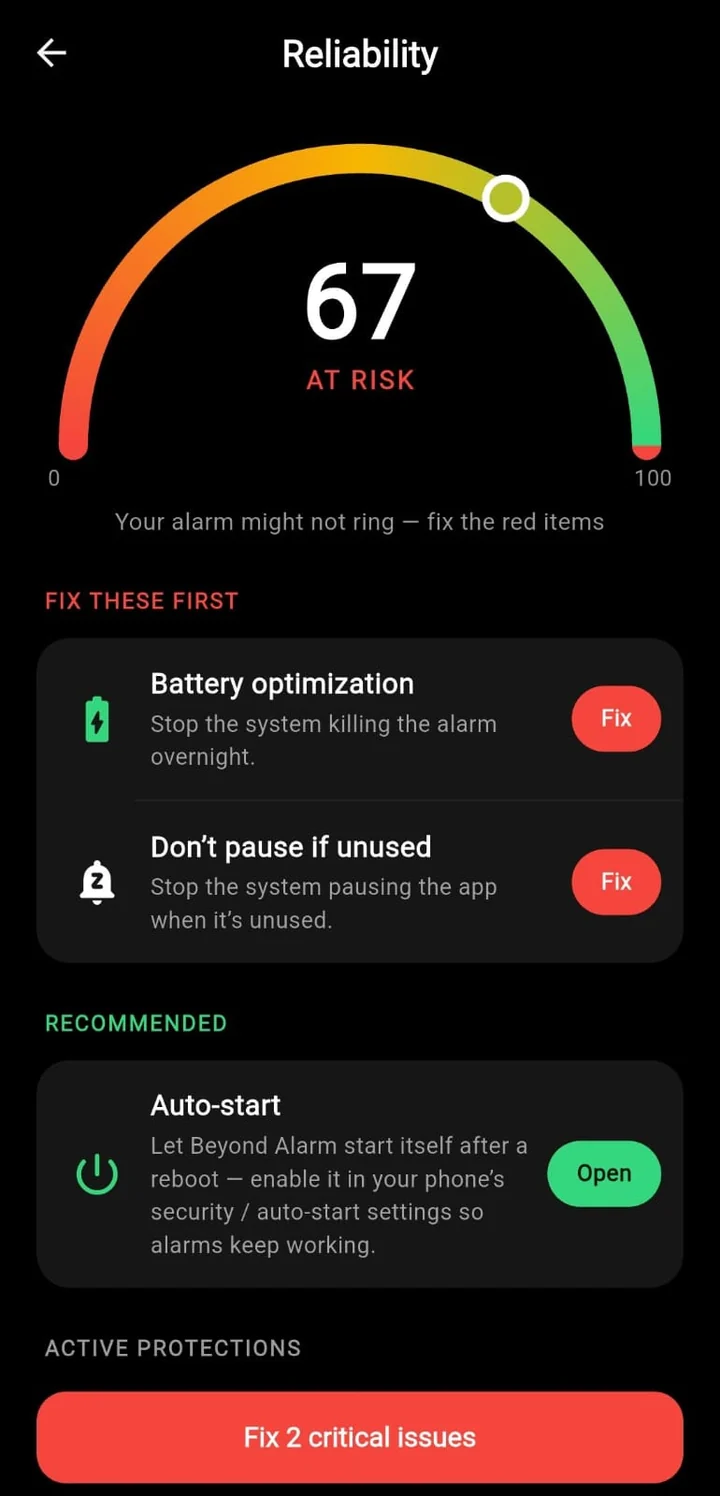
Beyond Alarm's reliability screen checks exact-alarm permission, notifications, full-screen alerts, battery optimisation, the Alarm volume and Display over other apps, and on Xiaomi, vivo, OPPO, realme, OnePlus and similar phones it adds auto-start and unused-app pausing. It gives the phone a score and opens the right page for each fix.
The per-brand checklists
Each maker hides these settings somewhere different. Pick your phone:
| Phone | What usually stops the alarm | Full checklist |
|---|---|---|
| Any Android, with Beyond Alarm | Checked for you on its reliability screen | Android alarm not going off |
| Samsung Galaxy | Sleeping apps, Sleep mode, Auto restart | Samsung |
| Google Pixel | Clock's Silence after, Bedtime mode, Alarm volume | Pixel |
| Xiaomi, Redmi, POCO | Autostart off, battery saver per app | Xiaomi |
| vivo | Autostart, background power consumption | vivo |
| OPPO and realme | Auto launch, Sleep standby optimisation | OPPO and realme |
| OnePlus | Battery optimisation, advanced optimisation | OnePlus |
| Motorola | A hidden Unrestricted option, Adaptive battery | Motorola |
| Tecno, Infinix, itel | Phone Master auto-start, power saving for apps | Tecno and Infinix |
| iPhone | Volume, a tone set to None, a sleep alarm off | iPhone |
It never fired: the iPhone causes
When an iPhone alarm doesn't fire, it's usually the alarm itself.
- A sleep-schedule alarm switched off. The wake-up alarm from Health is separate from Clock alarms, and can be turned off for one night only.
- The wrong time or day. PM instead of AM, or a repeat that skips today.
- The clock was changed by hand. Apple warns that changing the time manually "can affect alarms". Set Date & Time back to automatic.
- Alarm permission refused for an app. A third-party AlarmKit app needs your permission to schedule alarms. On iPhone, Beyond Alarm's reliability screen shows whether it has it.
Our iPhone alarm checklist walks through all nine causes Apple's own pages point to.
Beyond Alarm
Beyond Alarm does this part for you: the alarm will not switch off until you have actually moved, and the apps you pick stay locked afterwards.





It fired, but made no sound
The phone did its job; the sound didn't reach you.
- The Alarm volume is down. On Android, alarms have their own slider, separate from media and ringtone. If it rings but is too quiet, see why alarms are too quiet on Android.
- The tone is silent or missing. A tone set to None, or a song or downloaded file that has since been deleted, can play nothing.
- Do Not Disturb or a Mode muted it. On Android a schedule can switch on at night, and alarms from third-party apps depend on its exceptions. The three ways Do Not Disturb silences an alarm are covered separately.
- A maker setting. Samsung's Clock has a switch called "Silence alarms when system sound is off". Samsung alarm with no sound covers it and the rest.
On iPhone, Apple says silent mode and Do Not Disturb don't affect the alarm sound, so look at the volume and the alarm's own tone first.
It rang, and you slept through it
If the alarm went off and you didn't wake, no setting above will help. Most built-in clock apps stop ringing by themselves after a few minutes (what "alarm automatically silenced" means), and many let you turn the alarm off with one tap you won't remember making.
This is the failure we built Beyond Alarm around, and here is what our own code does. On Android the alarm rings on the alarm stream, the Alarm volume is held at maximum while it rings (turn it down and it goes straight back up), and there is no time-out: it keeps ringing until you dismiss it or finish the wake-up mission you chose. It is scheduled as an alarm clock, the kind Android lets through Doze, and it sets its alarms again as soon as the phone boots, before the first unlock. On iPhone (iOS 26.1 and later) every alarm goes through Apple's AlarmKit, which Apple says "breaks through the silent mode and the current focus", and your chosen sound is normalised to near full level so it's loud from the first second.
If you keep switching alarms off in your sleep, read why you turn off your alarm in your sleep and how to wake up a heavy sleeper.
How to make sure tomorrow's alarm rings
Set an alarm for three minutes from now, lock the phone and put it face down. If it rings at a sensible volume and the screen comes up, the basics are right.
Then check what a three-minute test can't catch:
- No restart overnight. Turn off scheduled restarts (Samsung's Auto restart, for example) or move them to the afternoon.
- No bedtime mute. Look at Do Not Disturb, Sleep or Bedtime modes and any routines that run at night, and make sure alarms are allowed.
- The real alarm is right. AM or PM, the repeat days, and a built-in tone.
- Battery is unrestricted for a third-party alarm app on Android.
Re-check after any system update. That's when settings like these reset.
Sources
Checked on 9 November 2026.
- Android Help: Set, cancel, or snooze alarms on your Android device
- Android Developers: Optimise for Doze and App Standby
- Samsung Support: Set and edit alarms on your Galaxy phone or tablet
- Apple Support: How to set and change alarms on your iPhone
- Apple Developer: Wake up to the AlarmKit API (WWDC25)
Common questions
Why did my alarm not go off this morning?
Most missed alarms are one of three things. It never fired (a restart, battery limits or an alarm set for PM), it fired with no sound (alarm volume down, a silent or deleted tone, Do Not Disturb on Android), or it rang and stopped before you woke. Each has a different fix.
What does it mean when an alarm didn't go off?
It means one of three things happened, and they look the same in the morning. The phone never triggered the alarm, it triggered it silently, or it rang, timed out and stopped. Working out which one is the first step, because the settings to fix each are different.
Why are my alarms not going off on Android?
On Android the usual causes are battery optimisation or the maker's own app-sleeping lists stopping a third-party alarm app, an overnight restart that left the phone locked, a missing Alarms & reminders permission, and Do Not Disturb or a Mode muting the sound. Beyond Alarm's reliability screen checks most of these and opens each setting for you.
Can silent mode stop my alarm?
On iPhone, no. Apple says the Ring/Silent switch and Do Not Disturb don't affect the alarm sound. On Android, alarms use their own volume, so silent mode usually doesn't touch them, but Do Not Disturb settings and some makers' options, such as Samsung's Silence alarms when system sound is off, can.
How do I make sure my alarm goes off tomorrow?
Set a test alarm three minutes ahead, lock the phone and put it face down. Then check what a short test can't catch, which is a scheduled restart, a bedtime Do Not Disturb or Focus, and the AM/PM and repeat days on the real alarm.
We build Beyond Alarm, the alarm for Android and iPhone that will not switch off until you have actually moved, then blocks the apps that pull you back. Most of what we write here comes out of building it.
Beyond Alarm
An alarm that keeps ringing until you’ve actually moved — then blocks the apps that pull you back to bed. Free to start, no account.
Keep reading
Does Your Alarm Work in Battery Saver Mode?
Does your alarm ring in battery saver or ultra power saving mode? What each mode really pauses on Pixel, Samsung and iPhone, and how to keep alarms safe.
Setting an alarm on Android: Google, Samsung, Beyond Alarm
Setting an alarm on Android, step by step in Google Clock, Samsung Clock and Beyond Alarm, plus the settings that make sure it actually rings.